
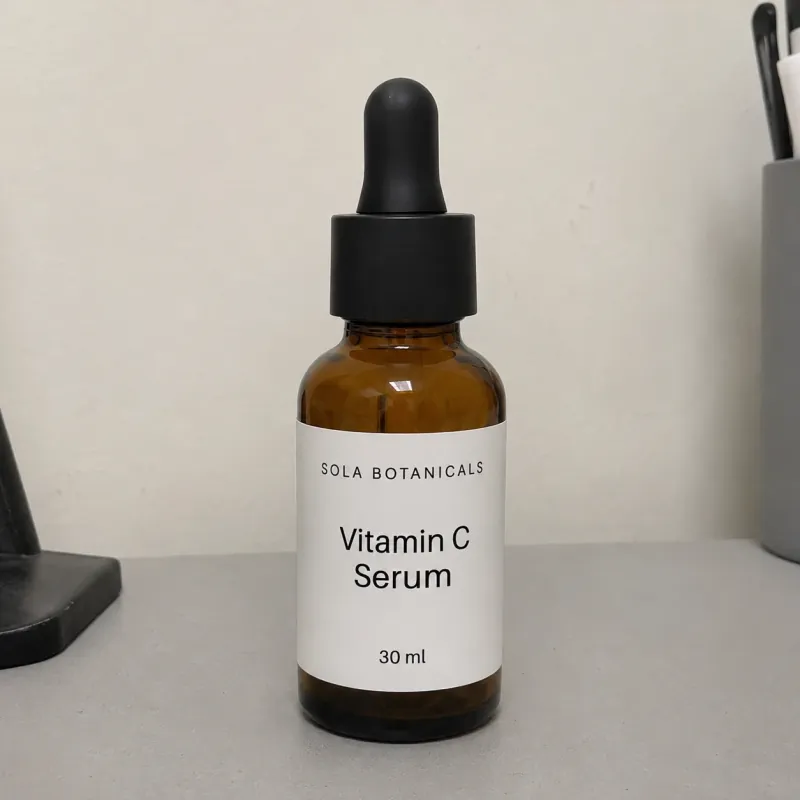
 Before
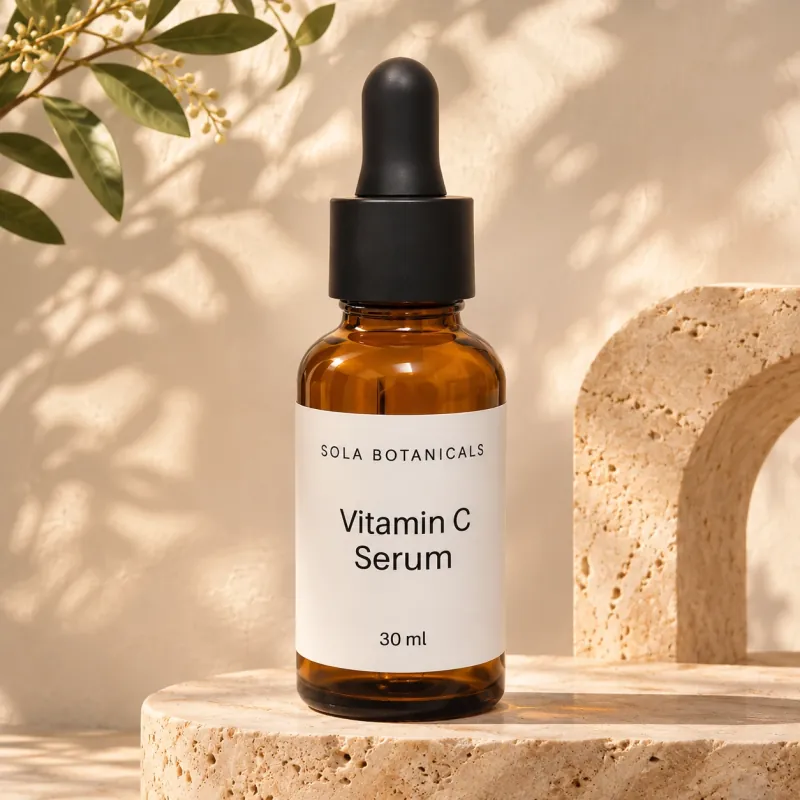 After
Botanical Serum
Warm travertine podium, morning botanical shadows, preserved label
Turn plain phone photos into 1K–4K studio shots with exact label lock — pay as you go from ~$0.07/shot, no subscription, and unreleased SKUs stay private.
Resolution checks & safe zones run in your browser; Generate uploads privately to per-account R2 (zero public gallery, zero training, instant delete in /library).
Auto 100% refund on failed runs1K / 2K / 4K
Clears Amazon 1600 px hover-zoom and print specs
From ~$0.07
50–71 studio shots per $5 never-expiring pack
85% + 9:16 Guides
Live Amazon fill & TikTok UI safe zones in browser
Private R2 Storage
Zero public gallery, zero training, instant delete
Need listing-ready packshots for Amazon, Shopify, or paid ads without booking a $600 studio shoot or writing 200-word prompts? Drop a phone snapshot into the studio workbench above to check platform safe zones in your browser and render commercial scenes in seconds:
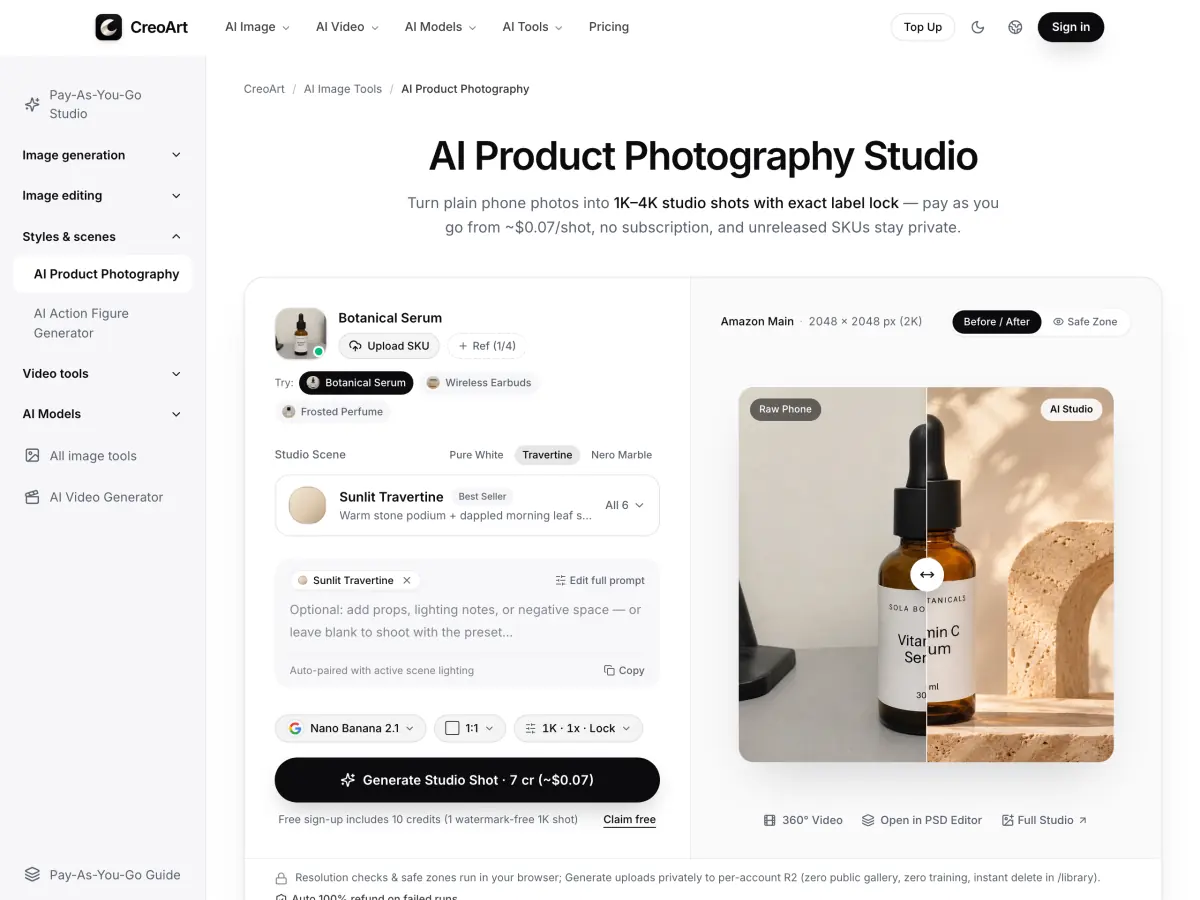
If you have tested generic AI background replacers on a real SKU, you know the frustration: the scene looks polished at thumbnail size, then you zoom in and spot melted brand typography, a 30 ml dropper stretched to 100 ml proportions, and a flat shadow that makes the bottle look pasted onto the stone.
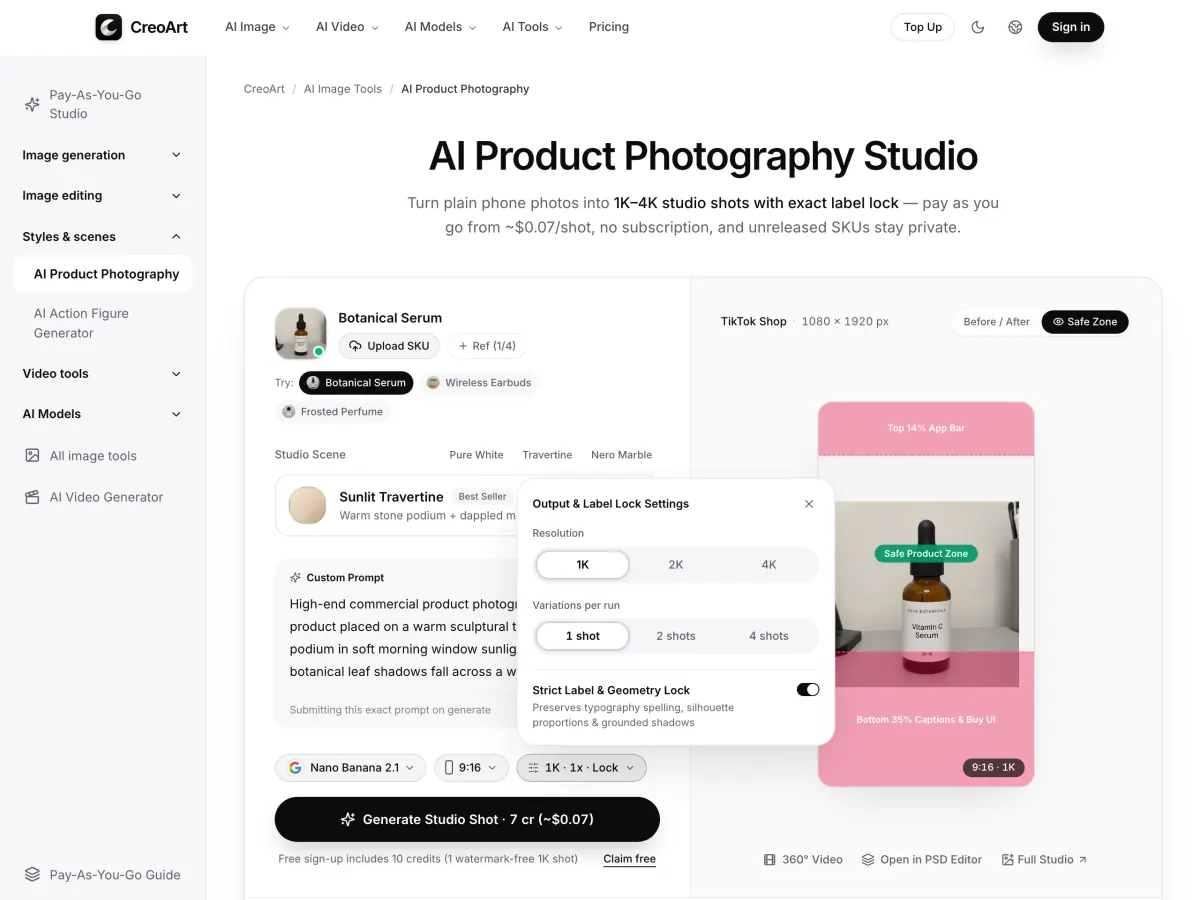
Three concrete mechanical flaws cause almost every ruined AI product shoot. First, weak single-pass image editors re-synthesize the entire canvas to satisfy a style prompt, which destroys 6–10 pt ingredient text and subtle serif logos. Second, smartphone source photos often carry harsh flash hotspots or cool overhead glare; without relighting contact shadows (ambient occlusion directly where glass meets stone), the product never physically sits in the scene. Third, generic editors ignore marketplace framing physics — Amazon requires pure RGB(255,255,255) white with ≥ 85% frame fill, while TikTok Shop covers the top 14% and bottom 35% of 9:16 frames with native UI controls.
CreoArt’s dedicated product shoot workbench solves all three upfront: your browser verifies source sharpness and previews exact platform safe zones before you spend a credit; Strict Label & Geometry Lock injects typography-preservation and contact-shadow directives automatically; and routing defaults to multi-reference engines — Nano Banana 2.1 (up to 14 references, native 4K) and GPT Image 2.5 (up to 16 references, sharpest small lettering) — so you get commercial reliability on the first or second render.
Garbled brand spelling or warped logos
Start with a ≥ 1000 px source photo, keep Strict Label Lock enabled, and use GPT Image 2.5 (High) or Nano Banana 2.1 (2K).
Product looks pasted or floating above the podium
Turn phone flash OFF and shoot in soft side daylight so the model builds physically grounded contact shadows and surface reflections.
Cropped edges on Amazon or blocked by TikTok captions
Toggle the built-in Amazon 85% Fill Guide or TikTok 9:16 UI Safe Zone directly in the browser preview before generating.
Inconsistent lighting across a 12-SKU catalog
Lock one scene preset, one model, and one ratio across all SKUs so every product card shares matching shadow angles and warmth.
Match your canvas ratio and export resolution to each sales channel before generating so marketplaces never reject, soft-blur, or cover your product with interface chrome:
| Marketplace / Channel | Target Resolution (px) | Aspect Ratio | Compliance & Safe-Zone Constraint | Recommended Workbench Preset |
|---|---|---|---|---|
| Amazon Main Image | 2000 × 2000 px (min 1600 px for zoom) | 1:1 | Pure white RGB(255,255,255) background; product must fill ≥ 85% of frame; zero badges or watermarks | Amazon Pure White + 1:1 + 2K + 85% Guide |
| Amazon A+ Content Banner | 970 × 600 px or 1464 × 600 px | 16:9 | Lifestyle scenes allowed; leave clean left or right negative space for brand copy modules | Sunlit Travertine / Lifestyle + 16:9 + 2K |
| Shopify & DTC Storefront PDP | 2048 × 2048 px or 1600 × 2000 px | 1:1 or 4:5 | Keep identical camera height and warm/cool light across SKUs; 4:5 claims more mobile screen space | Sculptural Podium + 4:5 + 2K |
| Instagram & Meta Feed Ads | 1080 × 1350 px | 4:5 | Highest-performing feed aspect; leave ~10% top and bottom breathing margin for feed previews | Dark Nero Marble / Splash + 4:5 + 1K/2K |
| TikTok Shop & Reels Ads | 1080 × 1920 px | 9:16 | Top 14% (navigation) and bottom 35% (captions + Buy button) are covered by app UI; center product in middle zone | Any Scene + 9:16 + TikTok Safe Zone |
| Etsy Primary Listing Photo | 2000 × 1500 px (2000 px shortest side) | 4:3 | Search thumbnails auto-crop to 4:3; warm natural-daylight tabletop scenes outperform clinical white | Countertop Lifestyle + 4:3 + 2K |
| Shopee / Lazada / Regional Apps | 1024 × 1024 px to 1200 × 1600 px | 1:1 or 3:4 | High-contrast product silhouette readable at 168 px mobile search-card width; crisp edge separation | Minimal Podium / Pure White + 1:1 or 3:4 |
A physical studio shoot typically runs $300–$1,500 per SKU plus shipping turnaround, while dedicated product-AI apps often lock sellers into $29–$99/month subscriptions that reset unused credits. Here is the exact per-image math on CreoArt’s $5 Entry Pack (500 never-expiring credits = $0.01/credit):
50 total packshots & lifestyle frames
CreoArt Pay-As-You-Go
~$3.50
350 credits · $5 Entry Pack (500 never-expiring cr — 150 left)
Traditional Studio (~$400/SKU)
$4,000
Save ~99.9% ($3,997 kept)
Typical $39/mo SaaS (12 mos)
$468
Unused monthly quotas reset; CreoArt packs never expire
| Model / Workflow | Default Spec & Credits | Est. USD ($5 Pack) | Shots per $5 Pack | Best Commercial Product Fit |
|---|---|---|---|---|
| Nano Banana 2.1 (Default) | 1K · 7 cr (up to 4K · 14 refs) | ~$0.07 / shot | ~71 shots | All-round e-commerce workhorse: faithful proportions, natural daylight, native 1K–4K ratios |
| GPT Image 2.5 | 1K Low 4 cr · High 24 cr (up to 16 refs) | ~$0.04–$0.24 / shot | 20–125 shots | Text-heavy labels (supplements, coffee bags, cosmetics typography) and strict packaging geometry |
| Seedream 5.0 Pro | 1K · 10 cr (up to 2K · 10 refs) | ~$0.10 / shot | ~50 shots | Luxury editorial lighting: glass perfume refraction, dark marble specular polish, warm lifestyle scenes |
| MiniMax H3 (360° Video Handoff) | 480P 4s · 28 cr (5s · 35 cr) | ~$0.28 / clip | ~17 clips | Turn finished hero packshots into smooth 360° turntable videos for PDP slots and paid social |
| Traditional Studio / Monthly SaaS | $300–$1,500 / SKU or $29–$99 / mo | High fixed cost | Expires monthly | Only needed for bespoke physical set builds; pay-as-you-go AI cuts seasonal SKU shoots by 95%+ |
Inspect three common commercial categories — skincare droppers, matte consumer tech, and Amazon-compliant fragrance packshots. Click any example to load that exact sample SKU and lighting recipe straight into the workbench above:
BeforeAfterWarm travertine podium, morning botanical shadows, preserved label
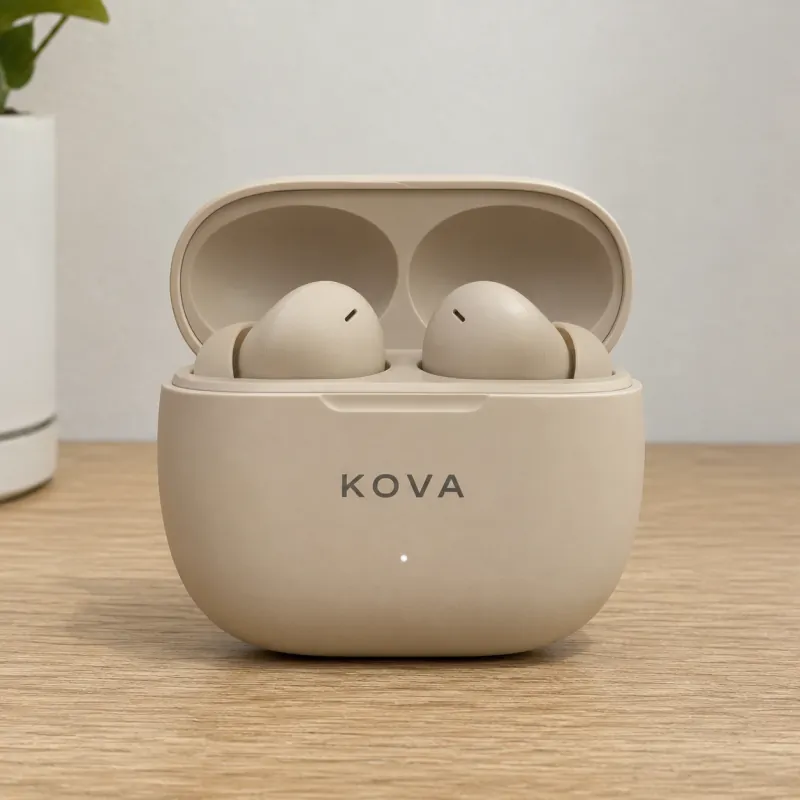 Before
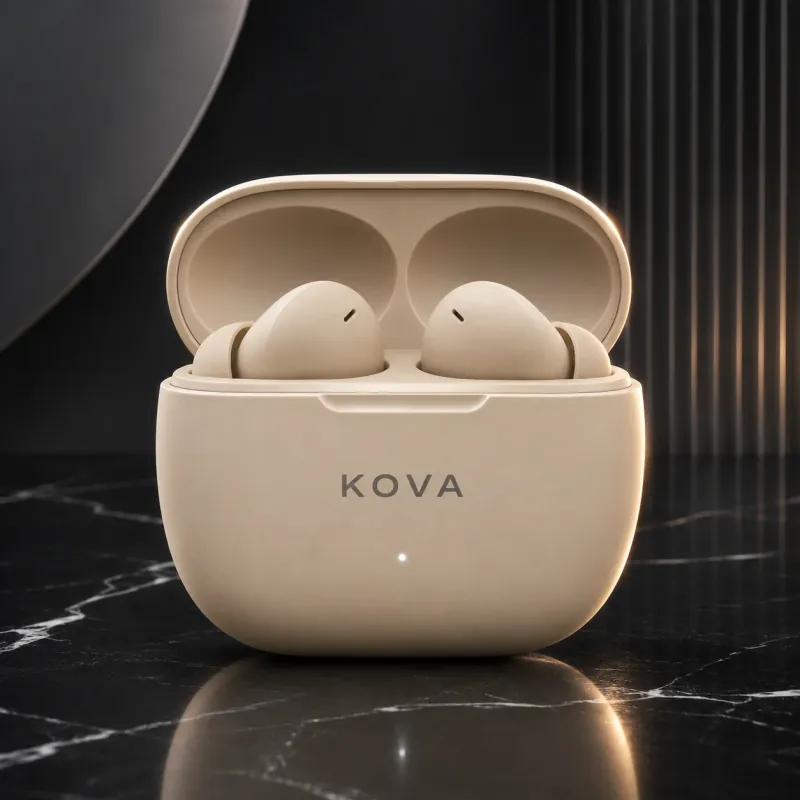 After
Dark Nero Marquina marble, crisp tech rim light & clean reflection
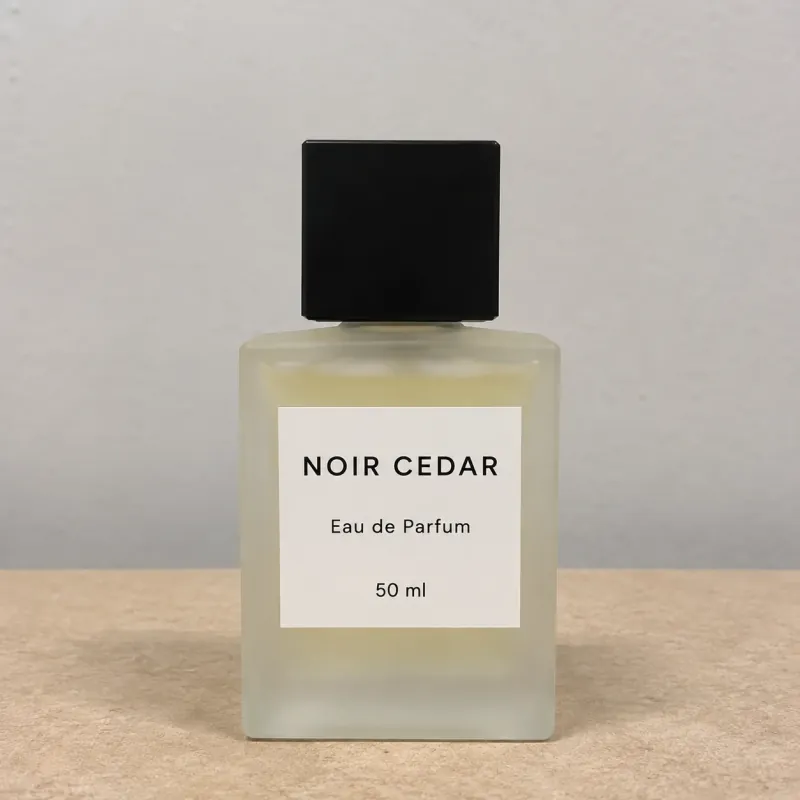 Before
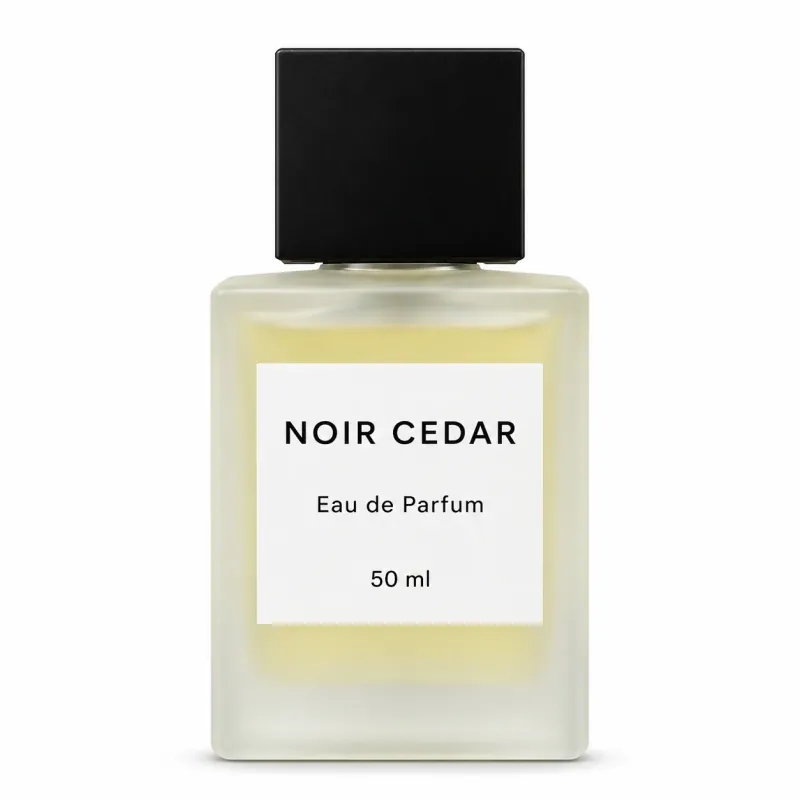 After
Pure #FFFFFF Amazon Main Image compliance, grounded soft shadow
For e-commerce founders, agencies, and Amazon private-label sellers, leaking an unreleased product mold or packaging redesign is far worse than spending an extra few cents per render. Community-driven AI tools frequently expose lower-tier generations on public explore feeds or fold user uploads into future model training sets.
CreoArt (operated by CreoArt Studio / MagicT LLC) is built private-by-default. Framing guides, source dimension checks, and safe-zone overlays run directly in your browser without sending a byte. Only when you click Generate does your SKU image upload over HTTPS into isolated per-account Cloudflare R2 storage (Cache-Control: private, no-store).
Spend 30 seconds getting the raw smartphone input right and your first-pass commercial keeper rate jumps from ~40% to over 90%. Stick to these five concrete rules:
Direct LED flash burns harsh white specular glare right across glass bottles, glossy cartons, and foil lettering, erasing characters the model needs to read. Set the product within 1 meter of a daylight window instead.
If you cannot comfortably read "30 ml" or the brand sub-headline when zoomed into your source photo, no AI model can preserve it reliably. Fill 60–75% of your phone camera frame with the product.
Shooting steeply downward at 45° from standing height and asking for an eye-level marble podium forces a perspective clash that makes bottles look tilted. Prop your phone upright on the table at mid-bottle height.
Busy or brightly colored tables bounce color casts into clear glass bases and metal rims. Rest the product on plain white paper or neutral matte gray card so relit surfaces blend seamlessly.
When lighting and shadows are spot-on except for one tiny prop or micro-label blur, open the output in Local Image Editor (/local-image-editor) or overlay the crisp original label layer in CreoArt’s free PSD Photo Editor (/photo-editor).
Answers on label fidelity, marketplace compliance, commercial rights, and pay-as-you-go billing.
On the $5 never-expiring Entry Pack (500 credits, $0.01/credit), a 1K studio packshot costs 7 credits (~$0.07) with Nano Banana 2.1, 4–24 credits (~$0.04–$0.24) with GPT Image 2.5, or 10 credits (~$0.10) with Seedream 5.0 Pro. That gives you roughly 50 to 71 commercial product images from a single $5 one-time pack with zero monthly subscription.
Yes. Preview framing, dimension checks, and safe-zone overlays run directly in your browser before anything is sent. When you click Generate, your SKU image is transmitted over HTTPS into private per-account Cloudflare R2 storage (Cache-Control: private, no-store) with zero public gallery, zero self-model training, 30-day automatic deletion, and instant 1-click delete in /library.
Most generic image editors hallucinate small label text because they re-synthesize the entire image from a low-resolution crop or aggressive style prompt. Upload a sharp source photo at least 1000 px on the short edge with flash turned off, turn on Strict Label & Geometry Lock, and pick Nano Banana 2.1 or GPT Image 2.5 (1K High / 2K) to lock packaging typography.
Yes. Select the Pure White Amazon Main scene preset and 1:1 ratio, then enable the 85% Amazon Frame Guide in the live preview to confirm your product fills at least 85% of the canvas. Export at 2K (2048 × 2048 px) to clear Amazon’s 1600 px minimum for hover zoom.
Rigid packaged goods — skincare droppers, perfumes, supplements, coffee bags, ceramic ware, gadgets, earbuds, and boxed items — deliver the cleanest geometry lock. For glossy glass or chrome bottles, shoot your source photo in soft window light (never direct phone flash) so the AI can relight specular reflections naturally.
Yes. Paid credit exports carry no watermarks and are cleared for commercial e-commerce listings, Shopify storefronts, Amazon A+ content, and paid social ads under CreoArt’s Terms of Service. You remain responsible for ensuring you own or have rights to the underlying product and trademarks you upload.
Yes — upload or paste (Ctrl/⌘ + V) any JPG, PNG, or WebP photo up to 20 MB straight from your phone or desktop. No sample on hand? Click one of the 3 built-in sample SKUs above to test every scene preset and framing overlay immediately.
Confirmed upstream technical failures automatically refund 100% of reserved credits back to your wallet. If a small area on a good shot needs a quick fix — such as a label smudge or stray prop — open it in Local Image Editor (/local-image-editor) or our free PSD Photo Editor (/photo-editor) instead of regenerating the entire scene.
Turn every finished studio packshot into transparent cutouts, layered ad banners, or 360° product videos inside the same CreoArt wallet:
Run 44 flagship image and video models from one never-expiring balance — try 3 free daily FLUX images with no login.
Extract crisp transparent PNG product cutouts (8 credits / ~$0.08) ready for composite banners and multi-SKU bundles.
Animate your finished packshot into a 4–30s orbital product clip starting at ~$0.28 on MiniMax H3 or synced-audio Seedance 2.5.
Zero-ad local WebGPU Photoshop alternative for adding sale badges, crisp typography, or original label overlays in real PSD layers.