Playbook Summary · E-Commerce Packshots
- 01Lock framing geometry before prompting: Amazon requires pure
#FFFFFFbackgrounds with the SKU filling 85% of a1:1frame, while Shopify4:5hero banners and9:16paid social ads demand dead-space margins for UI overlays and headlines. - 02Describe physical light physics, not style buzzwords: Specifying diffusion ratios, gobo shadow softness, and contact shadow grounding prevents the waxy, plastic-sheen look that kills buyer trust on glass, matte cartons, and brushed aluminum.
- 03Match model tier to SKU complexity: Draft composition at $0.01/frame with FLUX.2 Klein 4B, render editorial scenes at $0.07–$0.10/frame with Nano Banana 2.1 or Seedream 5.5, and lock dense 6pt typography at $0.10–$0.35/frame with GPT Image 2.6 Flare.
- 04Never re-roll a 95%-finished shot: Isolate micro-artifacts on batch codes or foil stamps with the Local Brush Editor, then finish hex-accurate brand badges and layered PSD exports locally in the browser without uploading unreleased SKUs to third-party servers.
Most commercial product shoots fail long before anyone opens a retouching file. They fail because an art director treats an image generator like a slot machine—typing vague aesthetic adjectives into a blank prompt box, hoping the label survives, and burning forty generations trying to fix a crooked dropper cap or a melted serif font.
In a physical studio, you never set a camera on a tripod before checking the media buy’s aspect ratios, the packaging substrate’s specular response, and the lighting diagram. AI product photography requires the exact same discipline. When you feed a clean smartphone reference shot into the AI Product Photography Studio, the model is not inventing your product from scratch; it is acting as a virtual grip truck, cyclorama wall, and lighting rig wrapped around your existing geometry.
This playbook documents the exact production pipeline our studio teams use to ship compliant Amazon listings, editorial Shopify Product Detail Pages (PDPs), and high-converting paid social assets—keeping label typography intact, eliminating reshoots, and keeping catalog unit economics predictable.
Platform Safe Zones First — Framing Rules for Amazon, Shopify & 9:16 Ads
The fastest way to waste studio budget is generating a stunning horizontal lifestyle frame that crops off the cap when uploaded to a marketplace square or gets buried beneath a TikTok caption block. Establish your container geometry first, then place the SKU inside its safe zone.
Each distribution channel enforces strict visual mechanics:
- Amazon Main Image (
1:1Square,2000 × 2000 pxminimum): Amazon’s automated compliance bots reject main images that deviate from pure#FFFFFF(RGB 255, 255, 255) or leave excessive dead margin. Your physical SKU—including any outer carton if sold boxed—must occupy at least 85% of the longest dimension. Keep camera elevation low (0° to 10° off horizontal) so the front-panel typography sits parallel to the sensor plane, avoiding keystone distortion that makes small net-weight text illegible on mobile screens. - Shopify & DTC PDP Hero (
4:5Portrait,1600 × 2000 px): Mobile shoppers scroll vertically. A4:5portrait crop commands 25% more viewport height than a square without pushing the “Add to Cart” button below the fold. Leave the top 22% of the frame unobstructed—clean plaster, soft sky gradient, or out-of-focus architectural shadow—so merchandising teams can overlay seasonal badges or eyebrow copy in CSS without colliding with the bottle neck. - Meta Reels, TikTok & YouTube Shorts (
9:16Vertical,1080 × 1920 px): Paid social placements wrap your creative in aggressive interface chrome. Keep the hero product, brand wordmark, and primary value prop strictly inside the center 60% safe corridor: reserve the top 14% for profile headers, the bottom 26% for captions and CTA buttons, and the right-hand 15% strip for engagement icons.
When working from a tight smartphone reference photo that lacks surrounding environment, run it through the outpainting controls inside the AI Product Photography Studio before relighting. Expanding the canvas first lets the lighting engine calculate realistic bounce light and perspective horizon lines across the entire target aspect ratio.
Translating Real Studio Lighting Into Repeatable Prompts
Prompts loaded with subjective praise—“award-winning commercial photography, hyper-realistic, ultra-detailed”—produce erratic contrast and synthetic, liquid-looking reflections. Real commercial photographers control four physical variables: source size (hard vs. diffused), incident angle, fill ratio, and surface contact.
Translate those four variables directly into your lighting blocks:
1. High-Key Softbox (Marketplace & Clinical Skincare)
- Physical Rig: Two large
4 × 6 ftoverhead and 45°-front diffused scrims paired with white foam-core bounce cards on either side and an illuminated cyclorama floor. - Prompt Translation: “Lit by broad overhead diffused softbox light with dual side bounce cards, producing long vertical specular highlights along the vessel edge, zero harsh glare across the front label, and a tight, soft-edged ambient occlusion contact shadow directly beneath the base.”
- Best For: Frosted glass serums, supplement bottles, white matte cartons, and strict
#FFFFFFmarketplace compliance.
2. Hard Sun + Gobo (Warm Editorial & Beverage)
- Physical Rig: Single bare-bulb directional key light positioned high at 60° camera-left, passing through a perforated window-frame or botanical leaf gobo onto warm travertine or limestone.
- Prompt Translation: “Direct late-morning directional sunlight from upper left passing through an off-camera botanical gobo, casting crisp-edged dappled leaf shadows across warm honed limestone while keeping the front product label evenly illuminated by warm natural bounce fill.”
- Best For: Cold-pressed juices, sunscreen, ceramic homeware, and summer DTC campaign banners.
3. Back-Lit Rim (Translucent Liquids & Fragrance)
- Physical Rig: Strip softbox placed directly behind the subject behind a translucent acrylic sweep, bordered by black flags (negative fill) on both sides to carve dark, high-contrast glass edges.
- Prompt Translation: “Strong rear strip-box backlighting illuminating the translucent amber liquid from within, flanked by black negative-fill flags that define dark crisp glass edges, with a subtle front-fill reflector keeping metallic foil label lettering legible.”
- Best For: Perfumes, craft spirits, olive oil, and tinted translucent polymers.
4. Low-Key Sculpt (Consumer Electronics & Matte Hardware)
- Physical Rig: Gridded strip key at 75° side angle on dark anodized aluminum or slate, paired with a low-power overhead hair light to separate dark chassis edges from a charcoal background.
- Prompt Translation: “Low-key side-raking gridded strip light skimming across matte anodized metal texture on dark slate, subtle overhead rim light separating the top bevel from a deep charcoal background, controlled specular roll-off without blown highlights.”
- Best For: Audio hardware, EDC tools, espresso machines, and dark-mode product launches.
Two Verified Production Prompts
Every prompt inside our production library follows a three-sentence structure: Sentence 1 locks the physical subject, substrate, and label fidelity; Sentence 2 defines the surface, camera lens, and safe-zone composition; Sentence 3 specifies the exact lighting physics and contact shadow behavior.
Preserve the exact product geometry, packaging proportions, cap material, and every character of printed label typography from the reference image without altering fonts, colors, or alignment. Center the product upright at eye-level with a 90mm macro commercial lens, filling 85% of a 1:1 square frame against an unbroken pure #FFFFFF cyclorama background. Illuminate with broad diffused studio softboxes and side bounce cards for clean vertical specular highlights, zero glare over the front text, and a natural, subtle grounded contact shadow directly beneath the base.
Pair with a clean smartphone reference shot of your physical SKU inside the AI Product Photography workbench.
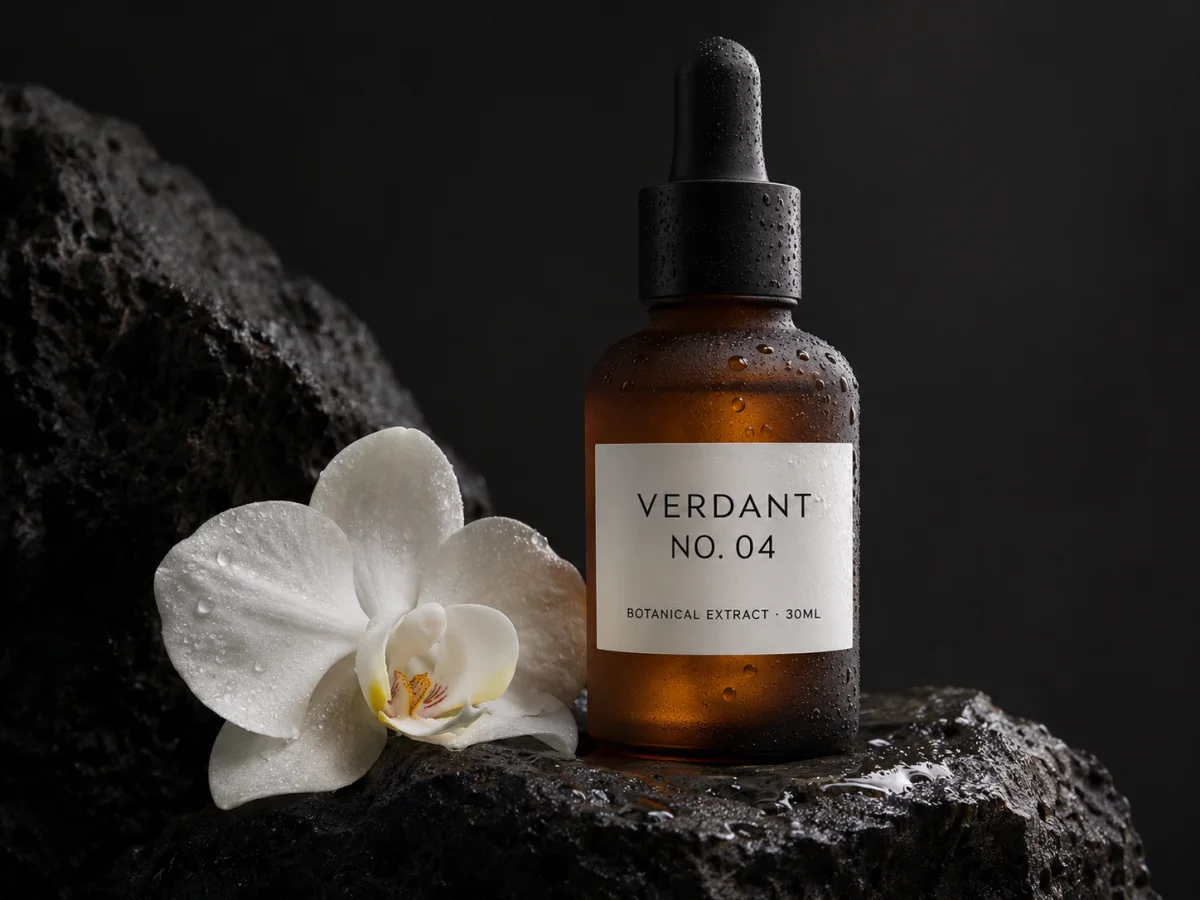
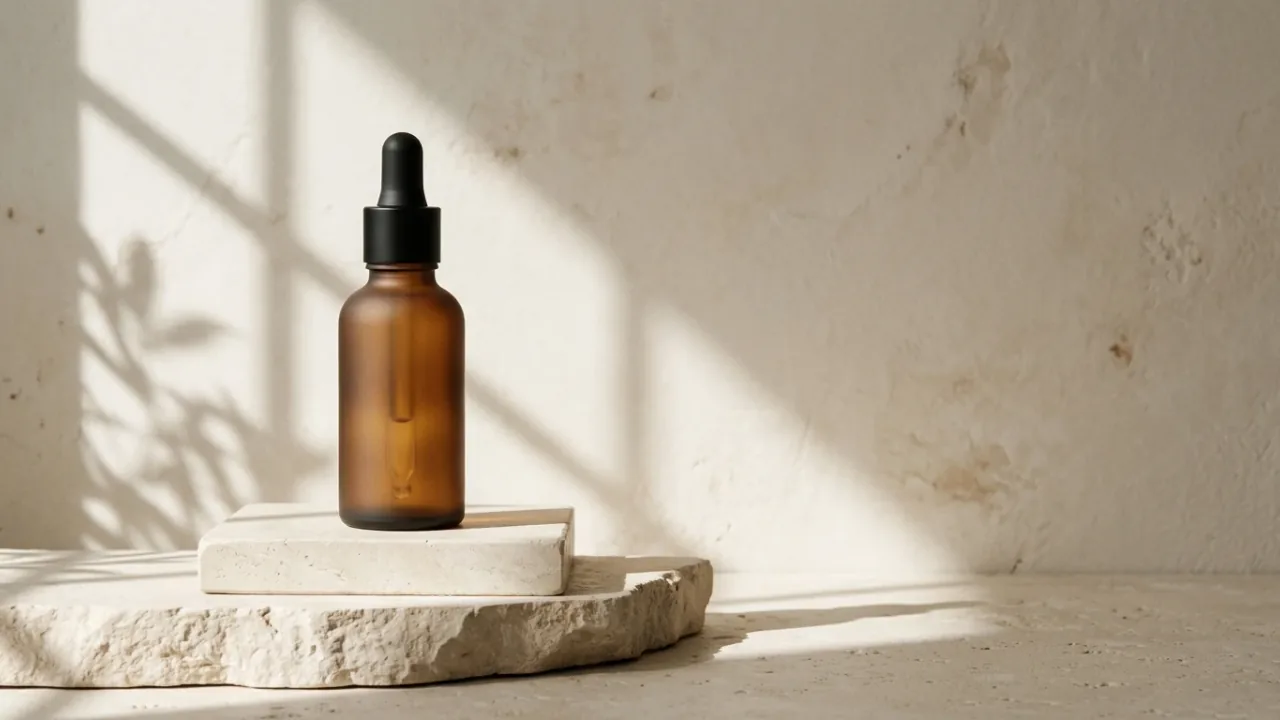
Keep the exact reference product packaging, embossed textures, and front-panel label copy intact while placing the unit slightly off-center on a weathered warm limestone plinth. Shoot at a 10-degree elevated editorial angle with an 85mm lens in a 4:5 vertical frame, leaving the upper quarter as clean, softly out-of-focus warm plaster wall space for PDP typography. Light with crisp late-morning directional sunlight from upper left filtered through an off-camera botanical gobo, casting soft organic leaf shadows across the stone while warm fill bounce keeps the product label crisp and readable.
Ideal for skincare, beverage, or tabletop hardware hero banners with top breathing room for PDP headlines.
Real Studio Before-and-After Output Samples
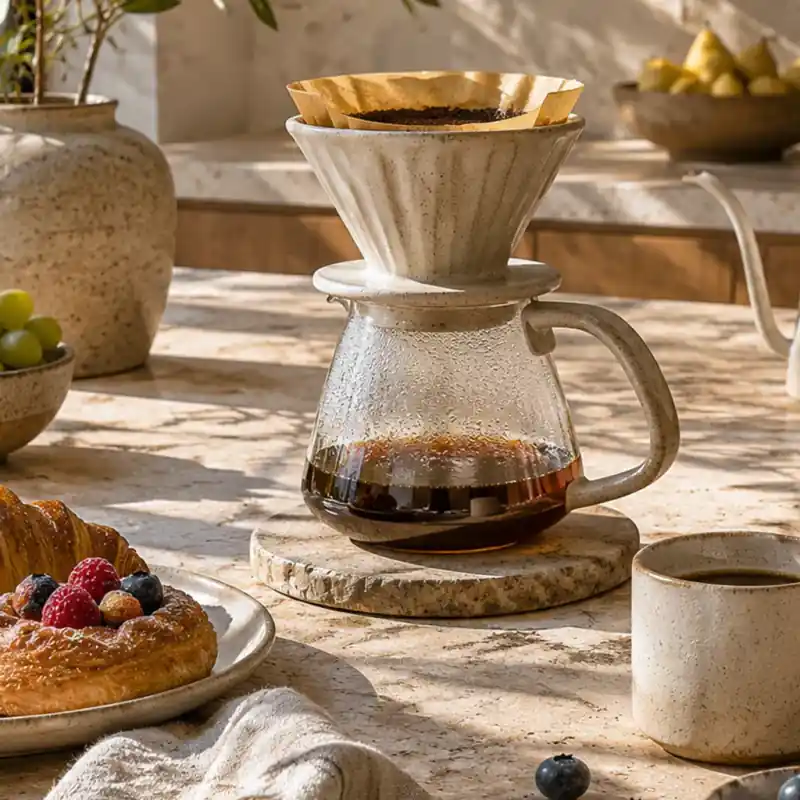
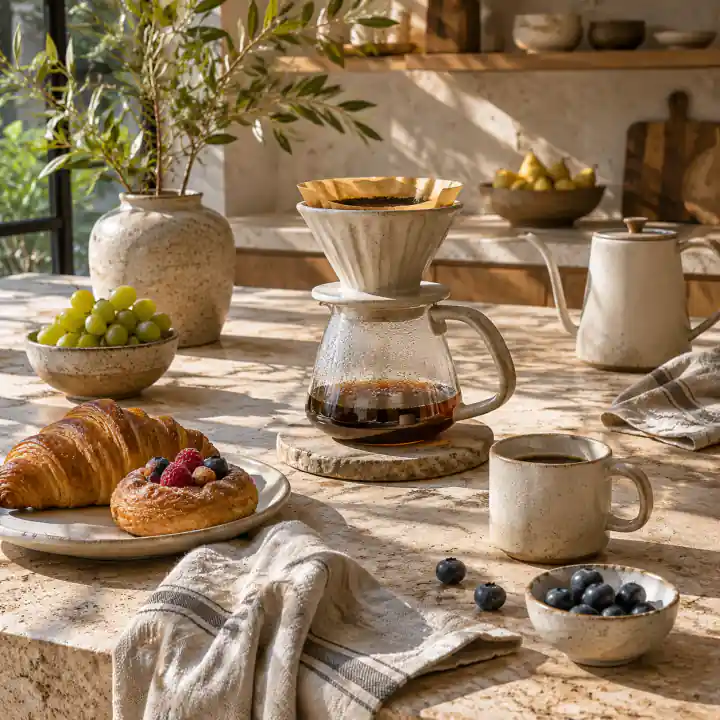
Notice how the workflow separates input geometry from final scene rendering. Starting from an unedited smartphone capture shot on an ordinary desk, the studio pipeline expands the framing, replaces the ambient room clutter with controlled architectural lighting, and preserves the exact brand mark on the container.
Choosing the Right Model for Each SKU Tier
Using your highest-cost model for early angle exploration burns budget; using a lightweight draft model on a supplement bottle covered in 6pt ingredient tables guarantees garbled copy. Because every model in CreoArt draws from the exact same $5 never-expiring credit pack (500 credits at $0.01/credit), you can route each stage of a catalog shoot to the exact engine built for that job.
| Model | Credit Rate (1K) | USD Cost | Label & Small-Text Fidelity | Best Commercial Role |
|---|---|---|---|---|
GPT Image 2.6 Flare (/gpt-image-2-6) |
5 cr (Low) / 10 cr (Med) / 35 cr (High) |
$0.05 / $0.10 / $0.35 |
Highest. Preserves dense ingredient panels, fine serif fonts, and metallic foil stamps. | Final hero packshots, regulated CPG/cosmetic labels, and #FFFFFF marketplace masters. |
Nano Banana 2.1 (/nano-banana-2-1) |
7 cr |
$0.07 |
High. Strong logo and primary wordmark retention with natural surface texture integration. | Editorial 4:5 PDP lifestyle scenes, organic stone/wood tabletops, and rapid angle variants. |
Seedream 5.5 (/seedream-5-5) |
10 cr |
$0.10 |
High. Excels at complex atmospheric lighting, botanical gobos, and dramatic editorial color grading. | Paid social (9:16) campaign heroes, seasonal lookbooks, and stylized backdrop replacements. |
FLUX.2 Klein 4B (/flux-2-klein-4b) |
1 cr (+ 3 free daily browser trials) |
$0.01 |
Draft-grade. Best for silhouette, prop placement, and lighting block tests rather than tiny copy. | Rapid composition blocking, testing 10 prop layouts for $0.10, and initial moodboard validation. |
The Final 5%: Fixing Tiny Label Artifacts Without Re-Rolling
In commercial production, hitting “Generate” again when 95% of the image is publish-ready is a rookie mistake—you lose the perfect shadow falloff just to fix one slightly warped digit in a 50 ml / 1.7 fl. oz. footer. Instead, treat the render like a raw studio plate and finish the final 5% with surgical tools:
- Inpaint Micro-Defects Locally: Open the rendered plate in the Local Brush Editor, paint a tight mask strictly over the single flawed character, cap seam, or stray dust speck, and run a localized pass. The surrounding glass refraction, limestone grain, and shadow falloff stay completely untouched.
- Upscale to Print & Zoom Resolution: Amazon’s hover-to-zoom magnifier triggers cleanly above
1600 pxon the longest side, and2000 × 2000 pxis the studio standard. Pass approved1Krenders through the AI Image Upscaler to sharpen micro-typography and packaging grain without introducing halos. - Cut Clean Alpha Masks When Needed: If your merchandising team needs floating PNG assets for retailer sell-sheets or comparison charts, strip the studio backdrop in one pass using the AI Background Remover (
8 credits/~$0.08), which preserves semi-transparent glass edges and clean contact drop-off. - Zero-Upload PSD & Hex Finishing: For exact Pantone/hex badge overlays, regulatory icons, or multi-layer PSD exports, open the asset in the free client-side WebGPU CreoArt Photo Editor. Because it executes 100% inside your browser’s GPU memory, zero bytes leave your machine—ideal when working under strict pre-launch NDA guidelines.
- Convert Stills Into Motion Loops: Once your hero packshot is locked, feed that exact verified still into CreoArt’s Image-to-Video workflow (Image-to-Video) to generate subtle 4-second turntable rotations, rising condensation mist, or shifting sunlight loops for high-CTR paid social ads without commissioning a motion studio.
Never shoot your smartphone reference photo with the phone’s ultra-wide 0.5x lens or harsh overhead kitchen LEDs. Step back four feet, switch to your phone’s 2x or 3x telephoto lens to eliminate barrel distortion, place the SKU near a shaded window for even diffuse light, and wipe the lens with a microfiber cloth. Clean input geometry cuts model retry rates by more than half.
FAQ
Frequently Asked Questions
How do I stop AI from warping small text and barcodes on my packaging?
Start with a sharp, front-facing 2x telephoto smartphone capture where the label fills at least half the frame, then render your final pass with GPT Image 2.6 Flare (Medium at 10 cr or High at 35 cr). Keep camera angle instructions near eye-level (0°–10°) so the model does not have to project tiny type across steep perspective angles, and fix any single-character glitch in the Local Brush Editor rather than regenerating the entire frame.
Will AI-generated white backgrounds pass Amazon's automated main-image checks?
Yes, provided you specify an unbroken pure #FFFFFF (RGB 255, 255, 255) cyclorama background, frame the SKU to fill 85% of the 1:1 square canvas, and verify the outer corner pixels in the free CreoArt Photo Editor before uploading. If a scene render introduces subtle off-white studio gradient falloff near the edges, run it through the AI Background Remover (8 cr / ~$0.08) and place it onto a pure #FFFFFF layer with a subtle grounded base shadow.
What does a typical 20-SKU catalog shoot cost using this workflow?
A standard 20-SKU catalog—producing one #FFFFFF marketplace main image plus two 4:5 editorial PDP variations per SKU (60 final assets total)—typically costs between $5.50 and $9.00 in total credits. Using FLUX.2 Klein 4B (1 cr) to test framing, Nano Banana 2.1 (7 cr) for editorial variations, and GPT Image 2.6 Flare (10 cr Medium) for hero packshots keeps unit cost around $0.10–$0.15 per finished commercial image, backed by a $5 never-expiring credit pack (500 credits).
Are unreleased product photos safe from public galleries and model training?
Yes. Every asset uploaded to or generated inside CreoArt is stored in private Cloudflare R2 buckets with a hard 30-day maximum retention window, zero public community gallery exposure, and a strict zero-training policy on user uploads and outputs (see full architectural details at our Trust Center). You can also trigger instant permanent deletion the moment you download your approved files, or perform final typography and color finishing locally in the browser via the WebGPU CreoArt Photo Editor.
Can I export layered PSD files or transparent PNGs for my design team?
Yes. Use the AI Background Remover (8 cr / ~$0.08) to export clean alpha-channel PNGs ready for Figma, Canva, or retail catalog templates. For multi-layer workflows requiring non-destructive text layers, hex-accurate brand stickers, or adjustment layers, finish your packshot inside the free client-side CreoArt Photo Editor and export directly to layered PSD, WebP, or print-ready PNG.
Put This Into Practice
Run the exact models tested here — without a monthly lock-in
Try 3 free daily FLUX.2 images with no account, or top up a never-expiring $5 pack (500 credits) to test all 44 image and video models privately.
Private R2 storage · Zero public gallery·100% auto-refund on upstream failures