
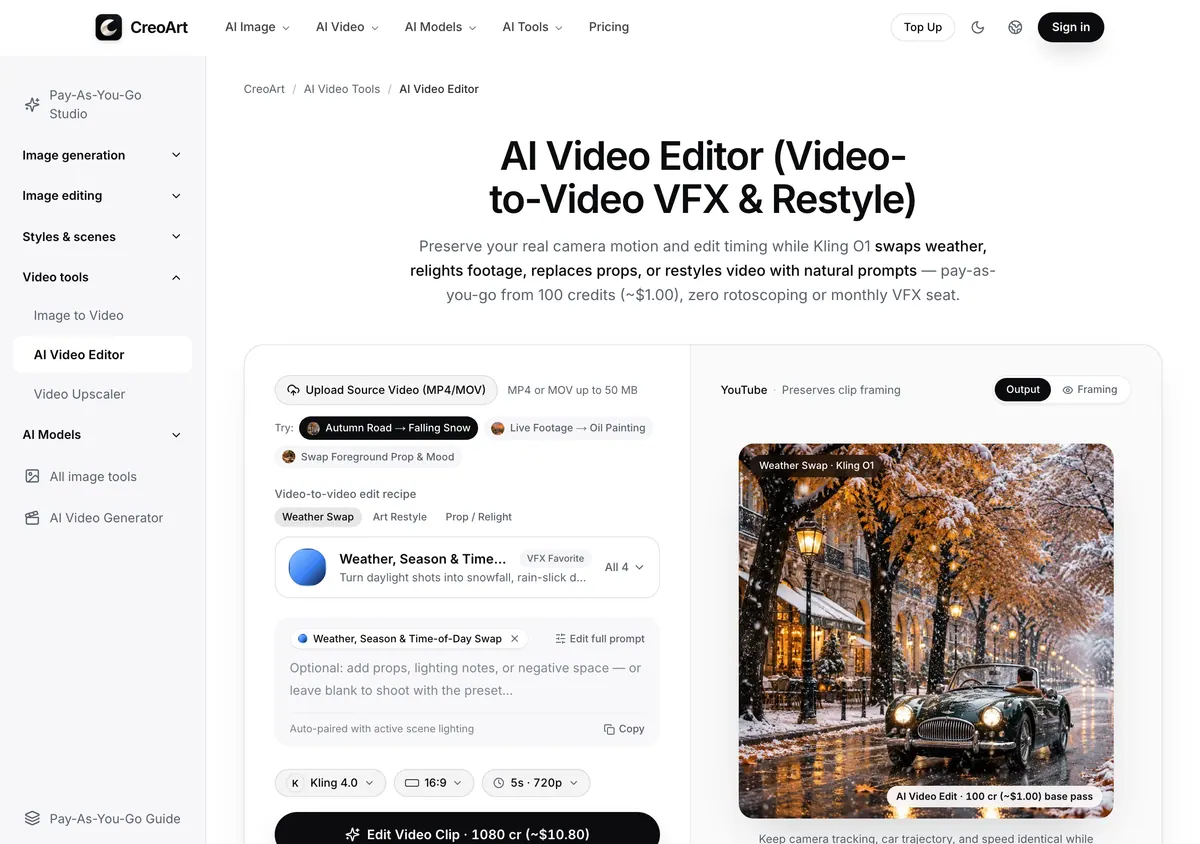
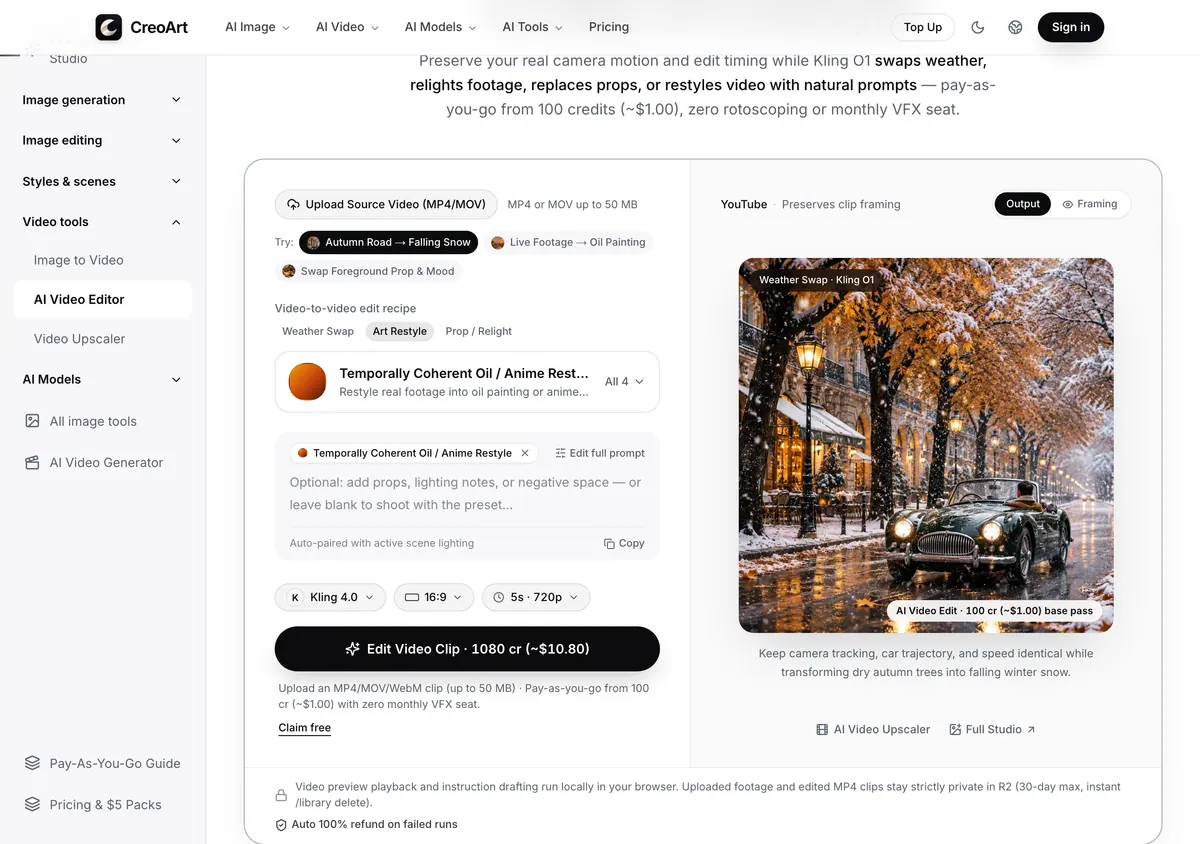
 Weather Swap · Kling O1AI Video Edit · 100 cr (~$1.00) base pass
Autumn Road → Falling Snow
Keep camera tracking, car trajectory, and speed identical while transforming dry autumn trees into falling winter snow.
Preserve your real camera motion and edit timing while Kling O1 swaps weather, relights footage, replaces props, or restyles video with natural prompts — pay-as-you-go from 100 credits (~$1.00), zero rotoscoping or monthly VFX seat.
Weather Swap · Kling O1AI Video Edit · 100 cr (~$1.00) base passKeep camera tracking, car trajectory, and speed identical while transforming dry autumn trees into falling winter snow.
Video preview playback and instruction drafting run locally in your browser. Uploaded footage and edited MP4 clips stay strictly private in R2 (30-day max, instant /library delete).
Auto 100% refund on failed runsKling O1 Video Edit
Dedicated video-to-video preserving source timing
From 100 cr (~$1.00)
$5 never-expiring pack = 5 VFX edit passes
Weather / Prop / Art
Direct MP4, MOV & WebM uploads up to 50 MB
Private R2 + Refunds
Confidential footage, 100% auto-refund on failure
Client wants snowfall after you wrapped an autumn shoot, or an indoor tabletop prop clashes with new brand colors? Preview your clip locally in your browser and run clean video-to-video VFX edits without days of manual rotoscoping:
When creative direction shifts after picture lock — turning a sunny drive into crisp snowfall or swapping a mug material across a moving tabletop shot — traditional post-production requires costly reshoots or days of painstaking rotoscoping and 3D relighting costing $300–$800 per clip.
Meanwhile, older frame-by-frame image filters introduce distracting temporal flicker that disqualifies footage from client delivery. CreoArt AI Video Editor runs Kling O1’s dedicated video-to-video architecture, tracking continuous optical motion across frames so falling snow, painterly oil textures, and golden sunbeams flow coherently with your real camera move.
Even better, pay-as-you-go credit packs free solo editors and boutique agencies from $76/month VFX subscriptions: buy a $5 never-expiring Entry Pack (500 cr = 5 video edits) strictly when a project calls for VFX magic, sharing the exact same balance with 44 AI image and video models.
Uploading a 60-second montage containing 12 hard scene cuts confuses temporal tracking
Trim and upload one continuous 3–8 second shot at a time for ultra-clean coherence and effortless NLE re-sync.
Requesting snowfall, wardrobe changes, face swaps, and oil painting all in one pass
Focus each edit pass on 1–2 crisp visual goals (e.g. weather change OR painterly restyle) for rock-solid zero-artifact results.
Heavy handheld shake or extreme motion blur degrades optical tracking
Start from tripod, gimbal, or cleanly stabilized clips so Kling O1 tracks every surface accurately.
Forgetting to preserve original synchronized dialogue and room sound
Keep your original audio stems in Premiere, Resolve, or CapCut and swap only the visual video track with your edited MP4.
Transparent per-pass cloud editing from 100 credits (~$1.00) with zero monthly VFX software overhead:
| Post-Production Task | Best Source Clip | Entry Cost | Coherence Prompt Focus | Typical Savings vs VFX |
|---|---|---|---|---|
| Weather & Season Swap | 3–8s stabilized driving, street or exterior shot | 100 cr (~$1.00) | Lock vehicle/camera speed; specify snow or rain light | Avoids seasonal reshoots ($350+ saved) |
| Painterly / Anime Music Video | Crisp silhouetted live action with fluid motion | 100 cr (~$1.00) | Name one clear medium (oil canvas or cel anime) | Replaces days of manual rotoscoping |
| Tabletop Prop & Lighting Upgrade | Tripod or slow-push commercial product footage | 100 cr (~$1.00) | State exact prop swap + golden sunbeam angle | Fixes client color/prop changes post-wrap |
| Background Clutter Cleanup | Clean foreground subject with shallow depth | 100 cr (~$1.00) | Keep foreground locked; simplify background walls | Replaces painstaking mask tracking |
Benchmark real per-clip spend and turnaround speed for commercial video post-production:
4 video-to-video VFX edit passes
CreoArt Pay-As-You-Go
~$4.00
400 credits · $5 Entry Pack (500 never-expiring cr — 100 left)
VFX rotoscoping / reshoot (~$350/clip)
$1,400
Save ~99.7% ($1,396 kept)
Typical $76/mo AI VFX Sub (12 mos)
$912
$5 never-expiring pack runs 5 AI video edits with zero recurring subscription.
| Post Workflow | Cost per 5s Clip | Turnaround | Timeline / Audio Sync | Pricing Model |
|---|---|---|---|---|
| CreoArt AI Video Editor (Kling O1) | From 100 cr (~$1.00) | 1–3 minutes | Matches source timing; keep original NLE audio | $5 never-expiring packs · Zero monthly fee |
| Freelance AE / Nuke VFX Artist | $250–$800 / shot | 2–5 business days | Bespoke manual precision for cinema finals | Hourly or per-shot retainers |
| Standalone AI VFX Monthly Plan | $76/mo ($912/yr) | Minutes | Good, but unused credits expire monthly | Auto-renewing high-tier subscription |
Inspect autumn-to-snow road tracking, painterly bridge cycling, and sunlit café tabletop relighting. Click any card to load its exact edit directive into the workbench:
Weather Swap · Kling O1AI Video Edit · 100 cr (~$1.00) base passKeep camera tracking, car trajectory, and speed identical while transforming dry autumn trees into falling winter snow.
 Video-to-Video RestyleAI Video Edit · Temporal Lock · 100 cr
Temporally coherent painterly oil-on-canvas styling across moving cyclists and stone arches without frame flicker.
 Object & Lighting EditAI Video Edit · Live Quote Before Run
Replace tabletop props or shift flat indoor lighting into golden sunlit dust beams without re-shooting footage.
Unreleased commercials, client rough cuts, and music video rushes demand private handling — never posted into public AI video showcases.
CreoArt (operated by CreoArt Studio / MagicT LLC) maintains zero public gallery and zero ads. Local video playback and prompt drafting stay in your browser; uploaded clips and edited MP4 deliverables reside solely inside private Cloudflare R2 buckets (Cache-Control: private, no-store, zero self-model training, 30-day max retention, instant single-clip delete in /library), with 100% automatic refunds on upstream failures.
Follow these five concise post-production practices so every AI-edited cut drops seamlessly back into your timeline:
Single continuous takes give Kling O1 unbroken motion vectors, eliminating abrupt flashes across cut points.
Starting with "Keep the exact camera pan and car speed unchanged; transform weather into falling snow" sharpens continuity dramatically.
Drop the edited MP4 directly onto your visual track above original audio for seamless broadcast-ready sync.
Changing weather OR restyling medium cleanly in one pass beats piling five conflicting edits into a single run.
Pair a 100-credit Kling O1 edit with a 48-credit 2× Real-ESRGAN upscale when delivering for 4K desktop displays.
Answers on Kling O1 pricing, MP4/MOV upload limits, motion preservation, and confidential footage handling.
AI Video Editor runs on our dedicated Kling O1 video editing engine starting at 100 credits (~$1.00 at the $5 never-expiring Entry Pack rate of 500 credits), with exact server-calculated credits shown before submission. One $5 pack covers 5 video edit passes with zero monthly subscription.
You can upload MP4, MOV, or WebM source clips up to 50 MB right inside the workbench. Your source video previews locally in your browser so you can verify framing and clip start before spending any credits.
Yes. Unlike text-to-video generators that invent a totally new shot, Kling O1 video-to-video locks onto the motion vectors, camera speed, and subject trajectory of your uploaded clip while transforming weather, lighting, props, or artistic medium.
Seasonal weather changes (autumn to snowfall, midday to blue-hour rain), coherent painterly/anime restyling, swapping a prominent foreground prop (such as a coffee mug or jacket finish), and commercial sunlight relighting yield the cleanest temporal consistency.
Use AI Video Editor whenever you already have real camera footage or an AI clip whose timing, acting, and camera move you want to preserve while changing its look. Use Image-to-Video (/image-to-video) when you only have a single still photo and want to generate new motion from scratch.
Yes. Click AI Video Upscaler in the workbench footer to pass your edited MP4 straight into Real-ESRGAN 2× (48 cr) or 4× (96 cr) video upscaling inside the exact same balance.
Yes. Source video previews run locally in your browser; uploaded clips and edited MP4 outputs live strictly inside private Cloudflare R2 storage (zero public gallery, zero self-model training, 30-day max retention, instant single-clip delete in /library). Confirmed technical failures trigger 100% automatic credit refunds.
Share one never-expiring balance across video editing, 2×/4× video upscaling, image-to-video, and 23 flagship video engines:
Sharpen edited clips cleanly to crisp 1080p or 4K playback resolution.
Generate fresh motion shots from approved stills across 23 engines.
Create brand-new 3–30s high-physics B-roll from 108 credits.
Narrative camera moves + 1.5× native audio with verified MP4 demo.
Broadcast 4K resolution with studio-grade dialogue and foley sync.
Compare and generate across CreoArt’s complete video catalog.