
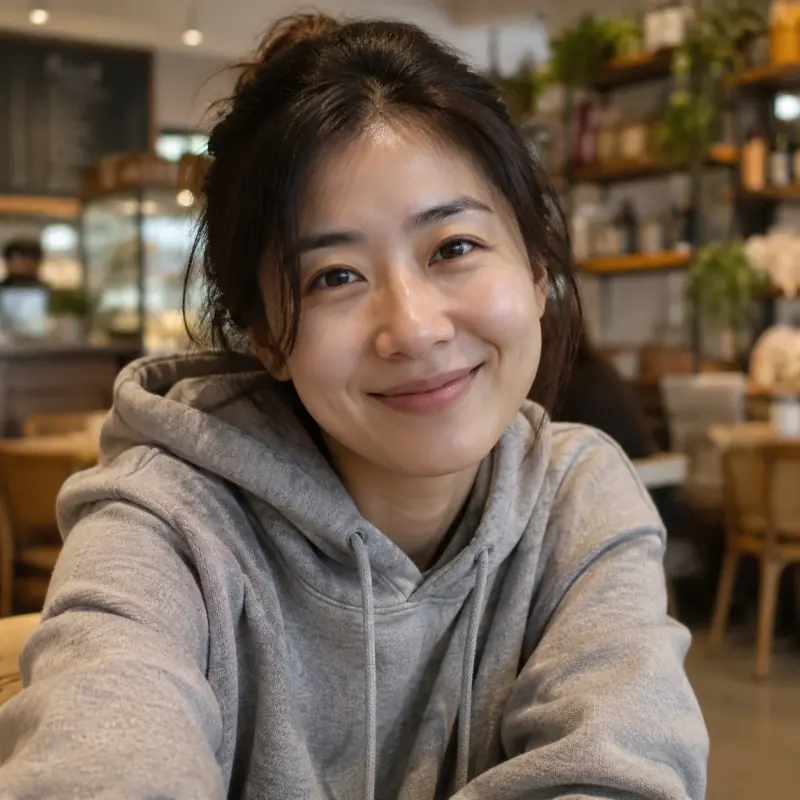
 Before
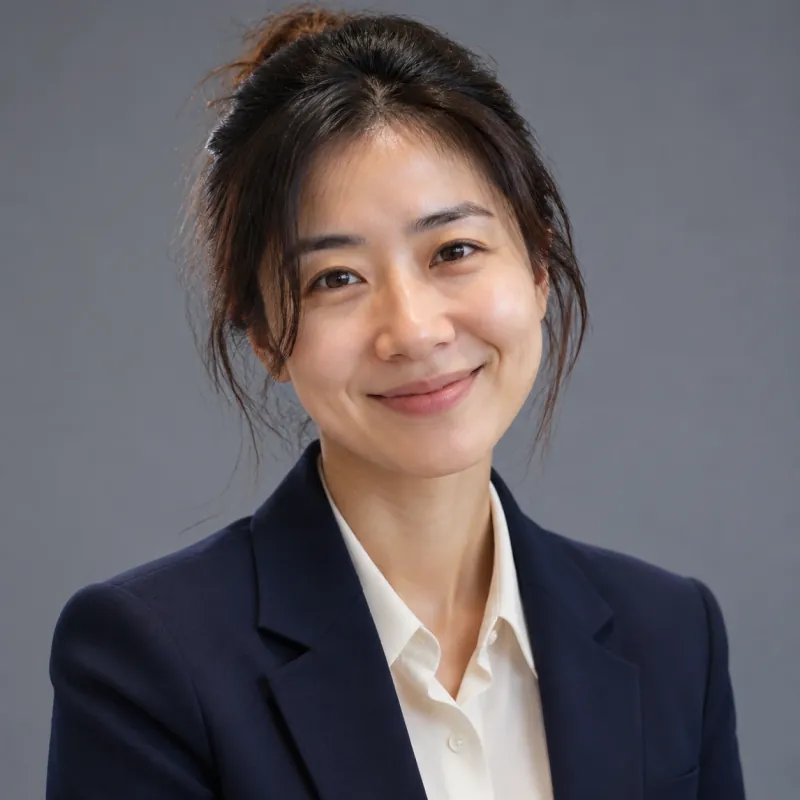 After
Café Selfie → LinkedIn
Navy tailored blazer, seamless cool-gray studio light, zero plastic smoothing
Upload 1 to 4 everyday phone selfies to generate 85mm studio-grade corporate headshots with real skin texture and true likeness — pay-as-you-go from ~$0.07–$0.10/shot instead of $39 fixed packs, zero face training.
Crop guides & resolution checks run in your browser; Generate uploads privately to per-account R2 (zero public gallery, zero face-model training, instant delete in /library).
Auto 100% refund on failed runs~$0.07–$0.10
Pay per headshot — skip $39/person bundled packs
1–4 Multi-Selfie
No 60-minute LoRA wait — locks bone structure fast
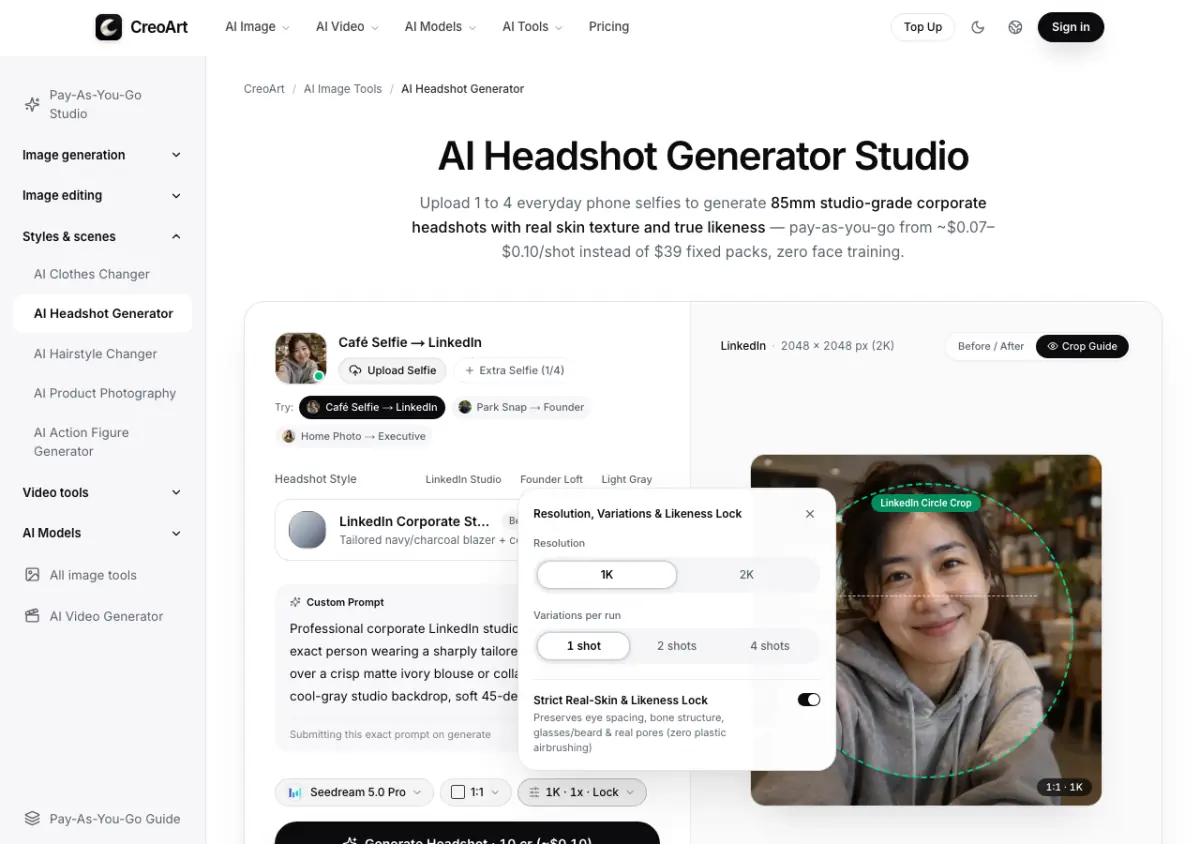
LinkedIn Circle Crop
Preview circular avatar & eye-line framing locally
Zero Face Training
Private per-account R2 vault, instant /library delete
Booking a local portrait photographer costs $200–$350 plus scheduling delays, while dedicated AI headshot sites lock you into $29–$49 single-use packs and make you upload 15 selfies and wait an hour. On CreoArt, 1 to 4 sharp selfies produce studio-lit headshots on demand:
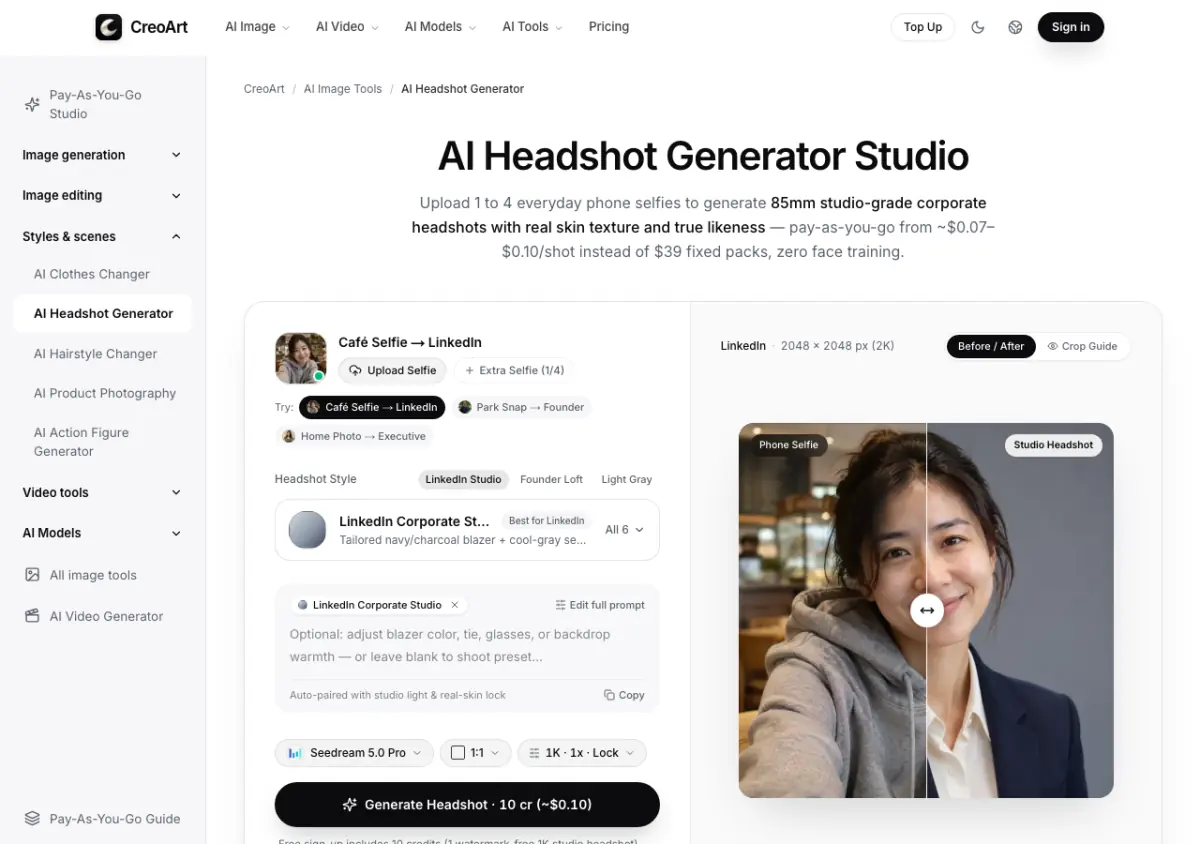
On LinkedIn, company About pages, and speaker bios, an obviously synthetic headshot hurts trust faster than an ordinary candid photo. The giveaway flaws are always the same: poreless airbrushed skin, subtly narrowed eyes that feel uncanny to colleagues who know you, warped eyeglass frames, phantom double shirt collars, or harsh HDR contrast that screams generated avatar.
Two shortcuts cause nearly all of those failures. First, older bundle-pack headshot sites run lightweight fine-tunes across 15 inconsistent selfies and aggressively beautify every face toward an average stock-model template, erasing the exact asymmetries, fine lines, and natural smile lines that make you look like yourself. Second, rigid backdrop compositing mismatches key light on the cheeks against the background window direction, triggering an instant uncanny reaction.
CreoArt replaces slow black-box pack training with real-time multi-reference portrait direction. Seedream 5.0 Pro and Nano Banana 2.1 render lifelike skin pores, natural iris catchlights, and authentic 85mm shallow depth of field while honoring 1 to 4 reference selfies simultaneously. Combined with our built-in Real-Skin & Likeness Lock and per-shot pay-as-you-go billing, you can iterate lighting and wardrobe in seconds and keep 10 to 15 studio-grade portraits for under $1.50.
Over-smoothed wax skin that looks heavily retouched
Keep Strict Real-Skin & Likeness Lock enabled, select Seedream 5.0 Pro, and upload unretouched native-camera selfies without beauty filters.
Single selfie angle makes the likeness drift slightly
Click Extra Selfie to attach 2 additional angles (one slight 15-degree turn, one relaxed front smile) so the model locks your true nose bridge and jawline.
LinkedIn circular crop slices off headroom or shoulders
Switch the stage to Crop Guide on 1:1 ratio and align your eyes along the upper third line inside the green circular LinkedIn safe ring before generating.
Remote team headshots look mismatched across departments
Lock one shared preset (such as Bright Light-Gray Executive or LinkedIn Corporate Studio) and the same model across every teammate so your About page looks shot in one session.
Match your output aspect ratio and framing margin to where the portrait will live so automatic platform compression and circular avatars never clip your framing:
| Platform / Placement | Recommended Size (px) | Aspect Ratio | Cropping & Framing Requirements | CreoArt Workbench Setting |
|---|---|---|---|---|
| LinkedIn Profile Avatar | 800 × 800 to 2048 × 2048 px | 1:1 | Displayed as a circle; face fills ~60%, 10%–15% headroom above hair, clean neutral backdrop | LinkedIn Studio + 1:1 + Circle Crop Guide |
| Slack / GitHub / Teams / Email | 1024 × 1024 px (1K) | 1:1 | Read at small avatar sizes; clean tonal contrast between hair, shoulders, and backdrop wins | Bright Light-Gray / Founder Loft + 1:1 |
| Company About / Team Grid | 1600 × 2000 px (2K) | 4:5 | Uniform backdrop tone, lighting angle, and eye-line height across all team members | Shared Studio Preset + 4:5 + 2K |
| Press Kit / Speaker / Author Bio | 1536 × 2048 px (2K) | 3:4 | Generous chest-up editorial breathing room; warm loft bokeh or canvas backdrop reads best | Founder Editorial / Warm Studio + 3:4 |
| Directory / Medical / Academic CV | 1365 × 2048 px | 2:3 | Square-on frontal stance, even shadow-free light, clean white or pale-gray seamless background | Clean White ID + 2:3 + Eye-Line Guide |
Most job seekers and founders only need 8 to 15 strong candidates to pick 2 keepers—yet bundled AI headshot sites charge $29–$49 upfront per person with zero flexibility. Compare real costs on CreoArt’s $5 never-expiring Entry Pack (500 credits, $0.01/credit):
12 total watermark-free studio headshots
CreoArt Pay-As-You-Go
~$1.20
120 credits · $5 Entry Pack (500 never-expiring cr — 380 left)
Typical AI Headshot Pack ($39/person)
$39
~97% cheaper — leftover credits never expire
Local Studio Photographer (~$250/person)
$250
Zero booking wait — remote teams get identical studio lighting
| Model / Option | Default Spec & Credits | Approx. USD ($5 Pack) | Shots per $5 Pack | Best Corporate Portrait Fit |
|---|---|---|---|---|
| Seedream 5.0 Pro (Recommended Default) | 1K · 10 cr (2K 20 cr / up to 10 selfie refs) | ~$0.10 / shot | ~50 headshots | Executive, LinkedIn & founder portraits: lifelike skin pores, warm eye catchlights & 85mm bokeh |
| Nano Banana 2.1 | 1K · 7 cr (2K 11 cr / up to 4K & 14 refs) | ~$0.07 / shot | ~71 headshots | Fast multi-angle identity locking and high-value team batches with crisp 1K–4K scaling |
| GPT Image 2.5 | 1K Low 4 cr · Med 8 cr · High 24 cr (16 refs) | ~$0.04–$0.24 / shot | 20–125 headshots | Uniform pure-white corporate directories, academic badges, and crisp collared attire |
| Single-Use AI Headshot Sites | $29–$49 / person fixed bundle | Upfront per person | 1 person only | Requires 15–20 selfies and 30–90 min wait; leftover value cannot be spent on other tools |
| Local Studio Photographer | $200–$350 / person + travel | High fixed cost | 2–3 retouched finals | Great for in-person board shoots; pay-as-you-go AI saves 95%+ for remote teams & job hunts |
Compare how unretouched café hoodies, outdoor park snaps, and living-room phone shots transform into credible corporate, founder, and executive portraits while preserving the exact person. Click any pair to load its lighting preset above:
BeforeAfterNavy tailored blazer, seamless cool-gray studio light, zero plastic smoothing
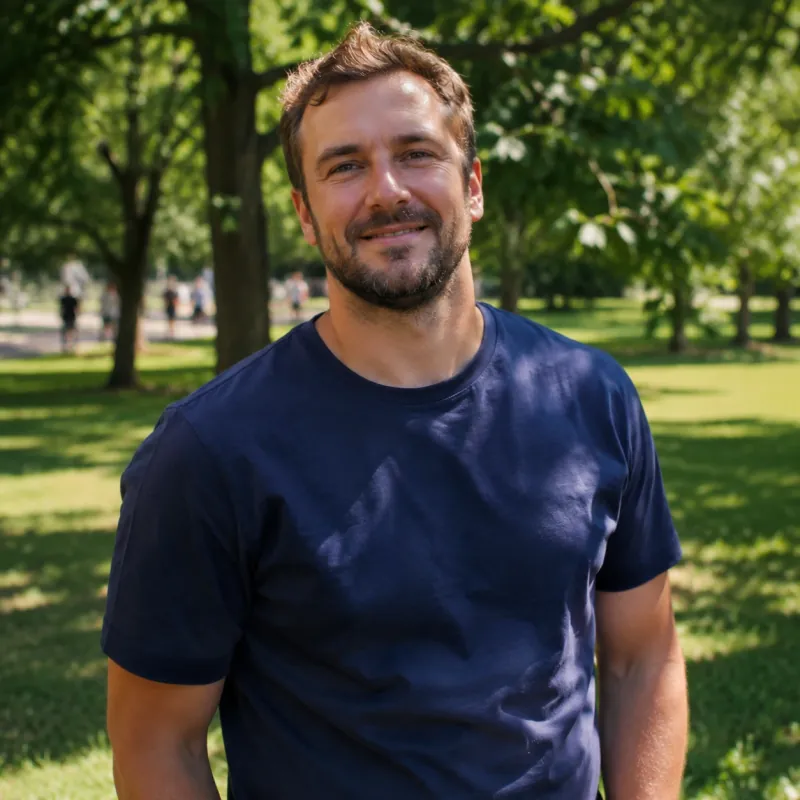 Before
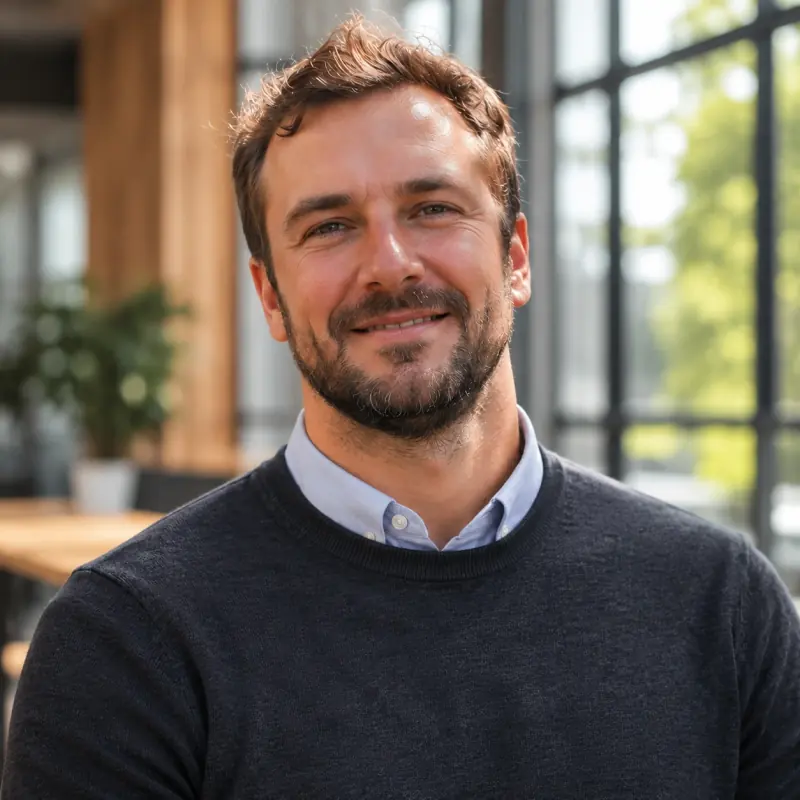 After
Charcoal merino sweater over oxford collar, sunlit loft bokeh, 85mm prime look
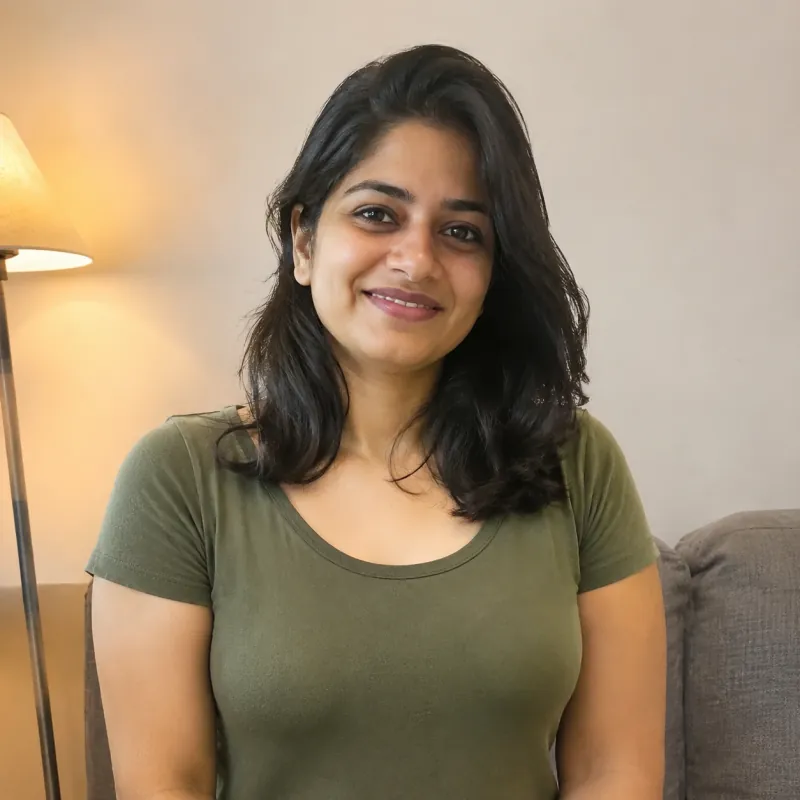 Before
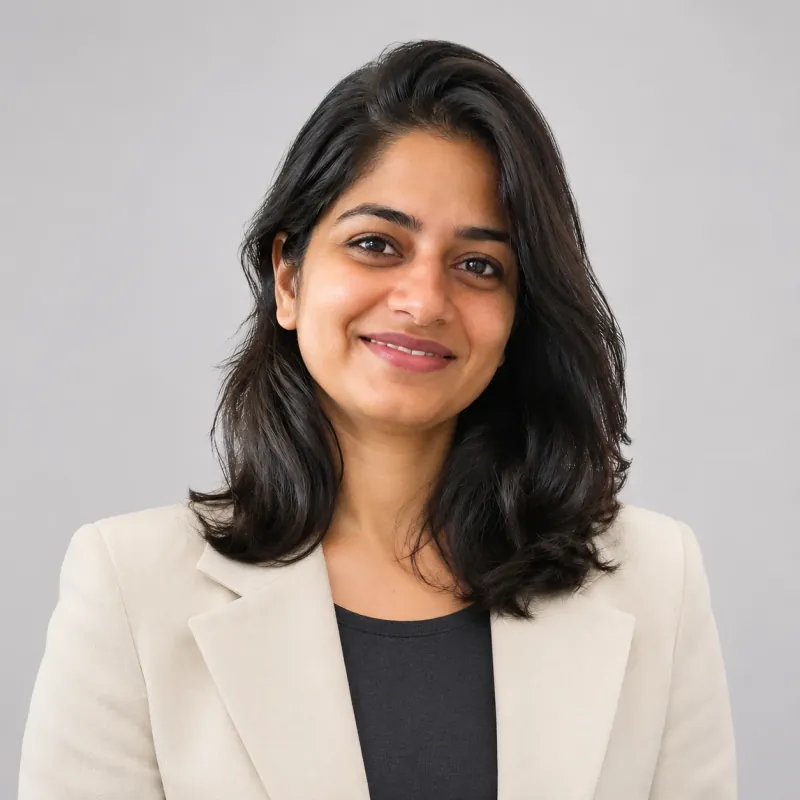 After
Structured ivory blazer on bright light-gray studio backdrop, balanced catchlights
Uploading clear photos of your own face demands transparent privacy guarantees—not fine print buried in a consumer app. Too many cheap headshot generators retain uploaded selfies indefinitely for internal model training or recycle customer portraits into promotional ads.
CreoArt (operated by CreoArt Studio / MagicT LLC) keeps every portrait upload strictly private by design. Crop guides and resolution validation run locally inside your browser; when you click Generate, selfies and studio outputs are stored exclusively in isolated per-account Cloudflare R2 storage (Cache-Control: private, no-store) with zero public gallery and zero self-model training.
Input photography drives 80% of facial realism. Spend 30 seconds snapping clean reference selfies using these five guidelines before running your first batch:
Phone beauty smoothing erases real skin micro-texture, forcing the model to guess synthetic smoothness. Stand facing a daylight window and shoot with the native camera so natural pores and lighting falloff carry straight into the studio portrait.
Close-up wide-angle selfies exaggerate nose proportions and hide your ears. Prop your phone 20–28 inches away at eye level (1x or 2x lens if available) for classic 85mm-friendly facial geometry.
One flat front shot hides jawline depth and cheekbone contour. Click Extra Selfie to include one slight 15-degree turn and one relaxed smile—Seedream 5.0 Pro and Nano Banana 2.1 immediately lock much tighter likeness.
Wear your everyday prescription glasses if you want them in your final headshot, tilting slightly to avoid bright window reflections across the lenses, and aim for a relaxed closed-lip or gentle open smile.
Generate 4 to 6 quick 1K variations (7–10 credits each) to test navy vs. ivory blazers and cool-gray vs. warm loft lighting; once you love a framing, upgrade your final keeper to 2K for company press kits and conference banners.
Answers on likeness accuracy, facial privacy, LinkedIn crop specs, and pay-as-you-go pricing.
On the $5 never-expiring Entry Pack (500 credits, $0.01/credit), a 1K studio headshot costs 10 credits (~$0.10) on Seedream 5.0 Pro or 7 credits (~$0.07) on Nano Banana 2.1. Generating 12 studio candidates costs roughly $0.84 to $1.20 instead of $29–$49 upfront, and leftover credits never expire.
You can start with just 1 sharp front-facing selfie—or attach 2 to 4 angles via Extra Selfie for tighter bone-structure fidelity. Unlike legacy LoRA sites that require 15 photos and a 60-minute training queue, each CreoArt studio headshot renders in tens of seconds.
Never. Crop guides and resolution checks run in your browser, and generated portraits live solely inside private per-account Cloudflare R2 storage (Cache-Control: private, no-store). CreoArt has zero public gallery, never trains models on user faces, auto-purges after 30 days, and offers 1-click delete in /library.
Keep Strict Real-Skin & Likeness Lock enabled, upload native-camera window-lit selfies without beauty filters, and pick Seedream 5.0 Pro (10 cr) for natural pores, eye catchlights, and authentic 85mm shallow depth of field.
Yes. Have every team member pick the exact same studio preset (such as Bright Light-Gray Executive or LinkedIn Corporate Studio), 4:5 ratio, and the same model—producing uniform lighting, backdrop color, and headroom across your entire team directory for pennies per person.
Yes. Select the 1:1 LinkedIn / Slack ratio and toggle Crop Guide on the right preview stage to inspect the green circular avatar ring and upper-third eye line before exporting.
Yes. Upload clear selfies wearing your everyday glasses (tilted slightly to avoid bright window glare on the lenses) with Strict Real-Skin & Likeness Lock on so frame geometry, beard trim, and natural hair remain faithful.
Confirmed technical failures refund 100% of credits automatically. To keep a great facial expression while changing suit color or swapping backgrounds, send the headshot straight to AI Clothes Changer (/ai-clothes-changer) or our free PSD Photo Editor (/photo-editor).
Your leftover never-expiring credits work seamlessly across outfit swaps, hairstyle previews, transparent resume cutouts, and browser PSD retouching:
Keep your favorite portrait expression while testing different blazers, knits, or dress shirts.
Preview cleaner cuts or refreshed color tones on your face before updating your LinkedIn photo.
Cut out hair-accurate transparent PNGs for slide decks, resumes, and branded team directories.
Fine-tune color balance, resize to exact corporate dimensions, or composite brand backgrounds locally.