
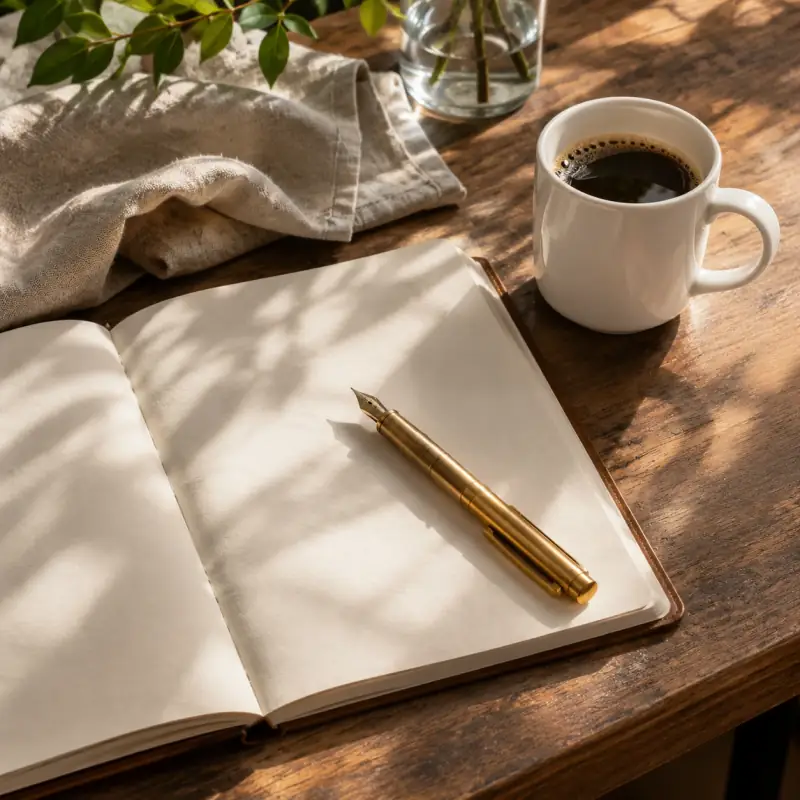
 Original
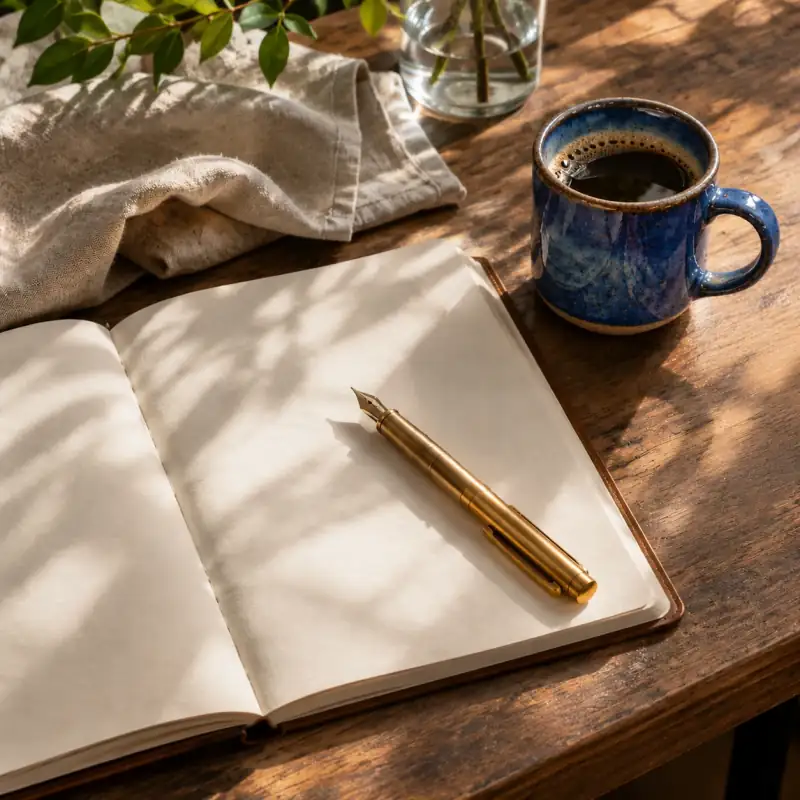 Masked Edit
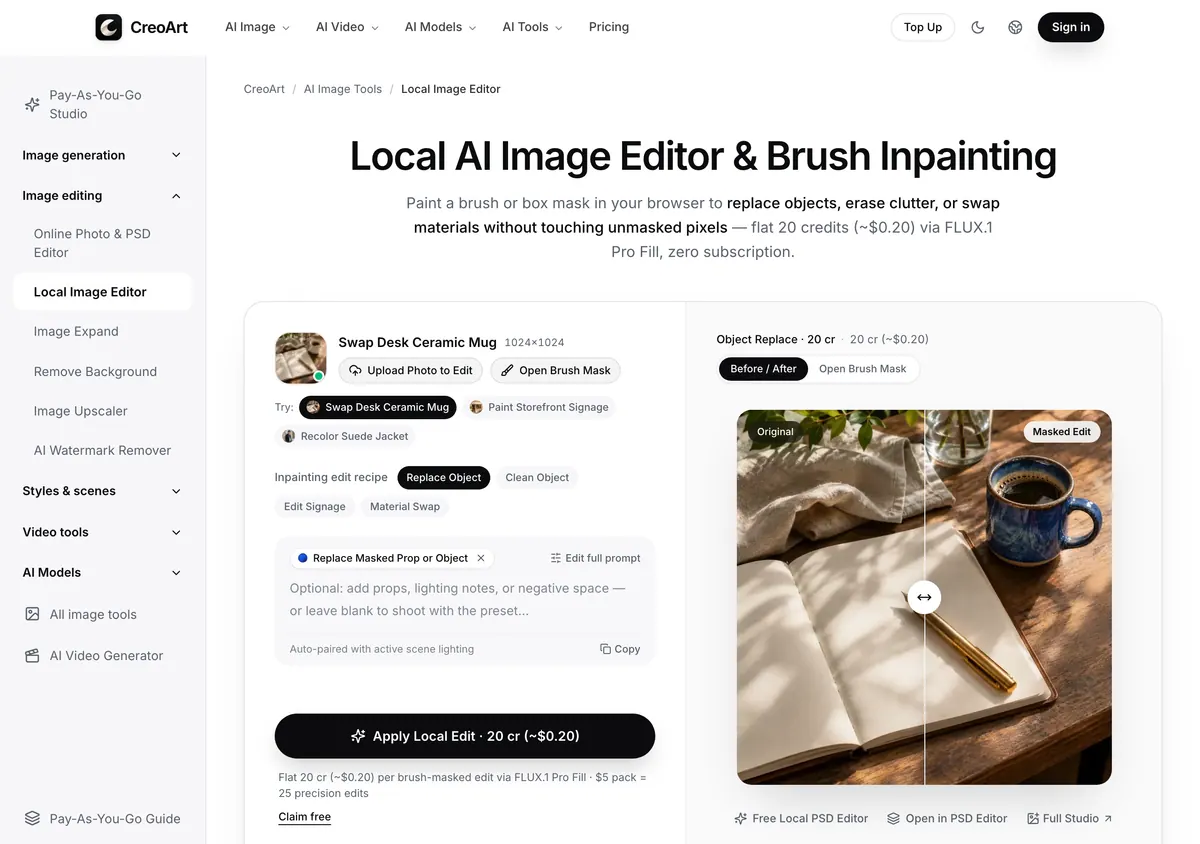
Swap Desk Ceramic Mug
Only the masked mug transforms into speckled cobalt stoneware; desk wood, pen, and shadows stay untouched
Paint a brush or box mask in your browser to replace objects, erase clutter, or swap materials without touching unmasked pixels — flat 20 credits (~$0.20) via FLUX.1 Pro Fill, zero subscription.
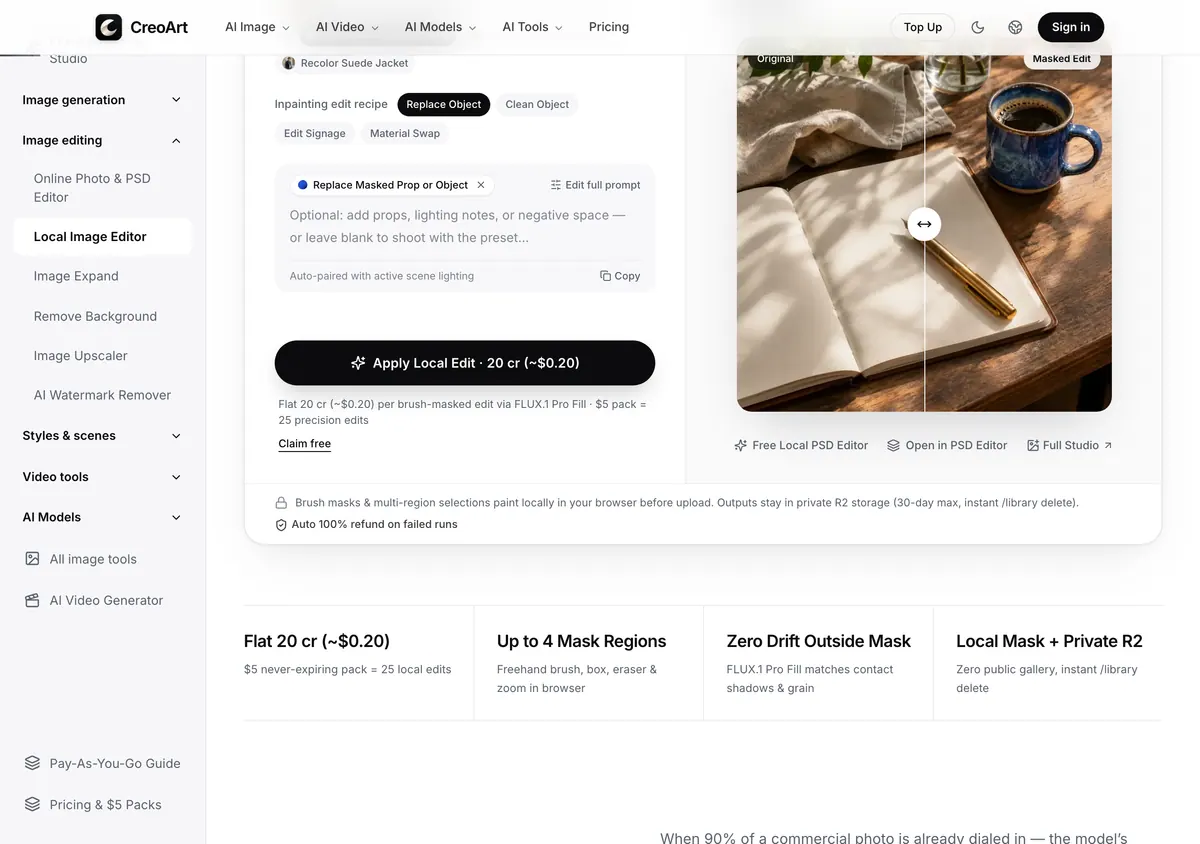
Brush masks & multi-region selections paint locally in your browser before upload. Outputs stay in private R2 storage (30-day max, instant /library delete).
Auto 100% refund on failed runsFlat 20 cr (~$0.20)
$5 never-expiring pack = 25 local edits
Up to 4 Mask Regions
Freehand brush, box, eraser & zoom in browser
Zero Drift Outside Mask
FLUX.1 Pro Fill matches contact shadows & grain
Local Mask + Private R2
Zero public gallery, instant /library delete
When 90% of a commercial photo is already dialed in — the model’s expression, product label, and lighting are spot on — you shouldn’t risk regenerating the entire frame just to swap one mug, remove a stray power cord, or test a suede colorway. Paint your mask directly in your browser and edit only the pixels that need changing:
Anyone who has tried fixing small imperfections with chat-based or full-frame image editors knows the classic frustration: you ask to replace a plain mug on a wooden desk or erase an electrical outlet in the background, and the model quietly re-renders the entire scene. Suddenly a subject’s eyes shift subtly, fine typography on a nearby book softens into gibberish, or carefully framed architecture bends out of plumb. For e-commerce catalogs, real-estate photography, and commercial campaigns, unintended global drift makes full-frame regeneration a liability.
True local inpainting solves drift structurally rather than relying on fragile negative prompts. By letting you paint an explicit pixel mask in your browser — with zoom, pan, variable brush diameter, box marquee, eraser refinement, and up to four distinct regions — CreoArt passes both your untouched original image and binary mask straight into FLUX.1 Pro Fill. Reconstruction is locked strictly inside the painted zone plus a clean feather boundary, so every unmasked face, label, brick, and lens bokeh highlight remains pixel-true to your original shoot.
Unlike bloated subscription suites that charge $30–$60 every month whether you retouch two listings or two hundred, CreoArt charges a transparent flat 20 credits (~$0.20 at the $5 never-expiring Entry Pack rate) regardless of whether you paint one region or four. Combined with one-click handoff into CreoArt’s free WebGPU browser Photo Editor (/photo-editor), you get both heavy AI generative fill and lossless manual layer finishing inside one privacy-first workflow.
Ghost shadow remains after removing an unwanted prop or tourist
Always paint over both the object AND the shadow or reflection it casts on the table, floor, or wall with a 5–10% margin.
Replacement object looks cramped or clipped at the mask edge
When swapping a small item for a taller or wider prop, paint a generously sized silhouette giving FLUX.1 Pro Fill room to render natural proportions.
Trying to relight an entire room or portrait using a tiny local mask
Local brush edits are built for surgical 5–30% changes. For full-scene relighting or architectural staging, switch to CreoArt Image-to-Image (/image-to-image).
Added storefront signage or label text looks flat or crooked
Put the exact word in double quotes inside your prompt and specify the physical medium (e.g. gold-leaf serif lettering painted on cream timber matching facade angle).
Every local brush edit on CreoArt costs a flat 20 credits (~$0.20 at the $5 Entry Pack rate) whether you fix one distraction or paint up to four regions in a single pass:
| Retouching Use Case | Recommended Mask Technique | Flat Credit / USD Cost | Typical Turnaround | Best Practice Tip |
|---|---|---|---|---|
| E-Commerce Prop Replacement | Brush over prop + full contact shadow on table | 20 cr (~$0.20) | 6–10 sec | Name exact material & light angle while leaving hero product unmasked |
| Clutter, Cables & Tourist Removal | Expand brush margin 8% beyond edges + Clean preset | 20 cr (~$0.20) | 6–10 sec | Group up to 4 distractions in one pass to save 75% on credits |
| Storefront Signage & Label Fixes | Rectangle box tightly matching sign plane | 20 cr (~$0.20) | 8–12 sec | Quote exact text ("ARTISAN") and describe painted or embossed medium |
| Garment & Furniture Recoloring | Zoom 200% and erase mask cleanly off skin/collar edges | 20 cr (~$0.20) | 8–12 sec | Keep face, hands, and room walls unmasked to guarantee 100% likeness |
| Adding Foreground Lifestyle Props | Paint target object volume on empty desk or ledge | 20 cr (~$0.20) | 6–10 sec | Specify depth of field so foreground additions match lens blur |
Every tool below shares one never-expiring CreoArt credit balance — pick the exact level of pixel control your shot requires:
15 precision brush-masked edits
CreoArt Pay-As-You-Go
~$3.00
300 credits · $5 Entry Pack (500 never-expiring cr — 200 left)
Freelance Photoshop retoucher (~$18/photo)
$270
Save ~98.9% ($267 kept)
Creative Cloud + Generative Sub (12 mos)
$359
$5 Entry Pack covers 25 local edits that never expire; combine free browser PSD layers anytime.
| CreoArt Tool / Engine | Best Suited Scope | Cost per Run | Original Pixel Preservation | Recommended Pairing |
|---|---|---|---|---|
| Local Image Editor · FLUX Fill (This Page) | Surgical object swap, cleanup, signage & recoloring | 20 cr (~$0.20) | 100% locked outside brush mask | Fix final imperfections without disturbing approved framing |
| AI Image-to-Image (Nano Banana 2.1 / GPT 2.5) | Full room staging, sketch rendering & day-to-dusk relight | 7–24 cr (~$0.07–$0.24) | Preserves layout while re-rendering lighting | Use first for global style shifts, then finish spots locally here |
| Free Browser Photo & PSD Editor (/photo-editor) | Manual curves, layers, crop, clone stamp & PSD export | 0 cr (100% Free) | Local WebGPU — zero uploads | One-click handoff after AI inpainting for color & typography polish |
| AI Background Remover (/background-remover) | Lossless transparent PNG cutout for catalogs | 8 cr (~$0.08) | Preserves full subject & hair edges | Clean blemishes locally first, then isolate onto pure white/alpha |
| AI Image Expand / Uncrop (/uncrop) | Extend canvas outward to 16:9, 9:16, or 21:9 banners | 80 cr (~$0.80) | Keeps center original image untouched | Clean distractors inside frame, then outpaint breathing room |
Explore object swapping on sunlit oak, gold-leaf signage insertion on a blank bakery fascia, and suede garment recoloring. Click any example to load the source image directly into the brush workbench above:
OriginalMasked EditOnly the masked mug transforms into speckled cobalt stoneware; desk wood, pen, and shadows stay untouched
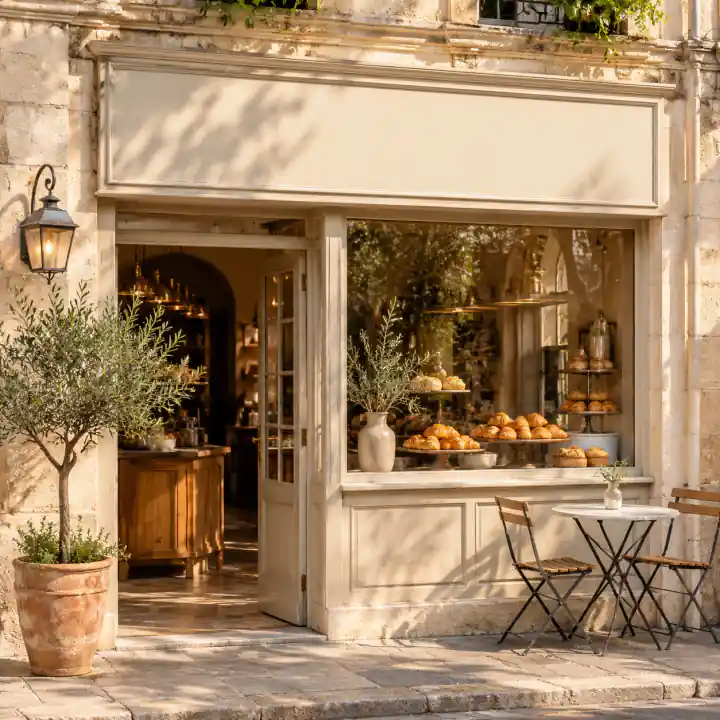 Original
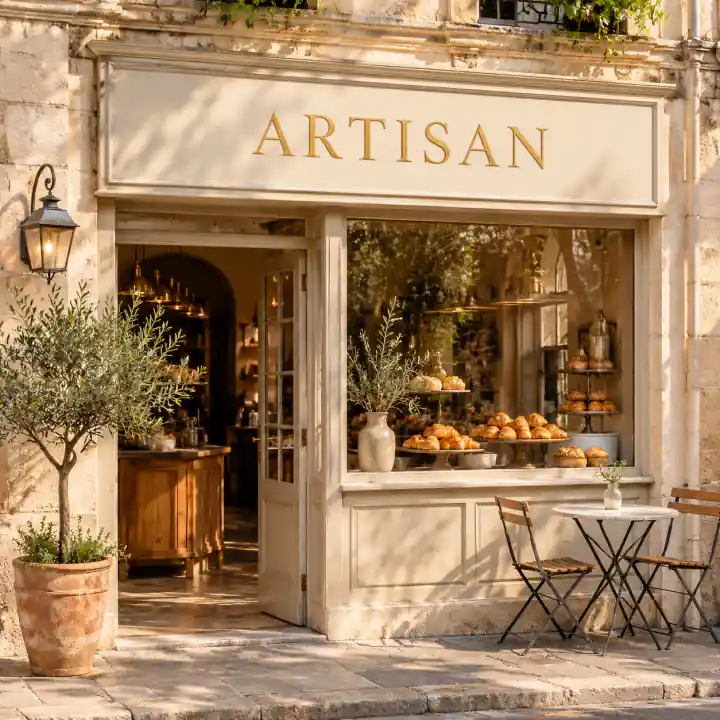 Masked Edit
Gold-leaf serif lettering painted strictly inside the masked fascia preserving stone and glass reflections
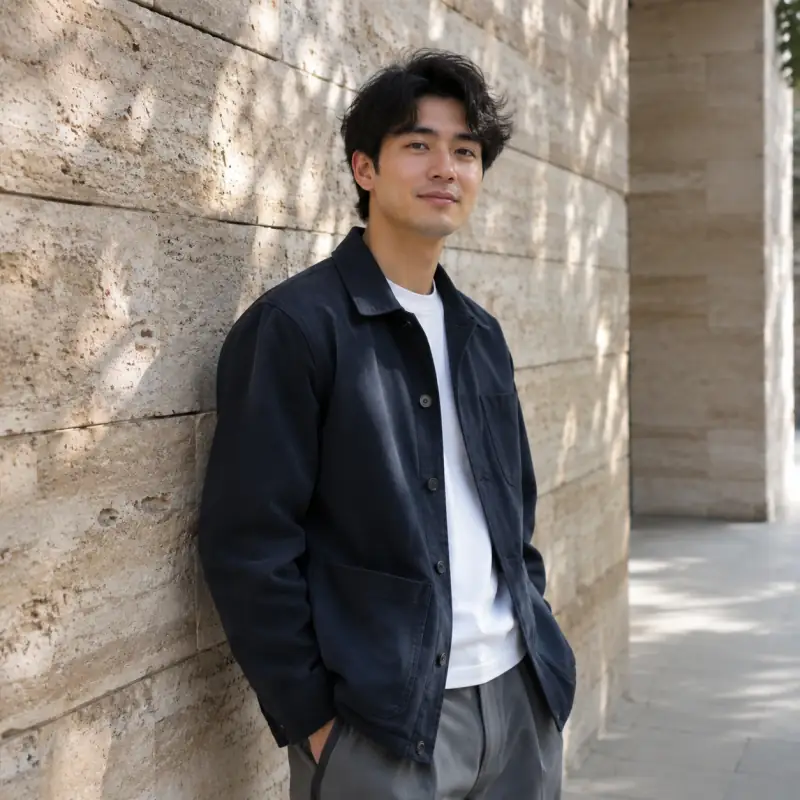 Original
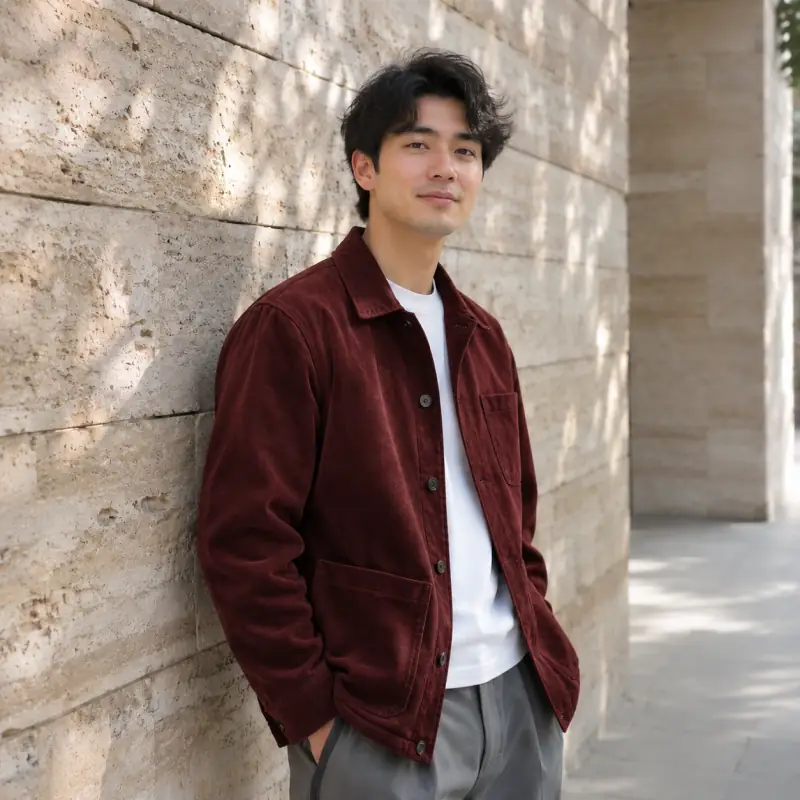 Masked Edit
Only the masked outerwear turns into rich burgundy brushed suede while face, hands, tee, and bricks stay locked
Unreleased e-commerce product shots, architectural client deliverables, and personal portraits should never end up in a public community stream or serve as free training material for third-party datasets. Many ad-supported online photo editors immediately upload files upon selection or require paid upgrades just to hide outputs from public galleries.
CreoArt (operated by CreoArt Studio / MagicT LLC) keeps privacy on by default across every paid and welcome-credit task. All brush painting, multi-region selection, eraser refinement, and resolution inspection happen entirely in your browser prior to submission. Once you trigger FLUX.1 Pro Fill, source frames and edited outputs remain isolated inside private Cloudflare R2 storage (Cache-Control: private, no-store, never public, never used to train our models).
Small adjustments in how you draw the mask make the difference between an obvious patch and an invisible studio retouch. Follow these five proven habits:
If you erase a cup or lamppost but leave its shadow unmasked on the floor, the inpainting model often invents a replacement object to justify the dark patch. Paint across both subject and shadow with an 8% halo.
Need to remove a wall outlet, a dust spot, and a stray corner tag? Add multiple regions on the canvas and clear them together in one 20-credit run instead of paying separately for each spot.
Adding five words like "lit by warm right-side morning window sunlight" helps FLUX.1 Pro Fill match specular highlights and color cast onto newly inserted ceramic, glass, or fabric surfaces.
When recoloring collars, jackets, or jewelry next to skin, carefully erase stray brush strokes off cheeks or hands so facial identity and skin texture remain 100% untouched.
Let FLUX.1 Pro Fill reconstruct complex organic backgrounds and fabric folds, then click Open in Free Photo Editor to drop crisp vector logos, adjust RGB curves, or export layered PSDs at zero extra credit cost.
Answers on flat 20-credit pricing, multi-region brush masking, pixel fidelity, and private file handling.
Every brush-masked local edit runs on FLUX.1 Pro Fill at a flat 20 credits (~$0.20 at the $5 never-expiring Entry Pack rate of 500 credits). That means a single $5 pack covers 25 precision masked edits with zero monthly subscription or expiration date.
No. The brush and rectangle mask explicitly constrains reconstruction to your painted selection and a narrow feathered seam so surrounding faces, text labels, room walls, and lighting stay locked to your original photo.
Yes. The interactive brush canvas supports up to 4 distinct regions per pass, plus freehand brush sizing, eraser touch-ups, rectangle selection boxes, undo history, and zoom/pan controls — all running smoothly in your browser before anything uploads.
Use Local Image Editor (20 cr) whenever 85–95% of your photograph is already right and you only want to swap a mug, fix a stray cable, update storefront signage, or recolor one jacket without risking drift elsewhere. Use Image-to-Image (from 7 cr) when you want to restyle the whole lighting mood, room decor, or convert a full line sketch into a finished render.
Yes. Select the Clean Object preset or simply paint slightly past the edges and shadow of the stray cable, passerby, or prop, and leave the prompt concise (such as "clean oak table surface matching natural light"). Including the object’s cast shadow inside your mask is the secret to seamless removal.
Yes. Every result includes a one-click Open in Free Photo Editor handoff into CreoArt’s ad-free browser WebGPU PSD editor, where you can do color grading, clone-stamp micro touch-ups, add typography, or export layered PSD/PNG files locally at zero extra credit cost.
Yes. Mask painting and zoom inspection execute strictly in your browser before you click Apply Local Edit. Uploaded files and finished edits live inside private Cloudflare R2 storage (Cache-Control: private, no-store, never displayed in any public feed, never used for model training, auto-expired within 30 days, and deletable immediately in /library).
Move effortlessly from surgical brush edits to cutouts, outpainting, 4K upscaling, or free browser PSD layers using one shared balance:
Global relighting, interior staging & sketch-to-render from 7 cr (~$0.07).
Clean subject blemishes here, then cut crisp transparent PNGs for ~$0.08.
Extend tight frames seamlessly to 16:9, 9:16, or 21:9 campaign banners.
Clean vintage date stamps, draft proofs & legacy brand marks on photos you own.
Enlarge retouched deliverables cleanly to 4K print resolution.
Ad-free local WebGPU layers, curves, masks & PSD export at zero credits.