
Verified AI Image Templates & One-Click Studio Recipes
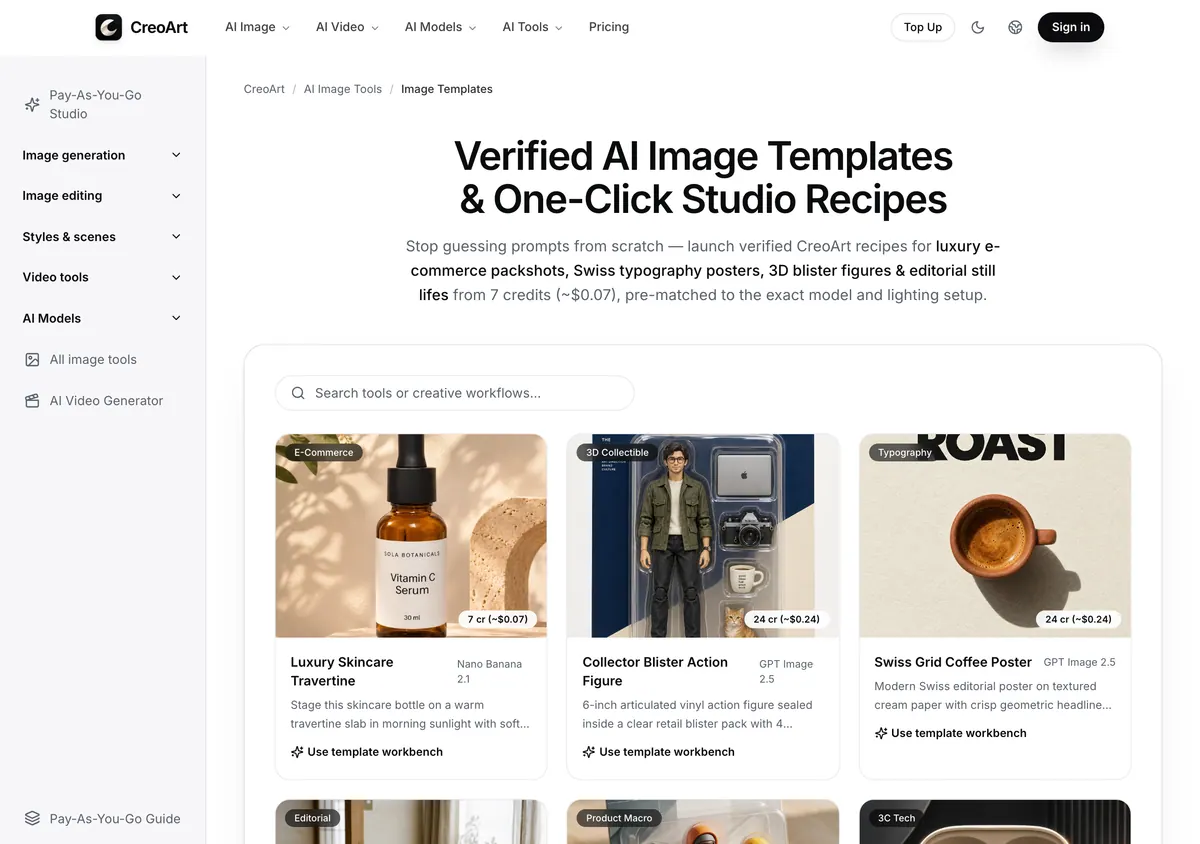
Stop guessing prompts from scratch — launch verified CreoArt recipes for luxury e-commerce packshots, Swiss typography posters, 3D blister figures & editorial still lifes from 7 credits (~$0.07), pre-matched to the exact model and lighting setup.
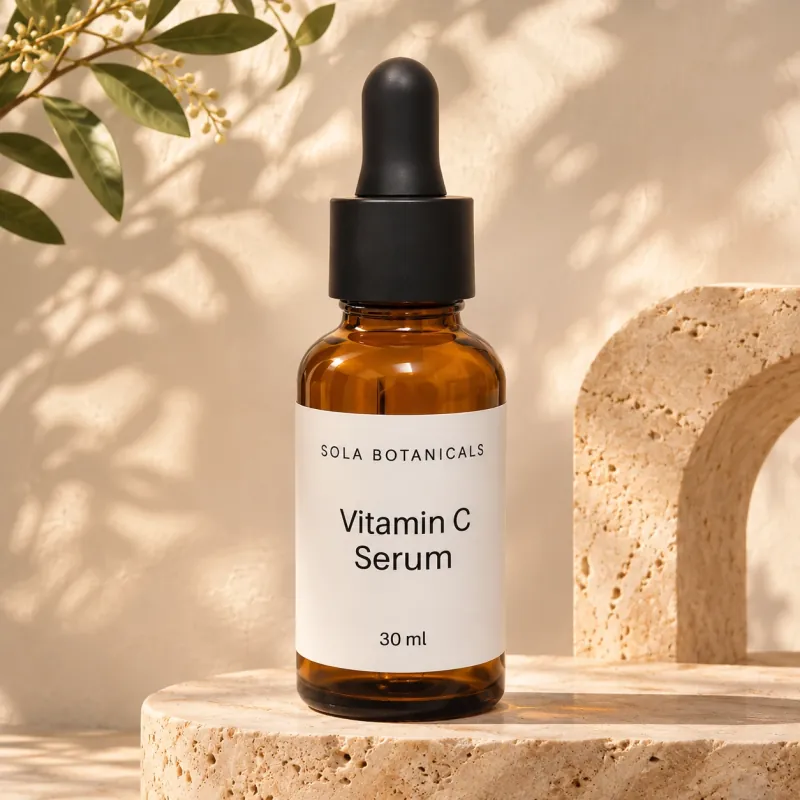 E-Commerce7 cr (~$0.07)
Luxury Skincare Travertine
Nano Banana 2.1Stage this skincare bottle on a warm travertine slab in morning sunlight with soft botanical leaf shadows and exact label fidelity.
Use template workbench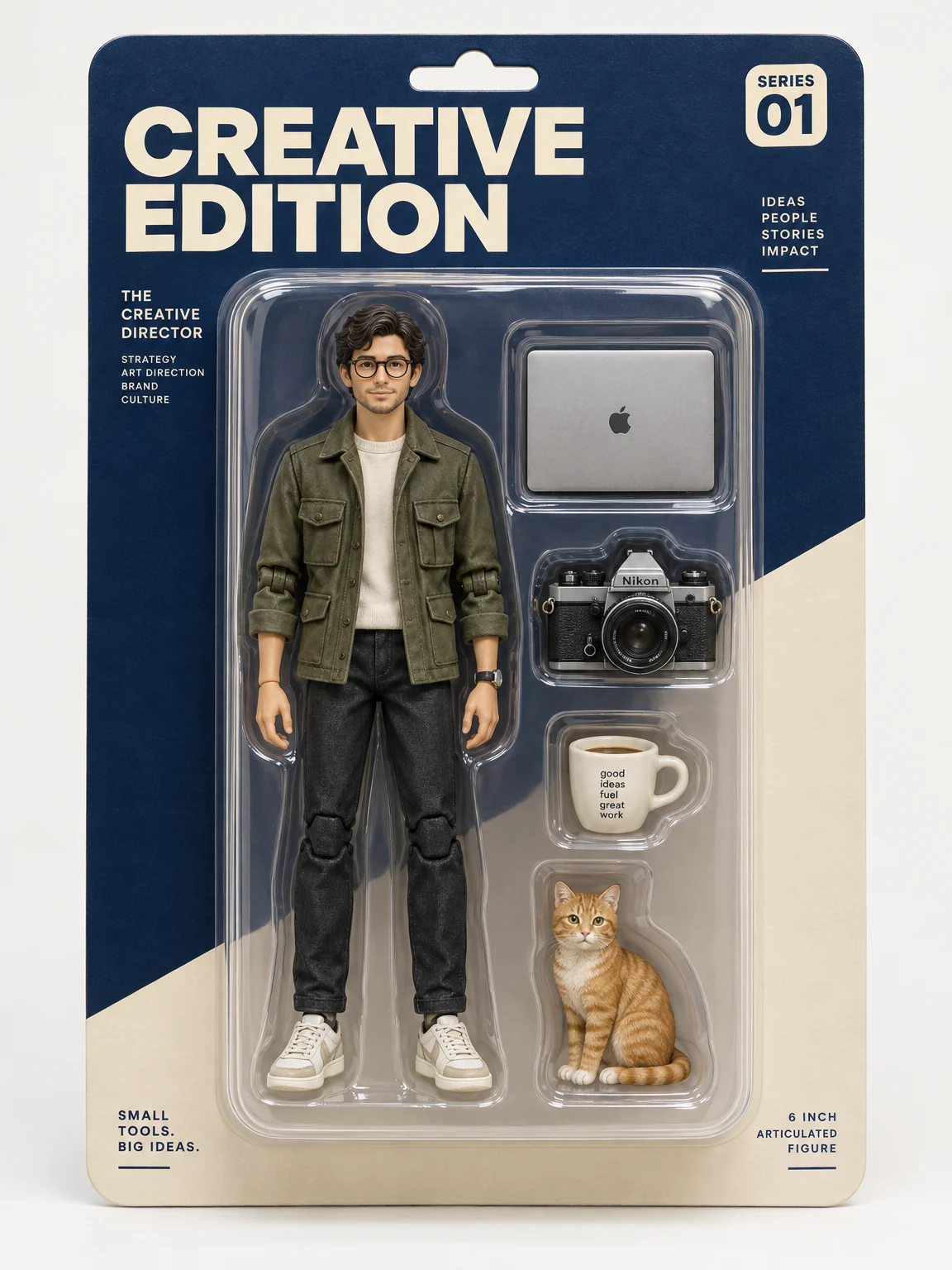 3D Collectible24 cr (~$0.24)
Collector Blister Action Figure
GPT Image 2.56-inch articulated vinyl action figure sealed inside a clear retail blister pack with 4 miniature accessories and bold header card.
Use template workbench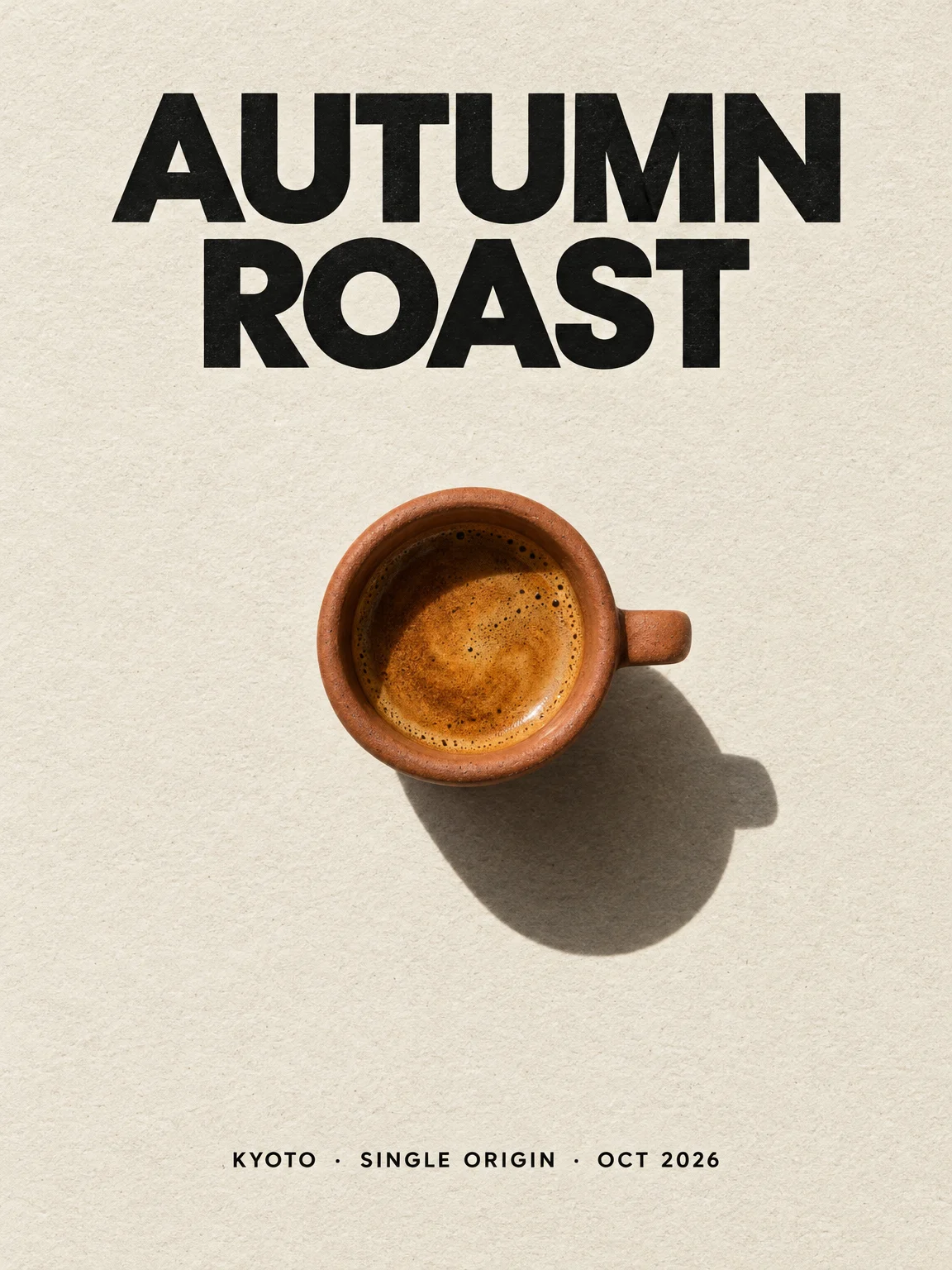 Typography24 cr (~$0.24)
Swiss Grid Coffee Poster
GPT Image 2.5Modern Swiss editorial poster on textured cream paper with crisp geometric headline typography and terracotta espresso cup.
Use template workbench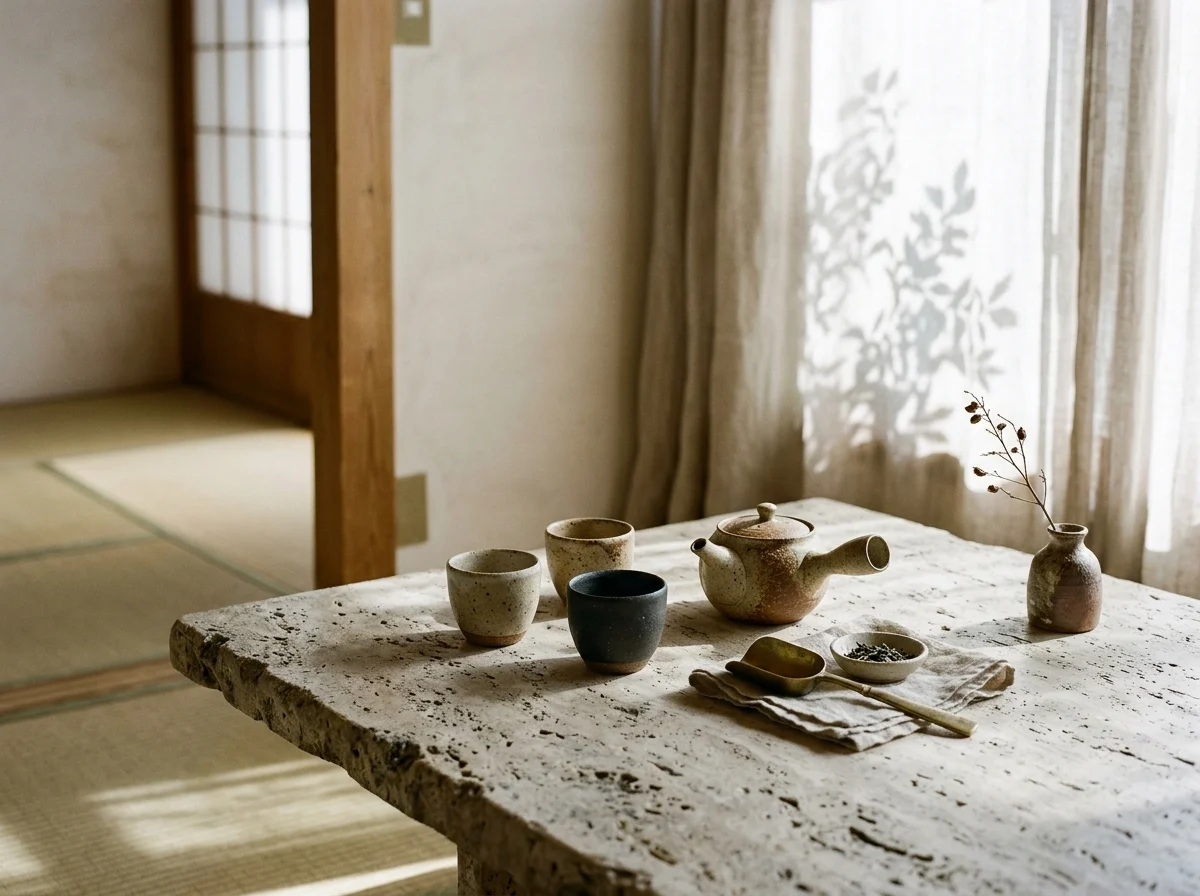 Editorial7 cr (~$0.07)
Kyoto Stoneware Editorial
Nano Banana 2.1Medium-format film still life of handcrafted stoneware tea set on weathered travertine in soft Kyoto morning daylight.
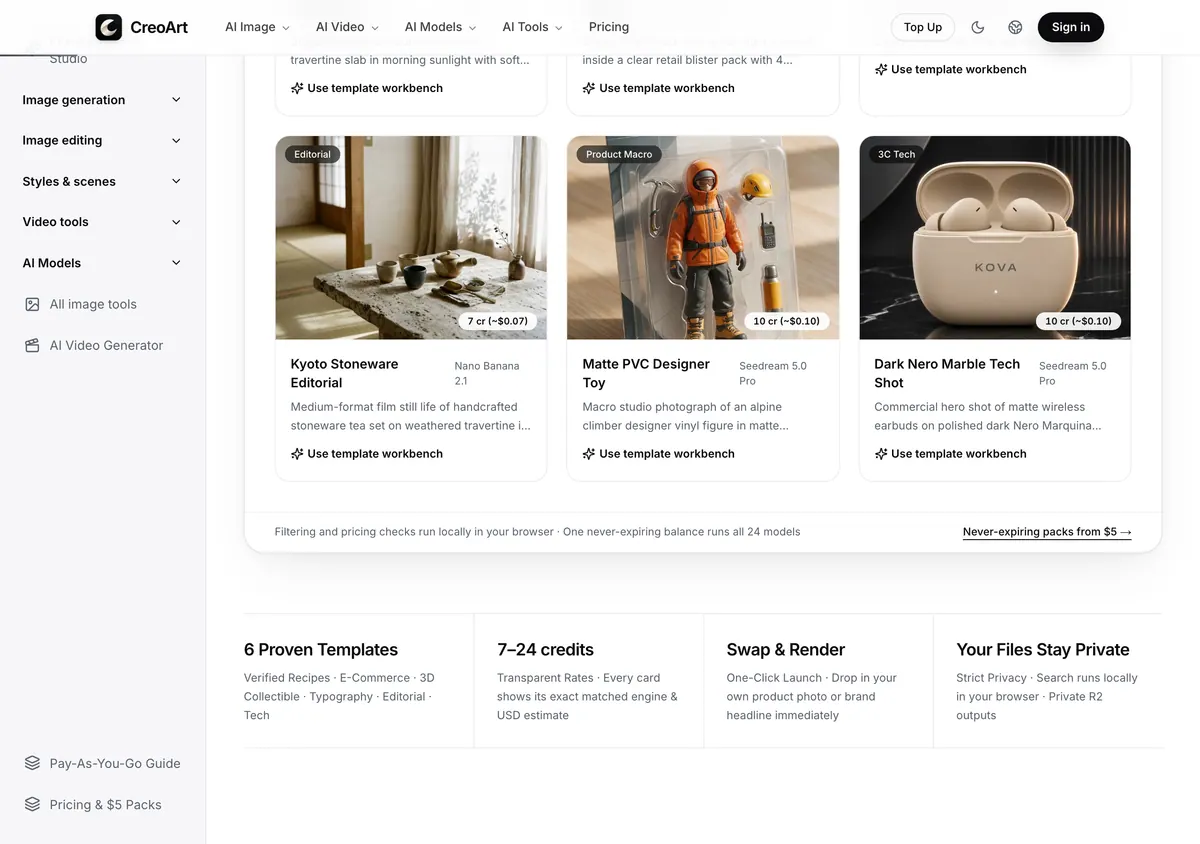
Use template workbench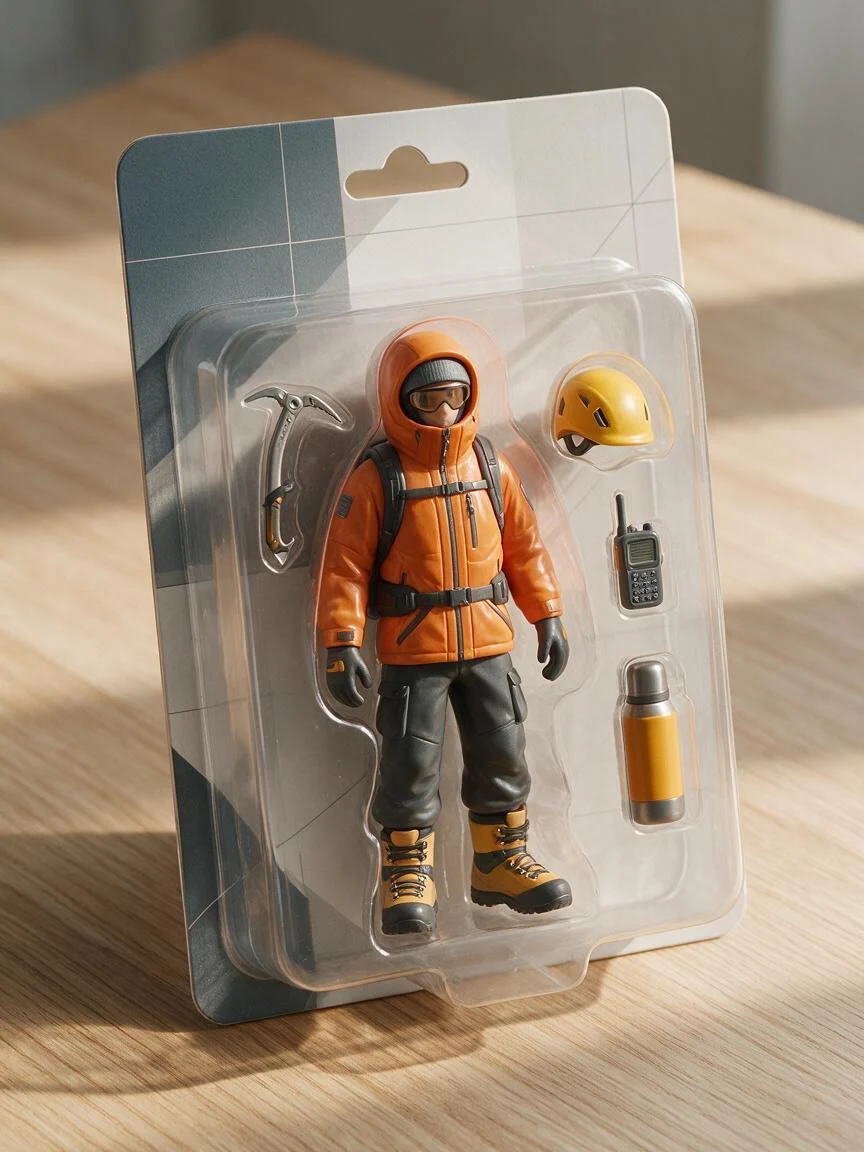 Product Macro10 cr (~$0.10)
Matte PVC Designer Toy
Seedream 5.0 ProMacro studio photograph of an alpine climber designer vinyl figure in matte tangerine parka with miniature titanium ice axes.
Use template workbench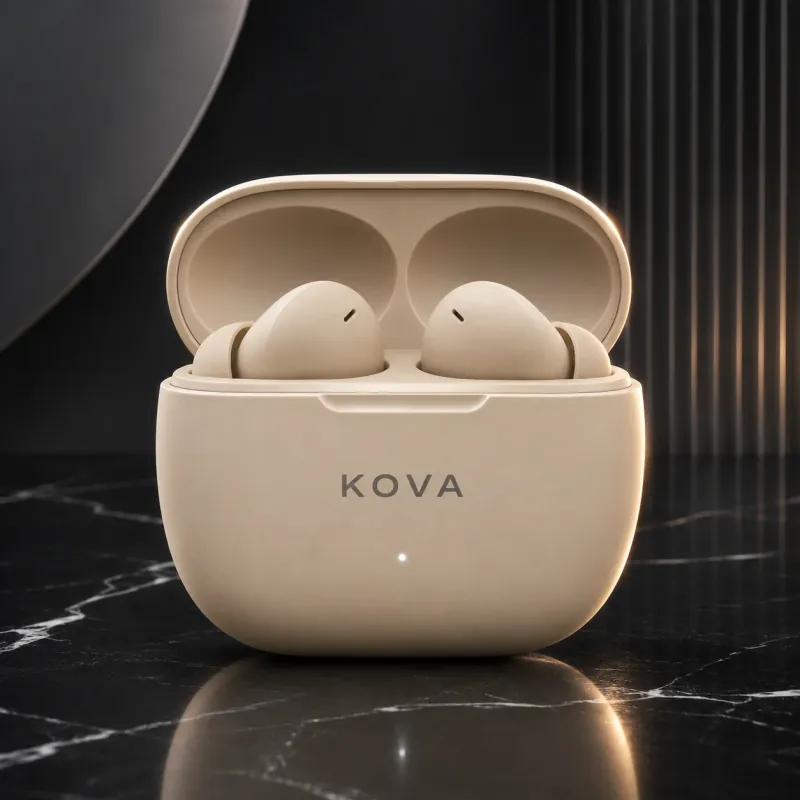 3C Tech10 cr (~$0.10)
Dark Nero Marble Tech Shot
Seedream 5.0 ProCommercial hero shot of matte wireless earbuds on polished dark Nero Marquina marble with crisp rim highlights.
Use template workbenchAll Style Workbenches & Curated Prompt Collections (21)
Open Prompt DirectorProduct Photo Prompts
6D studio lighting, surface & lens builder for Amazon/Shopify shots.
Arts & Craft Prompts
8-lineage lacquer, jade, embroidery & metalwork prompt studio.
Cloisonné Prompts
5-step filigree wire blueprint, mineral glaze & mounting console.
Nano Banana Prompts
Character lock, crisp text & natural-language edit recipes.
GPT Image Prompts
Structured 4-part poster, packaging & 3D collectible templates.
Poster Prompts
Swiss grid posters, key visuals, covers & bilingual headlines.
UI & 3D Icon Prompts
SaaS hero art, glassmorphism 3D icons, Bento grids & mobile UI.
Infographic Prompts
Isometric cutaways, timelines, exploded views & visual explainers.
Style Transfer Prompts
Watercolor, cel anime, tilt-shift miniature, clay & oil styles.
Portrait Prompts
Medium-format film portraits, studio lighting & editorial fashion.
Action Figure Prompts
Blister-pack figures, chibi blind boxes & accessory tray templates.
AI Clothes Changer
Replace the clothing with a tailored contemporary outfit. Preserve the face, body proportions, pose and scene lighting.
AI Headshot Generator
Create a professional studio headshot with natural skin texture, soft lighting and a neutral background. Preserve the identity.
AI Hairstyle Changer
Preview a new haircut using your portrait. Describe the length, fringe, or texture you want to try.
AI Product Photography
Create a polished studio product photograph. Preserve the exact product shape, label and colors with realistic lighting and shadows.
Photo to Cartoon
Turn a photo into a cartoon illustration for a profile picture or character concept while keeping the original pose and composition.
AI Action Figure Generator
Create a collectible action figure of the subject, with a display stand and carefully painted sculptural details.
Photo to Sketch
Convert this photo into a graphite pencil sketch on textured paper, preserving proportions, shading and key details.
AI Pixel Art Generator
Transform a reference image into pixel art with crisp edges and a limited color palette for sprites or retro illustrations.
AI Polaroid Photo Generator
Give this photo a nostalgic instant-film look, soft grain, muted warm colors and a white photo border.
AI Pet Portrait Generator
Create an artistic portrait from a pet photo and use its markings and expression to guide the result.
6 Proven Templates
Verified Recipes · E-Commerce · 3D Collectible · Typography · Editorial · Tech
7–24 credits
Transparent Rates · Every card shows its exact matched engine & USD estimate
Swap & Render
One-Click Launch · Drop in your own product photo or brand headline immediately
Your Files Stay Private
Strict Privacy · Search runs locally in your browser · Private R2 outputs
How to Turn Any CreoArt Template into Your Brand’s Shot in 3 Steps
Skip memorizing lens jargon and lighting modifiers. Every template below pairs proven visual composition with the exact model built to render it cleanly.
- 1. Search and pick the visual direction closest to your campaignFilter by E-Commerce, Typography, 3D Collectible, or Editorial locally in your browser — each card discloses the exact AI model and per-shot credit cost upfront.
- 2. Click through to its flagship workbench and swap your subjectOpen the linked workbench (such as /tools/ai-product-photography or /gpt-image-2-5), upload your own product or portrait photo, or edit quoted headline text while preserving the proven lighting structure.
- 3. Render watermark-free from 7 cr, upscale to 4K, or layer free textApprove your shot at 1K first, switch to native 4K for print posters, or hand off straight into our free local /photo-editor to layer vector logos and promo badges.
Why Copy-Pasted Internet "Mega Prompt Packs" Rarely Reproduce Commercial Results
Most free prompt lists floating online break down for three predictable reasons: they never specify which model rendered the example (running a GPT Image 2.5 typography prompt on a lightweight model scrambles every letter), they pile together contradictory buzzwords ("minimalist hyper-detailed busy neon"), and they omit strict label-preservation locks needed for real commercial product uploads.
CreoArt’s template library takes the opposite approach: compact, high-signal 40–60 word photography recipes paired strictly with the model that excels at that medium — giving you repeatable commercial polish the moment you substitute your own product or headline.
Failure 1: Mismatched prompt and model causing scrambled text or plastic sheen
CreoArt fix: Every template card locks its verified engine — GPT Image 2.5 for exact headlines, Nano Banana 2.1 for daylight packshots, Seedream 5.0 Pro for luxury contrast.
Failure 2: Generic text-only prompts distorting real product logos on upload
CreoArt fix: Commercial packshot templates launch straight inside /tools/ai-product-photography with strict label-fidelity directives pre-enabled.
Failure 3: Bloated 200-word prompt soup fighting against clean composition
CreoArt fix: Clean four-slot structure (Subject, Surface Material, Key Light, Lens/Negative Space) keeps outputs calm and art-directed.
Failure 4: Buying PDF prompt packs only to juggle three more subscriptions
CreoArt fix: Templates are 100% free to browse and run right inside one $5+ never-expiring credit studio.
Curated Template Index, Matched Engines & Per-Shot Rates
Compare every live template’s commercial niche, matched AI model, and exact starting credits.
| Template Name | Category | Matched Engine | Cost (~USD) | Workbench Route |
|---|---|---|---|---|
| Luxury Skincare Travertine | E-Commerce | Nano Banana 2.1 | 7 cr (~$0.07) | /tools/ai-product-photography |
| Dark Nero Marble Tech Shot | 3C Hardware | Seedream 5.0 Pro | 10 cr (~$0.10) | /tools/ai-product-photography |
| Collector Blister Action Figure | 3D Collectible | GPT Image 2.5 | 24 cr (~$0.24) | /tools/ai-action-figure-generator |
| Swiss Grid Coffee Poster | Typography | GPT Image 2.5 | 24 cr (~$0.24) | /gpt-image-2-5 |
| Kyoto Stoneware Editorial | Editorial | Nano Banana 2.1 | 7 cr (~$0.07) | /nano-banana-2-1 |
| Matte PVC Designer Toy | Product Macro | Seedream 5.0 Pro | 10 cr (~$0.10) | /seedream-5-pro |
The 4-Slot Template Customization Formula
Swap any single slot below inside a template’s prompt to adapt it seamlessly to your brand identity.
| Prompt Slot | What to Customize | Strong Example | Avoid |
|---|---|---|---|
| 1. Subject & Fidelity | Your SKU, hero, or character | exact glass serum bottle with crisp printed label | Dropping label-lock wording on brand uploads |
| 2. Surface Material | Pick 1 tactile backdrop | pale honed travertine / polished dark Nero marble | Cluttering 4+ competing props in frame |
| 3. Key Light Direction | Name natural time & shadow | warm morning window light with soft leaf shadows | Empty filler like "masterpiece 8k trending" |
| 4. Lens & Negative Space | Frame for headlines / web | 85mm macro lens, clean negative space on left | Centering subjects when adding hero copy |
Free Public Inspiration, 100% Private Brand Outputs
Official showcase cards in our template gallery exist strictly as verified creative starting points — CreoArt never publishes user uploads or customer generations into the gallery. Template filtering executes locally in your browser with zero tracking clutter.
Every product photo, portrait, or campaign poster you create from these templates stays strictly isolated inside private Cloudflare R2 storage (zero public feed, zero self-model training, 30-day max retention, instant delete in /library).
- 100% free to browse and customize — zero paid prompt-pack upsells.
- Sign up free for 10 welcome credits to test your first 7–10 cr template watermark-free.
- Full commercial usage rights and zero watermarks on welcome-credit and paid runs.
- Connect finished template renders straight to /background-remover or /image-to-video.
5 Smart Ways to Make Any Template Uniquely Yours
Small surgical swaps preserve lighting excellence while keeping your visuals unmistakably on-brand.
1. Swap only surface material & light warmth to spin 10 fresh brand looks
Trade travertine for brushed aluminum (tech), walnut wood (artisan coffee), or pale terrazzo (beauty) — keeping the exact proven studio lighting architecture intact.
2. Put exact poster headlines in double quotes on GPT Image 2.5
Phrasing like headline reading "AUTUMN ROAST" paired with GPT Image 2.5 Medium or High delivers tack-sharp typography without spelling drift.
3. Use your first approved render as a reference anchor for 20 matching SKUs
Attach your winning template output in the Style/Scene Reference slot so every subsequent product inherits identical shadow angle and color temperature.
4. Leave clean negative space and add crisp pricing/logos free in /photo-editor
Let AI craft luminous editorial photography while you layer exact brand fonts, QR codes, and badges locally for $0 inside our browser PSD editor.
5. Animate winning packshot templates into 5-second product reels
Pass your finished travertine skincare or dark marble tech still into /image-to-video (from 35 cr) for gentle light sweeps and 360° showcase loops.
AI Image Prompt Templates — Frequently Asked Questions
Answers on real verified template outputs, swapping in your own products or headlines, 4K print sizing, and privacy.
Are the images shown in CreoArt’s template library real AI outputs?
Yes. Every template card showcases real commercial photography, typography posters, and collectible renders matched directly to the exact model (Nano Banana 2.1, GPT Image 2.5, or Seedream 5.0 Pro) and upfront credit cost shown on its badge.
How do I reuse a template with my own product photo or brand text?
Click any template card to open its dedicated CreoArt flagship workbench, upload your own product or portrait photo (or replace the quoted headline copy), and keep the curated lighting, material, and model settings intact.
How much does it cost to run a template from this gallery?
New accounts receive 10 free welcome credits — enough to run your first watermark-free Nano Banana 2.1 (7 cr / ~$0.07) or Seedream 5.0 Pro (10 cr / ~$0.10) template immediately. GPT Image 2.5 typography and 3D figure templates run from 4–24 credits depending on quality tier, with never-expiring packs starting at $5.
Can I customize aspect ratios and scale any template up to 4K for print?
Yes. Once inside a template’s workbench, switch seamlessly across 1:1 Amazon/Shopify, 3:4/4:5 social feeds, 9:16 Reels, or 16:9 web banners, and render up to native 4K (10 cr on Seedream 5.0 Lite or 16 cr on Nano Banana 2.1) or 4× upscale for print.
Which templates work best for readable poster typography vs. luxury product shots?
Pick our Swiss Grid Poster and Collector Blister Action Figure templates powered by GPT Image 2.5 whenever exact headlines or packaging badges matter; pick Travertine Skincare or Dark Nero Marble templates powered by Nano Banana 2.1 and Seedream 5.0 Pro for tactile studio lighting.
Can I combine two templates or keep a cohesive brand look across 20 SKUs?
Yes. Generate your first approved SKU using any template, then attach that output as a Style/Scene Reference inside the workbench so GPT Image 2.5 (16 refs) or Nano Banana 2.1 (14 refs) matches lighting temperature and tabletop texture across your whole catalog.
Will images I generate from CreoArt templates stay completely private?
Yes. Searching templates runs locally in your browser; your uploaded product files and rendered outputs are stored solely in private Cloudflare R2 storage (zero public community feed, zero self-model training, 30-day max retention, instant delete in /library).
Launch Flagship Workbenches & Explore All 44 Engines
One never-expiring balance unlocks every template, tool workbench, and model studio.
AI Product Photography
Commercial travertine, marble & podium studio
AI Action Figure Generator
Retail blister packs & matte designer vinyl figures
GPT Image 2.5 Studio
Swiss poster typography & 16-reference compositing
Nano Banana 2.1 Studio
7 cr 1K editorial photography & 15 wide ratios
All AI Image Tools
Browse all 16 AI image tools + free PSD editor
Never-Expiring Credit Packs
$5 pack runs 50–71 studio templates with zero sub