
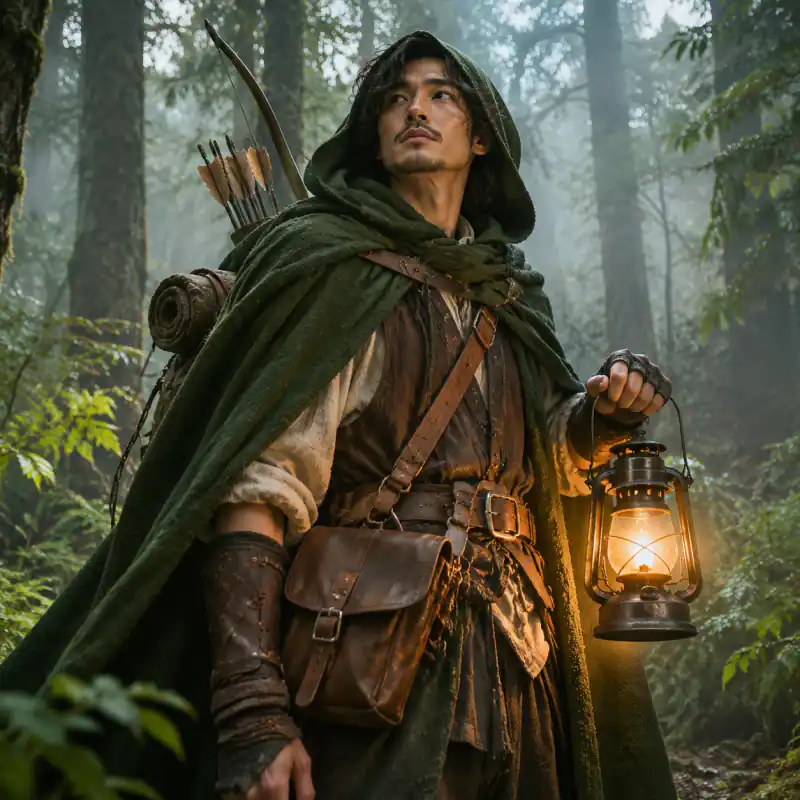
 Original Photo
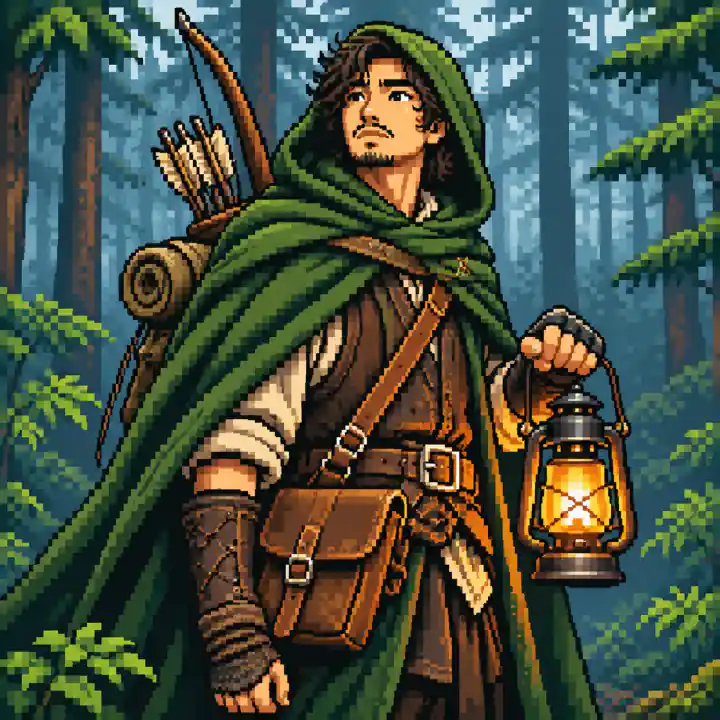 Pixel Art
Portrait → 16-Bit RPG Character
Authentic 16-bit SNES RPG character portrait with crisp pixel clusters, limited 24-color palette & clean outlines
Ditch blurry mosaic filters — transform photos and game concepts into crisp 8-bit, 16-bit SNES RPG characters, cozy isometric dioramas & 32-bit game icons from 4 credits (~$0.04), with palette-reference consistency and private storage.
Image checks and draft storage run locally in your browser. Unreleased game concept art stays private in R2 (zero public gallery, 30-day max, instant /library delete).
Auto 100% refund on failed runs6 Pixel Styles
Retro Eras · 8-Bit GB · 16-Bit RPG · 32-Bit Icon · Isometric · Neon · Emote
4–10 credits
Asset Pricing · ~$0.04–$0.10 · $5 pack = 62–125 game assets
Up to 16 Refs
Palette Consistency · Attach an approved sprite to lock a full game’s palette
Watermark-Free
Private & Commercial · Checks run in your browser · Private R2 · Ready for PNG cutout
Whether you are prototyping an indie RPG, crafting Discord emotes, or turning a favorite café into an isometric pixel diorama, drag the comparison above to inspect the crisp grid and build yours in seconds.
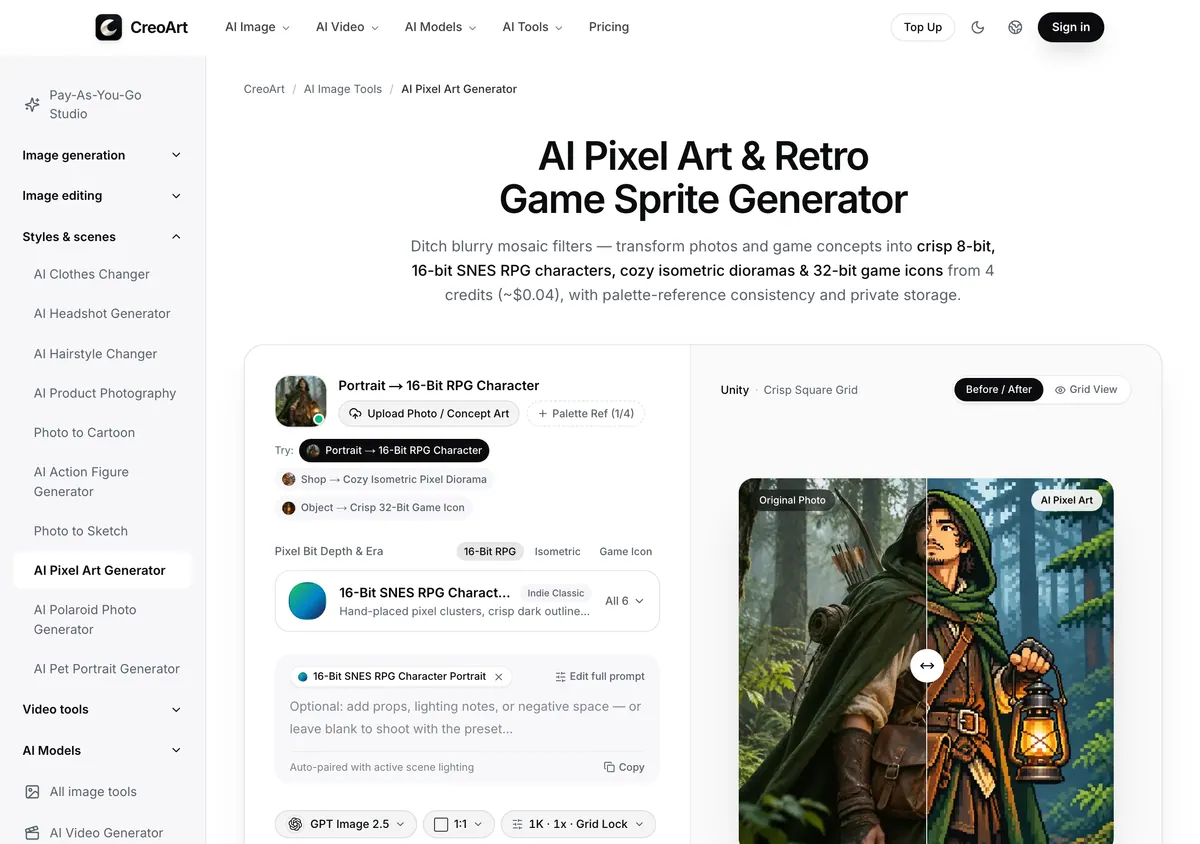
Most free "photo to pixel art" websites just downscale an image to 64×64 pixels and stretch it back with nearest-neighbor scaling. Because blind averaging does not understand facial contrast, outlines, or limited retro color palettes, eyes collapse into muddy squares and silhouettes turn unreadable.
Conversely, asking a generic image model for "pixel art" often yields messy "mix-els" — inconsistent pixel sizes blended with soft airbrush shading. CreoArt solves both failure modes with dedicated pixel-era prompts and our Crisp Pixel Grid Lock across GPT Image 2.5, Nano Banana 2.1, and Seedream 5.0 Pro.
Failure 1: Downscaled mosaic mush that destroys faces and eyes
CreoArt fix: Semantically redraws recognizable eyes, accessories, and silhouettes using deliberate hand-placed pixel clusters.
Failure 2: Blurry airbrush shading and mismatched pixel sizes ("mix-els")
CreoArt fix: Crisp Pixel Grid & Anti-Blur Lock paired with GPT Image 2.5 enforces uniform pixel blocks, stepped contours, and disciplined retro palettes.
Failure 3: Every icon in an indie game set looks like a different artist drew it
CreoArt fix: Attach your first winning sprite in Palette Ref so GPT Image 2.5 (16 refs) or Nano Banana 2.1 (14 refs) holds identical shading, outline weight, and palette across 50+ items.
Failure 4: Paying $24/month for an asset tool you only use during game jams
CreoArt fix: Pay as you go from 4 cr (~$0.04) per sprite. A $5 never-expiring pack buys 62–125 assets that stay ready for every future jam.
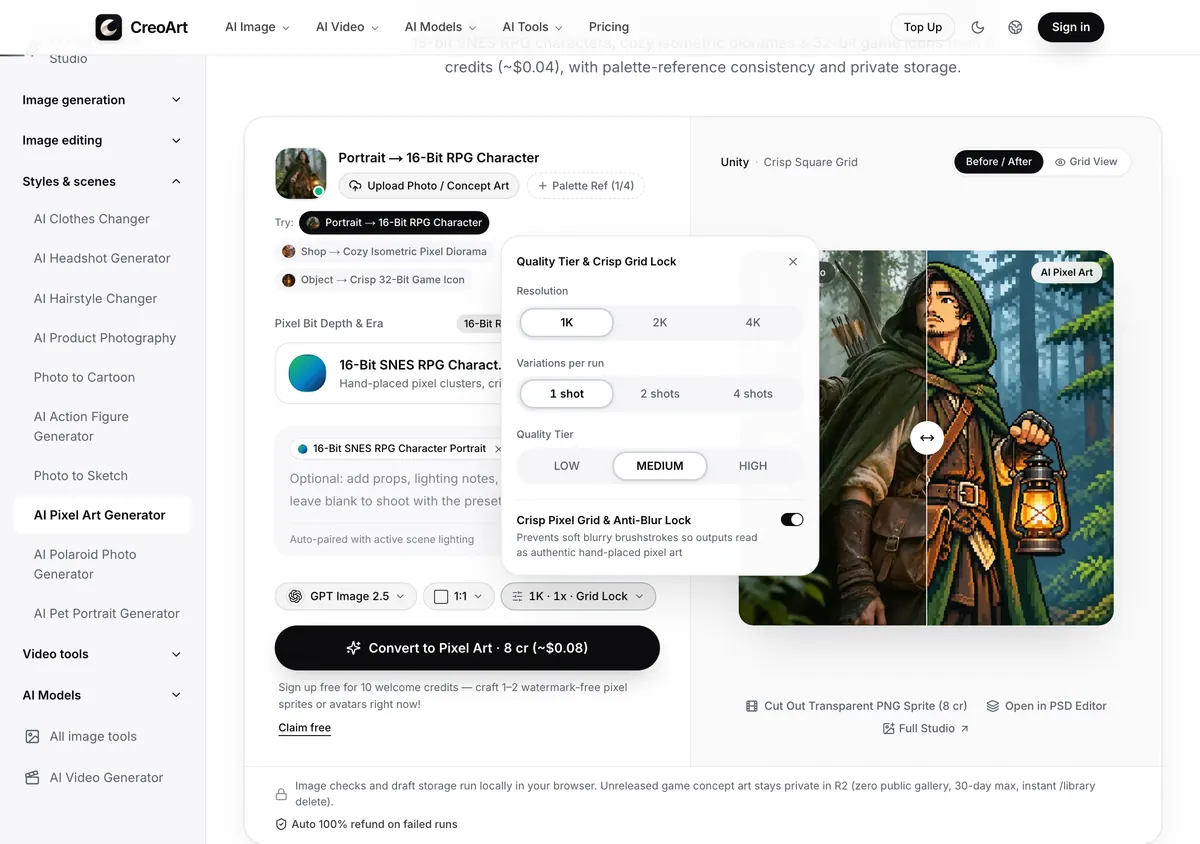
Choose the bit depth and model tier that fit your target resolution, engine workflow, and budget.
| Pixel Style Preset | Recommended Model | Credits (~USD) | Best Game / Creator Use |
|---|---|---|---|
| 16-Bit SNES RPG Portrait | GPT Image 2.5 · Low / Med | 4 / 8 cr (~$0.04–$0.08) | RPG dialogue portraits, Discord avatars, character art |
| Cozy Isometric Diorama | Seedream 5.0 Pro · 1K | 10 cr (~$0.10) | Indie town concepts, storefront prints, cozy art |
| 32-Bit RPG Item Icon | Nano Banana 2.1 · 1K | 7 cr (~$0.07) | Inventory swords/potions/gear, transparent PNG sprites |
| 8-Bit 4-Tone Handheld | GPT Image 2.5 · Low / Med | 4 / 8 cr (~$0.04–$0.08) | Classic LCD nostalgia art, stickers, retro badges |
| Neon Cyberpunk 32-Bit | Seedream 5.0 Pro · 1K / 2K | 10 / 20 cr (~$0.10–$0.20) | 16:9 desktop wallpapers, Steam capsules, YouTube art |
| Stream Emote & Badge | GPT Image 2.5 · Low / Med | 4 / 8 cr (~$0.04–$0.08) | Twitch sub badges, Discord stickers, chunky icons |
Switch engines anytime from your single never-expiring credit balance without juggling multiple logins.
40 fast 8-bit & sprite drafts
CreoArt Pay-As-You-Go
~$1.60
160 credits · $5 Entry Pack (500 never-expiring cr — 340 left)
Freelance pixel artist (~$25/sprite)
$500
Save ~99.7% ($498 kept)
Typical $24/mo Game Asset AI Plan (12 mos)
$288
$5 never-expiring Entry Pack yields 62–125 pixel sprites; pair with /background-remover (8 cr) for transparent PNGs.
| AI Model | Pixel Strength | Cost per Asset | Choose When |
|---|---|---|---|
| GPT Image 2.5 (Default) | Strictest uniform grid, 8/16-bit palettes & bold borders | 4 cr Low · 8 cr Med | Making RPG character heads, 4-tone Game Boy art & emotes |
| Nano Banana 2.1 | Clean 32-bit metallic highlights & 14-reference batch lock | 7 cr 1K · 11 cr 2K | Converting real objects into cohesive inventory icon packs |
| Seedream 5.0 Pro | Rich pixel glow, night reflections & dense isometric detail | 10 cr 1K · 20 cr 2K | Building cozy isometric shops & atmospheric pixel wallpapers |
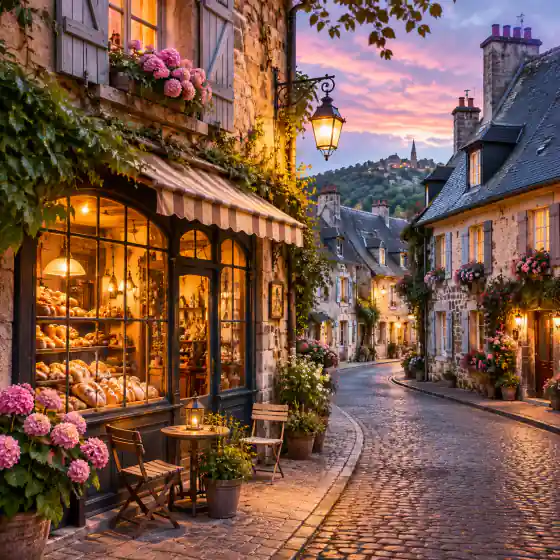
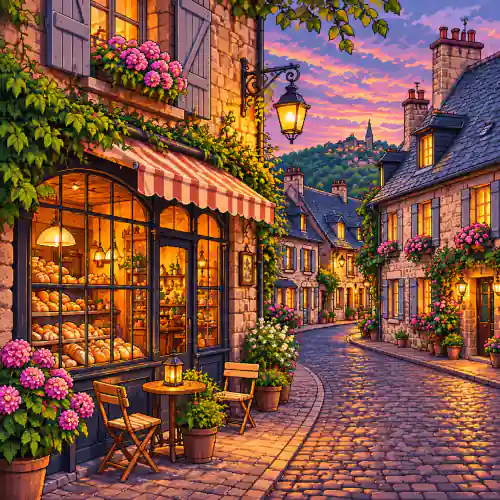
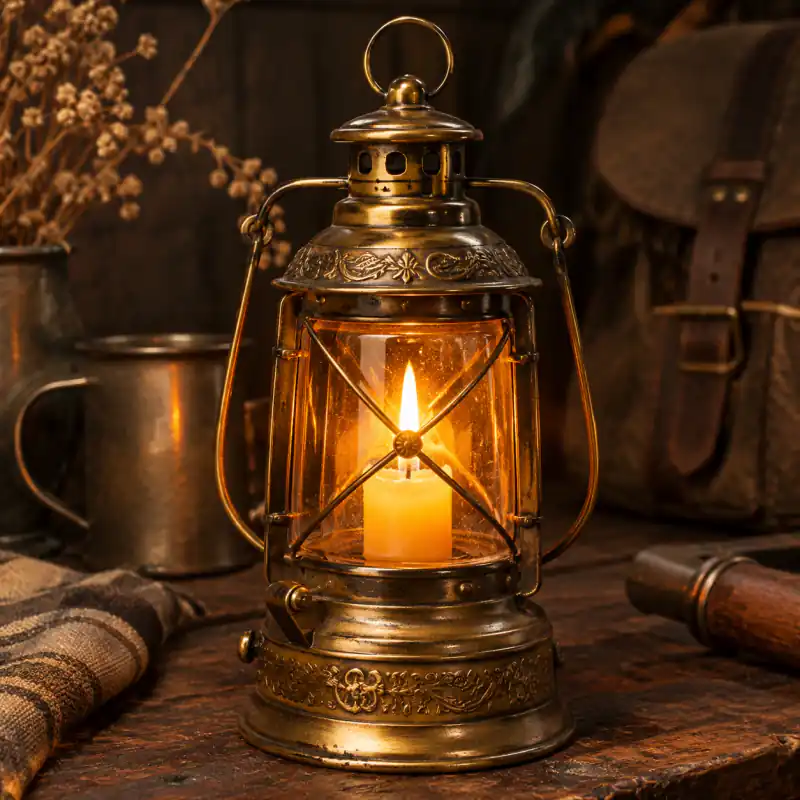
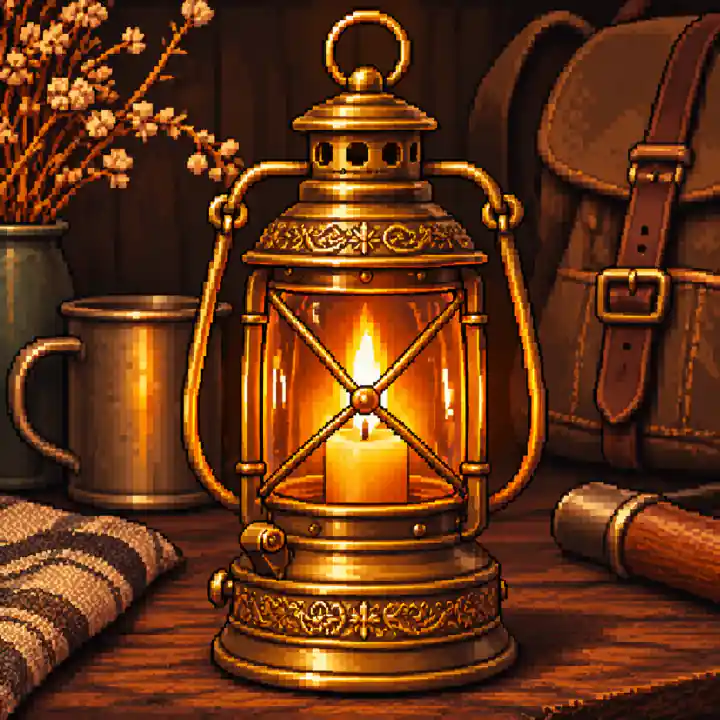
Compare a 16-bit RPG portrait, a cozy Japanese bakery isometric diorama, and a 32-bit compass inventory icon — click any pair to test its recipe.
Original PhotoPixel ArtAuthentic 16-bit SNES RPG character portrait with crisp pixel clusters, limited 24-color palette & clean outlines
 Original Photo
 Pixel Art
Charming cozy indie-game isometric pixel scene keeping warm storefront lights, signage & tiny pixel bicycle
 Original Photo
 Pixel Art
Razor-sharp RPG inventory icon on clean solid backdrop ready for 1-click background removal into PNG sprite
Indie developers and brand designers should never risk leaking unannounced characters or environments into a public AI feed. Every image check and prompt draft executes locally in your browser, and CreoArt operates zero public galleries.
Uploaded concept art and generated pixel renders live strictly inside your private Cloudflare R2 vault (zero self-model training, 30-day max retention, instant single-item delete in /library), backed by 100% automatic refunds on confirmed technical errors.
Small setup habits save hours of manual pixel cleanup in Aseprite or Photoshop.
Our 32-Bit Game Icon preset isolates objects on solid dark slate so a single 8-credit pass in /background-remover produces crisp, halo-free transparent PNG sprites.
Full-body shots lose facial clarity at 32×32 px. Crop close around the head and shoulders so hats, glasses, and expressions stay bold at tiny chat sizes.
Once your first hero sprite looks right, upload it into Palette Ref so every subsequent weapon, potion, and NPC inherits matching outline weight and color warmth.
Use GPT Image 2.5 Low (~$0.04) to rapid-prototype 10 item silhouettes, then step up to Medium (8 cr) or Seedream 5.0 Pro (10 cr) for final hero art.
Send any finished pixel café or cyberpunk street directly into /image-to-video (MiniMax H3 starts at 35 cr for 5s) to add flickering pixel neon, steam, and gentle rain.
Answers on crisp pixel grids, transparent PNG sprite cutouts, indie game palette locks, pricing, and commercial rights.
Simple mosaic downscalers blur eyes into illegible blocks, while generic AI models mix painterly anti-aliased strokes with inconsistent pixel sizes. CreoArt applies Crisp Pixel Grid & Anti-Blur Lock across GPT Image 2.5, Nano Banana 2.1, and Seedream 5.0 Pro to enforce uniform square pixel clusters, dark pixel outlines, and tight retro palettes.
Sign up free for 10 welcome credits — enough for 1–2 watermark-free renders immediately. Paid runs start at 4 credits (~$0.04) on GPT Image 2.5 Low, 7 cr (~$0.07) on Nano Banana 2.1, 8 cr on GPT Image 2.5 Medium, and 10 cr on Seedream 5.0 Pro. A $5 never-expiring pack yields 62–125 game assets.
Yes. Generate your icon with the 32-Bit Game Item Icon preset (which centers the object cleanly on a solid dark slate backdrop), then click Cut Out Transparent PNG Sprite to run our /background-remover (8 cr) or inspect pixels inside our free local /photo-editor.
Yes. After approving your first hero sprite or tile, attach it via the Palette Ref button inside the workbench. GPT Image 2.5 (up to 16 refs) and Nano Banana 2.1 (up to 14 refs) lock color values, outline thickness, and pixel density across your whole item set.
Pick GPT Image 2.5 (4–8 cr) for strict 8-bit/16-bit grids, Game Boy 4-tone dithering, and compact Twitch/Discord pixel emotes; pick Nano Banana 2.1 (7 cr) for shiny 32-bit inventory objects; and switch to Seedream 5.0 Pro (10 cr) for atmospheric cozy isometric dioramas and cyberpunk pixel skies.
Yes. Outputs generated on CreoArt come watermark-free with full commercial usage rights for indie games, itch.io / Steam assets, Twitch badges, and print merch, subject to standard copyright rules on source inputs you upload.
Yes. Drafts and size checks execute locally in your browser; uploaded concept art and finished pixel outputs reside solely in private Cloudflare R2 storage (zero public gallery, zero self-model training, 30-day max retention, instant delete in /library).
Turn static pixel renders into transparent PNGs, sprite sheets, or animated pixel videos from one balance.
Extract clean transparent PNG sprites & game icons
Animate pixel scenes with falling rain & glowing signs
3D animated film, cel anime & graphic-novel styles
Clean B&W coloring lines & graphite drawings
Crop pixel tiles & arrange sprite sheets locally
$5 pack = 62–125 pixel sprites, zero subscriptions