
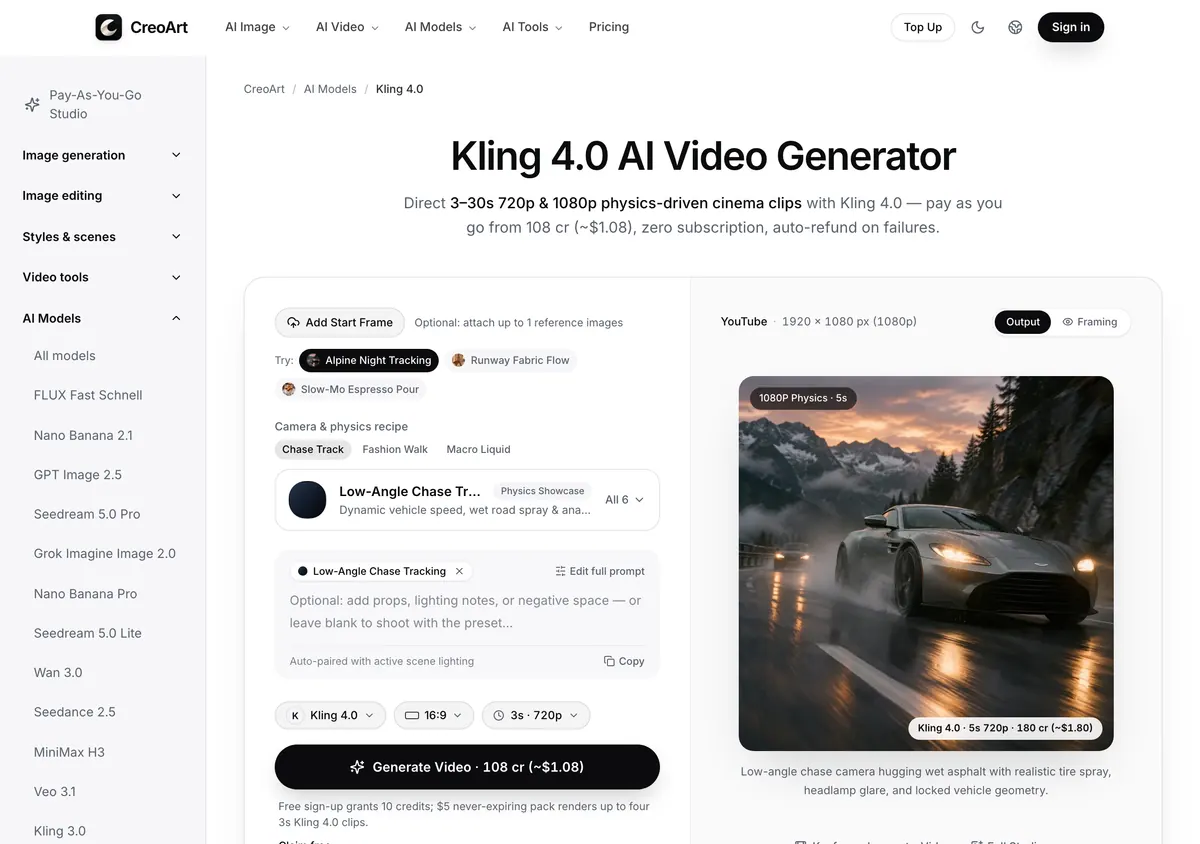
 1080P Physics · 5sKling 4.0 · 5s 720p · 180 cr (~$1.80)
Alpine Night Tracking
Low-angle chase camera hugging wet asphalt with realistic tire spray, headlamp glare, and locked vehicle geometry.
Direct 3–30s 720p & 1080p physics-driven cinema clips with Kling 4.0 — pay as you go from 108 cr (~$1.08), zero subscription, auto-refund on failures.
1080P Physics · 5sKling 4.0 · 5s 720p · 180 cr (~$1.80)Low-angle chase camera hugging wet asphalt with realistic tire spray, headlamp glare, and locked vehicle geometry.
Prompt & framing checks run in your browser. Rendered clips stay in private R2 storage (30-day max, instant /library delete).
Auto 100% refund on failed runs3–30s Long Takes
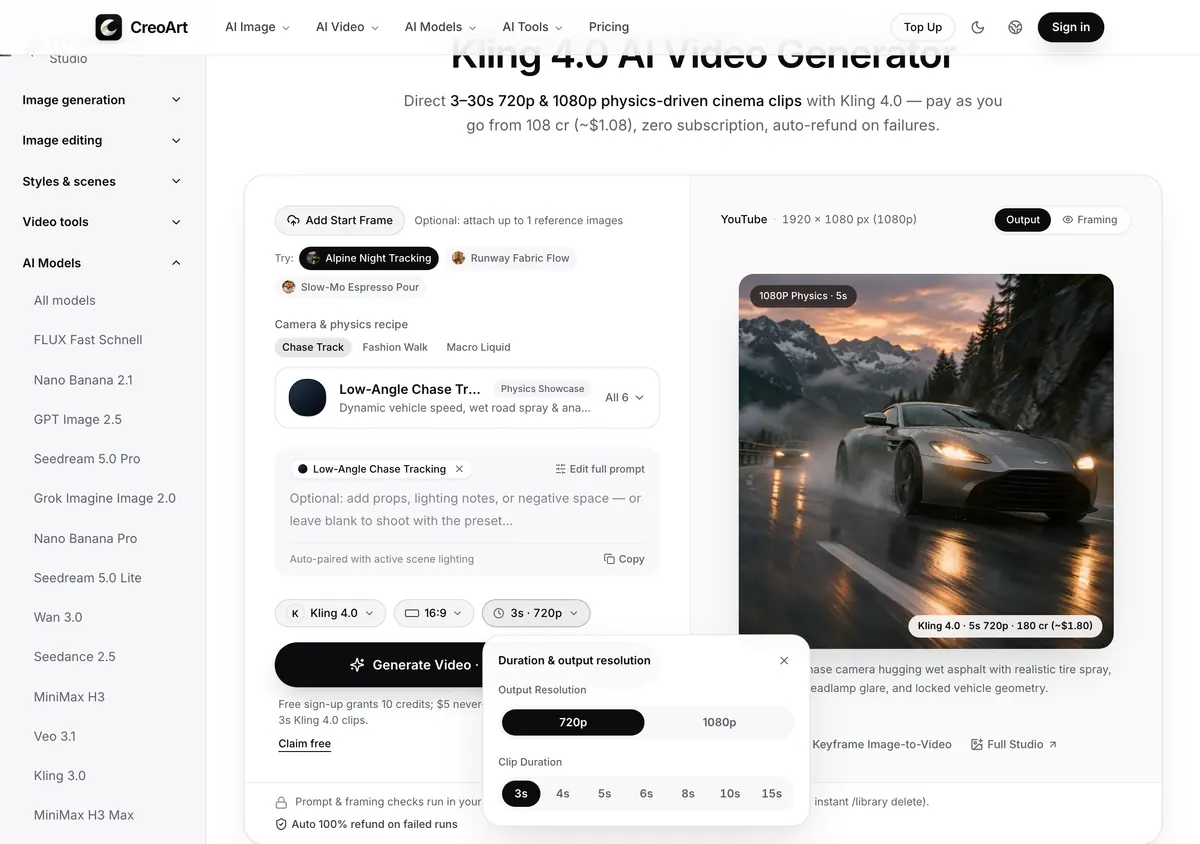
1-second steps across 16:9, 9:16, 1:1 & 21:9
From 36 cr/s
3s 720p ~$1.08 · 1080p 54 cr/s (~$0.54/s)
Real-World Physics
Heavy fabric drape, liquid refraction & vehicle chase
Private R2 Storage
Zero public gallery, zero training, instant delete
Skip locked $49/month single-model subscriptions and unpredictable rerolls. Configure framing safe zones directly in your browser, inspect exact credit and USD costs upfront, and render watermark-free Kling 4.0 clips in four steps:
Commercial editors testing AI video generators run into the same three failure modes within minutes: feet sliding weightlessly across pavement, poured liquids clipping straight through glass walls, and faces or vehicles warping past the five-second mark. Those subtle physical breaks immediately disqualify a shot from paid ad placements or client pitch reels.
Kling 4.0 focuses squarely on temporal physics and extended continuous takes from 3 seconds up to 30 seconds. Heavy wool coats react convincingly to stride momentum, wet asphalt reflects headlights cleanly while rear tires kick up coherent mist, and 120fps tabletop macro liquid pours maintain believable glass refraction. Native support for 21:9 anamorphic widescreen and 9:16 vertical eliminates destructive post-cropping.
Just as important is knowing Kling 4.0’s exact tradeoff: Kling 4.0 outputs silent 720p and 1080p video without native audio generation. When a scene calls for 4K clarity or synchronized sound effects and dialogue, CreoArt lets you pivot in one click inside the same credit balance to Kling 3.0 (4K + audio at 22 cr/s base), Seedance 2.5 (4–30s + audio), or Google Veo 3.1 — so every shot uses the right engine without paying for multiple subscriptions.
Text-only 15s prompts drifting off-brand halfway through
Generate a locked keyframe first with GPT Image 2.5 (~$0.04) or Nano Banana 2.1 (~$0.07), then animate that exact frame in Kling 4.0.
Stacking four competing camera moves into one prompt
Limit each shot to one primary camera rig (e.g., slow steadicam dolly-back) and one continuous physical action beat.
Realizing late that the deliverable needs native synced audio
Kling 4.0 is built for silent visual physics; switch right inside the model pill to Kling 3.0, Seedance 2.5, or Veo 3.1 for audio.
Vertical 9:16 hero subjects covered by TikTok/Reels captions
Toggle the Framing tab in your browser to inspect top 14% and bottom 32% UI overlays before spending credits.
All USD figures below reflect CreoArt’s $5 never-expiring Entry Pack rate (500 credits = $0.01/cr). Pro Annual subscribers save an additional ~42% per credit:
| Shot Profile | Duration & Ratios | 720p Credits / USD | 1080p Credits / USD | Recommended Production Use |
|---|---|---|---|---|
| 3s Motion & Physics Check | 3s · 16:9 / 9:16 / 1:1 / 21:9 | 108 cr (~$1.08) | 162 cr (~$1.62) | Fast physics verification, macro pours, and scroll-stopping 3s ad hooks |
| 5s Social & Paid Ad Clip | 5s · 9:16 / 16:9 / 1:1 | 180 cr (~$1.80) | 270 cr (~$2.70) | TikTok/Reels hero spots, editorial fashion walks, and PDP product loops |
| 10s Narrative Tracking Shot | 10s · 16:9 / 21:9 | 360 cr (~$3.60) | 540 cr (~$5.40) | Continuous chase sequences, multi-beat movement, and brand mood films |
| 15s Unbroken One-Take | 15s · 16:9 / 21:9 | 540 cr (~$5.40) | 810 cr (~$8.10) | Architectural gallery glides, music-video cuts, and extended story beats |
| 30s Extended Cinema Take | 30s · 16:9 / 21:9 | 1,080 cr (~$10.80) | 1,620 cr (~$16.20) | Full single-shot trailers and website hero loops — auto-refunded on failure |
Compare every flagship video model inside CreoArt’s single pay-as-you-go wallet before choosing which engine gets your final shot:
25 total seconds rendered at 720p
CreoArt Pay-As-You-Go
~$9.00
900 credits · $19 Creator Pack (2,000 never-expiring cr — 1100 left)
Traditional video shoot (~$350/shot)
$1,750
Save ~99.5% ($1,741 kept)
Typical $49/mo Video Sub (12 mos)
$588
Monthly credits expire every 30 days; CreoArt packs never expire.
| Video Model | Resolution / Duration / Audio | Starting Clip Quote | Per-Second Rate | Where It Wins |
|---|---|---|---|---|
| Kling 4.0 (This Page) | 720p–1080p · 3–30s · Silent | 108 cr (~$1.08 / 3s) | 36 cr/s (720p) · 54 cr/s (1080p) | Top physical motion accuracy (cloth, fluids, vehicles) & 30s scored clips |
| Kling 3.0 | 720p–4K · 3–15s · Audio (1.5×) | 66 cr (~$0.66 / 3s) | 22 cr/s (720p) · 105 cr/s (4K) | Nearly 40% cheaper base rate plus native 4K and synchronized audio option |
| Seedance 2.5 | 480p–1080p · 4–30s · Audio (1.5×) | 144 cr (~$1.44 / 4s) | 36 cr/s (480p) · 80 cr/s (720p) | Expressive facial acting, storytelling transitions & synced ambient audio |
| Google Veo 3.1 | 720p–4K · 4–8s · Audio (1.8×) | 216 cr (~$2.16 / 4s) | 54 cr/s (1080p) · 96 cr/s (4K) | Broadcast-grade 4K clarity paired with realistic dialogue & ambient foley |
| MiniMax H3 (Budget Draft) | 480p–2K · 4–15s · Silent | 28 cr (~$0.28 / 4s) | 7 cr/s (480p) · 15 cr/s (1080p) | Stage-one motion drafts & product turntables at 5× lower per-second cost |
Inspect three commercial stress tests — wet highway tracking, heavy wool garment physics, and macro slow-motion liquid refraction — and click any card to load its exact recipe into the workbench above:
1080P Physics · 5sKling 4.0 · 5s 720p · 180 cr (~$1.80)Low-angle chase camera hugging wet asphalt with realistic tire spray, headlamp glare, and locked vehicle geometry.
 9:16 Editorial · 5sKling 4.0 · 5s 1080p · 270 cr (~$2.70)
Steadicam dolly-back following a camel wool coat in wind with grounded footfalls and natural cloth weight.
 Macro Liquid · 3sKling 4.0 · 3s 720p · 108 cr (~$1.08)
High-speed commercial tabletop macro of dark espresso swirling into chilled milk with coherent glass refraction.
Agencies, game studios, and DTC brands cannot afford to leak unreleased campaign storyboards, talent likenesses, or prototype product reels into a public social feed. Many subscription video apps publish standard-tier outputs into community galleries by default.
CreoArt (operated by CreoArt Studio / MagicT LLC) keeps every commercial workflow private by architecture. Framing and safe-zone checks execute in your browser before dispatch; submitted keyframes and rendered MP4 files reside exclusively in private per-account Cloudflare R2 storage (Cache-Control: private, no-store) with zero public gallery and zero self-model training.
Get studio-usable motion on your first or second render by applying five structural rules verified across hundreds of commercial video runs:
Opening with "Low-angle Russian-arm tracking shot" or "120fps macro slow push-in" anchors perspective far better than appending vague words like "cinematic" at the end.
Replace generic verbs with tangible physical descriptors — heavy wool coat hem, wet tire mist, thick amber espresso crema — so Kling 4.0 grounds gravity and inertia accurately.
Cramming four sequential actions into 5 seconds forces unnatural speedups. Give multi-beat choreography 10–15 seconds or cut cleanly between separate 3–5s shots.
Design your opening frame in GPT Image 2.5 or Nano Banana 2.1 first, upload it as your Kling 4.0 starting image, and reserve your prompt strictly for camera movement and lighting shifts.
Validate camera angle and pacing on MiniMax H3 at 7 cr/s (~$0.28 for 4s) inside the same wallet, then promote only winning prompts to Kling 4.0 1080p.
Answers on Kling 4.0 per-second pricing, silent vs native audio models, starting-frame locks, and private storage.
Kling 4.0 costs 36 credits per second at 720p (~$0.36/s at the $5 never-expiring Entry Pack rate) and 54 credits per second at 1080p (~$0.54/s). A 3-second 720p shot costs 108 credits (~$1.08), a 5-second 720p clip costs 180 credits (~$1.80), and a 5-second 1080p hero clip costs 270 credits (~$2.70). Exact credits update live before submission.
Kling 4.0 renders silent video optimized for physical accuracy, cloth dynamics, fluid motion, and continuous 3–30s camera takes. If you need synchronized native sound effects or dialogue generated in the same pass, switch inside the same CreoArt wallet to Kling 3.0 (4K + audio at 22 cr/s base), Seedance 2.5 (4–30s + audio), Wan 3.0, or Google Veo 3.1.
Kling 4.0 supports flexible durations from 3 seconds all the way up to 30 seconds in 1-second increments, across 720p and 1080p output resolutions in 16:9, 9:16, 1:1, and 21:9 cinema widescreen ratios.
Yes. Attach 1 starting keyframe (JPG, PNG, or WebP up to 20 MB) — such as an approved product photo or a GPT Image 2.5 / Nano Banana 2.1 frame — to lock framing, brand colors, and subject identity from frame one while directing camera motion.
Use CreoArt’s two-stage workflow: first lock your opening still image for ~$0.04–$0.07 with GPT Image 2.5 or Nano Banana 2.1, then validate camera movement on MiniMax H3 at 7 cr/s (~$0.28 for 4s) or run a short 3s 720p test on Kling 4.0 (~$1.08) before committing to a 10–30s 1080p render.
No. CreoArt runs on never-expiring pay-as-you-go credit packs starting at $5 (500 credits) plus custom $5–$500 top-ups with zero auto-renewal. Optional Pro, Ultimate, and Max plans are available if you render heavily every month.
Confirmed upstream technical failures automatically refund 100% of reserved credits back to your balance. Every source frame and finished MP4 stays strictly private in isolated Cloudflare R2 storage (zero public feed, zero self-model training, 30-day max retention, and instant single-clip delete in /library).
Use the same never-expiring CreoArt balance to move from locked keyframes to budget drafts, flagship physics shots, and native 4K audio clips:
3–20s 720p physics motion at 23 cr/s (~$0.69 per 3s) for rapid camera & motion blocking.
Animate any product photo, portrait, or storyboard frame across all 23 live video models.
Render 4–30s expressive character scenes with synchronized ambient sound from ~$1.44.
Step up to native 4K cinema visuals and synchronized dialogue or foley audio.
Validate camera movement and 360° product spins from 28 credits (~$0.28) per 4s clip.