
 Tight Crop
 AI Expanded
Studio Portrait → 16:9 Wide
Seamless outpainting extending stoneware shelves, loft windows & natural morning light around untouched center portrait
Keep your original center pixels locked while FLUX.1 Pro Fill outpaints tight crops seamlessly into 16:9, 9:16, 4:5, or 21:9 banners — interactive expand canvas in your browser, flat 80 credits (~$0.80), zero sub.
Interactive expand frame placement & output pixel math run locally in your browser before upload. Expanded images remain strictly private in R2 (30-day max, instant /library delete).
Auto 100% refund on failed runsFlat 80 cr (~$0.80)
FLUX.1 Pro Fill wide-canvas outpainting
5 Ratios × 5 Directions
16:9, 9:16, 4:5, 1:1 & 21:9 single or all sides
Center Pixels Locked
Original face, product & logo remain untouched
Browser Expand Canvas
Private R2 storage, zero public gallery
Need a square packshot stretched into a 16:9 hero banner with headline room, or a landscape photo adapted for vertical 9:16 Reels without slicing off the subject? Position your frame locally in your browser and let FLUX.1 Pro Fill paint cleanly beyond every edge:
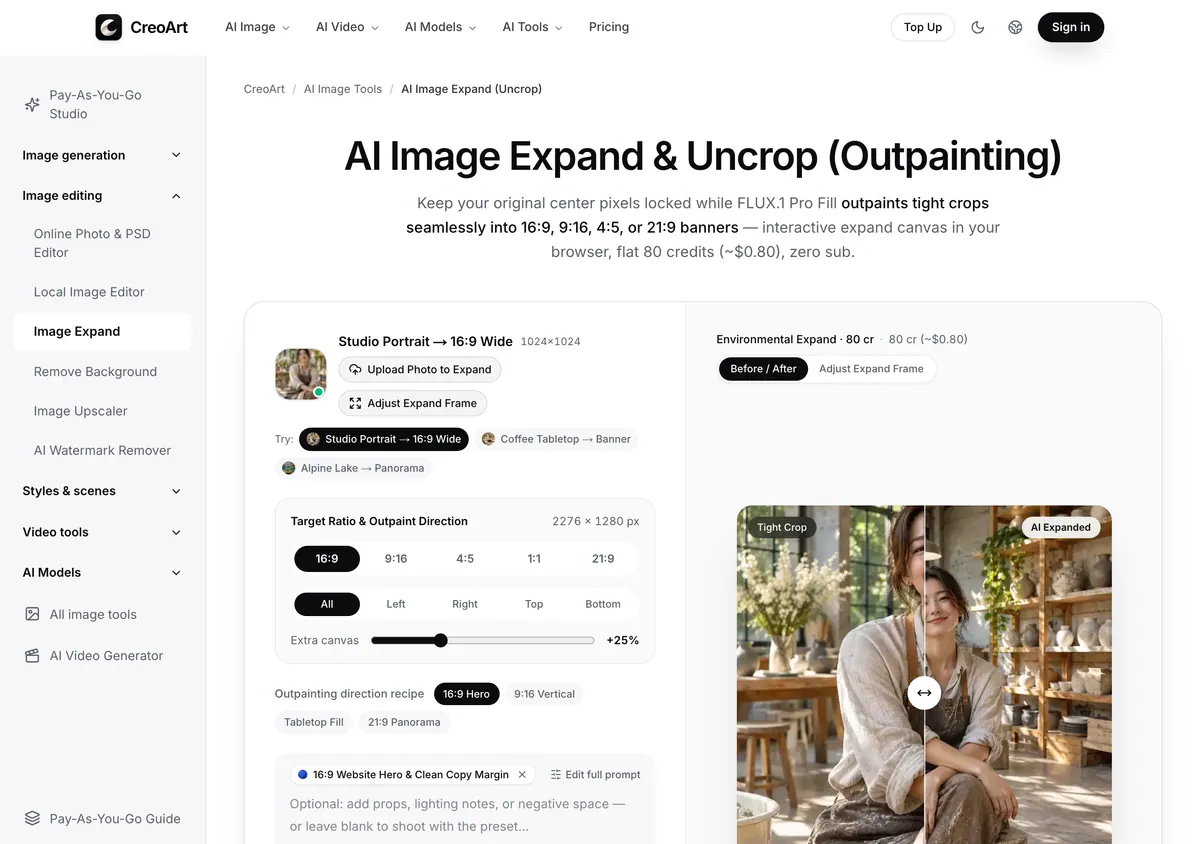
Modern campaigns demand the same hero visual across incompatible boxes: 16:9 desktop websites, 4:5 feeds, 9:16 TikTok/Reels, and 21:9 wide headers. Traditional cropping forces brutal compromises — slicing off elbows, crowding product packaging right against frame borders, and leaving zero clean breathing room for headlines or buttons.
CreoArt AI Image Expand solves aspect-ratio fragmentation without reshoots. Your browser constructs an exact spatial outpainting mask anchoring every original pixel in place while FLUX.1 Pro Fill extends vanishing lines, surface textures, shallow lens bokeh, and directional sunlight smoothly past the frame borders.
Instead of paying $359/year for bloated desktop suites just to adapt a handful of campaign banners each quarter, CreoArt runs transparently at a flat 80 credits (~$0.80) per expansion inside never-expiring $5 packs (500 cr = 6 full banner adaptations), paired seamlessly with 20-credit local spot edits and free browser PSD layouts.
Expanding over 3× original width in one leap introduces soft background drift
Stick to clean 25–50% border extensions per pass and specify matching depth of field to keep background sharpness consistent.
AI invents extra people or random objects inside empty hero banner space
Include "clean uncluttered negative space continuing soft out-of-focus backdrop" so your extended margin stays calm for typography.
Thin white borders on the uploaded photo cause outpainting to draw a frame
Crop off any thin border lines first (takes two seconds free in /photo-editor) before uploading so edges blend seamlessly.
95% of the expanded frame is spotless except one quirky corner detail
Skip re-running an 80-credit expand — brush out that single corner in /local-image-editor for just 20 credits.
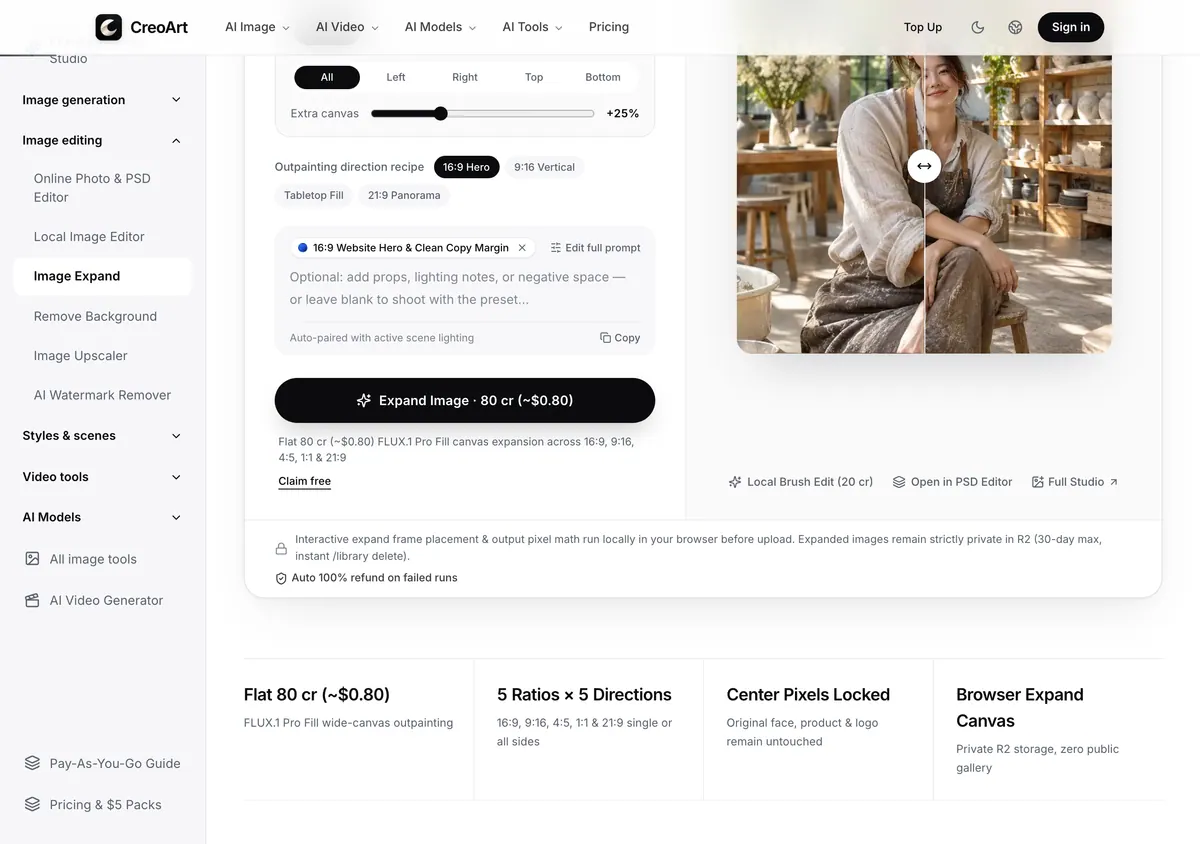
Every FLUX.1 Pro Fill canvas expansion costs a flat 80 credits (~$0.80 at the $5 Entry Pack rate) regardless of single-side or four-sided outpainting:
| Campaign Adaptation Goal | Ratio & Direction | Flat Cost | Prompt Focus | Commercial Outcome |
|---|---|---|---|---|
| Website Hero Banner Margin | 16:9 · Left or Right only | 80 cr (~$0.80) | Clean negative space & soft wall bokeh | Subject anchored right, crisp headline left |
| Landscape → TikTok / Reels | 9:16 · Top & Bottom | 80 cr (~$0.80) | Extend ceiling/sky & foreground surface | Zero horizontal cropping of original widescreen shot |
| Square Packshot → Ad Header | 16:9 / 21:9 · All sides | 80 cr (~$0.80) | Continue travertine/oak grain & soft shadow | Instant email header & carousel banners without reshoot |
| Tight Headshot → 4:5 Feed | 4:5 · Balanced headroom | 80 cr (~$0.80) | Natural studio wall & shoulder continuation | Rescues cramped crops with editorial breathing room |
| Travel Shot → 21:9 Vista | 21:9 · Left & Right | 80 cr (~$0.80) | Continuous ridges, pine shore & reflection | Panoramic wallpapers & print spreads from standard frames |
Benchmark real turnaround time and cost when adapting existing visuals across channels:
6 seamless outpainted aspect-ratio masters
CreoArt Pay-As-You-Go
~$4.80
480 credits · $5 Entry Pack (500 never-expiring cr — 20 left)
Studio reshoot / composite (~$120/asset)
$720
Save ~99.3% ($715 kept)
Creative Cloud + Generative Sub (12 mos)
$359
$5 Entry Pack (500 cr) adapts 6 flagship campaign photos with zero recurring subscription.
| Adaptation Method | Cost per Banner | Turnaround | Original Subject Lock | Best Fit |
|---|---|---|---|---|
| CreoArt AI Expand (FLUX.1 Pro Fill) | 80 cr (~$0.80) | 10–15 seconds | 100% center pixels preserved | Hero banners, paid social & quick campaign launches |
| Manual Photoshop Retouching | $45–$120 / asset | 1–3 hours | Varies by lighting-match skill | Complex custom prop placement on high-budget print |
| Dedicated Studio Reshoot | $300+ / session | Days of scheduling | Native capture, high overhead | Major seasonal brand flagship campaigns |
Explore an environmental ceramic studio portrait, a wide travertine coffee banner, and an expansive Dolomite panorama. Click any card to inspect the interactive expand frame above:
Tight CropAI ExpandedSeamless outpainting extending stoneware shelves, loft windows & natural morning light around untouched center portrait
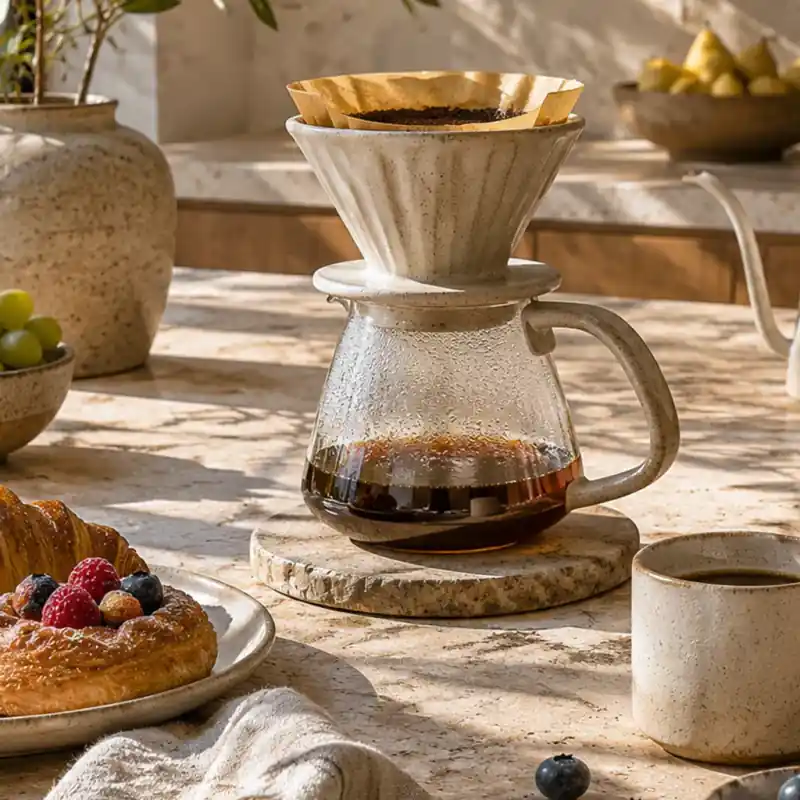 Tight Crop
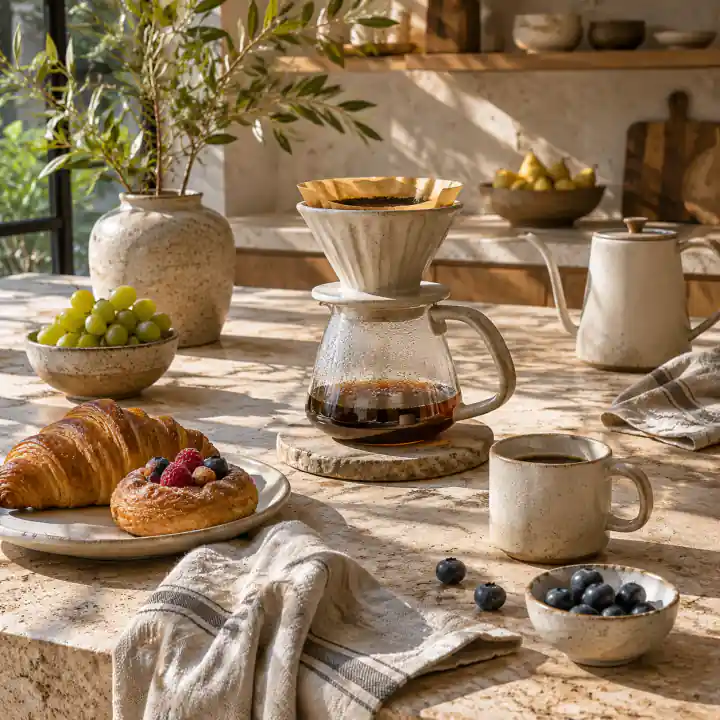 AI Expanded
Natural travertine kitchen island extended outward with linen napkins, pastries, and clean headline negative space
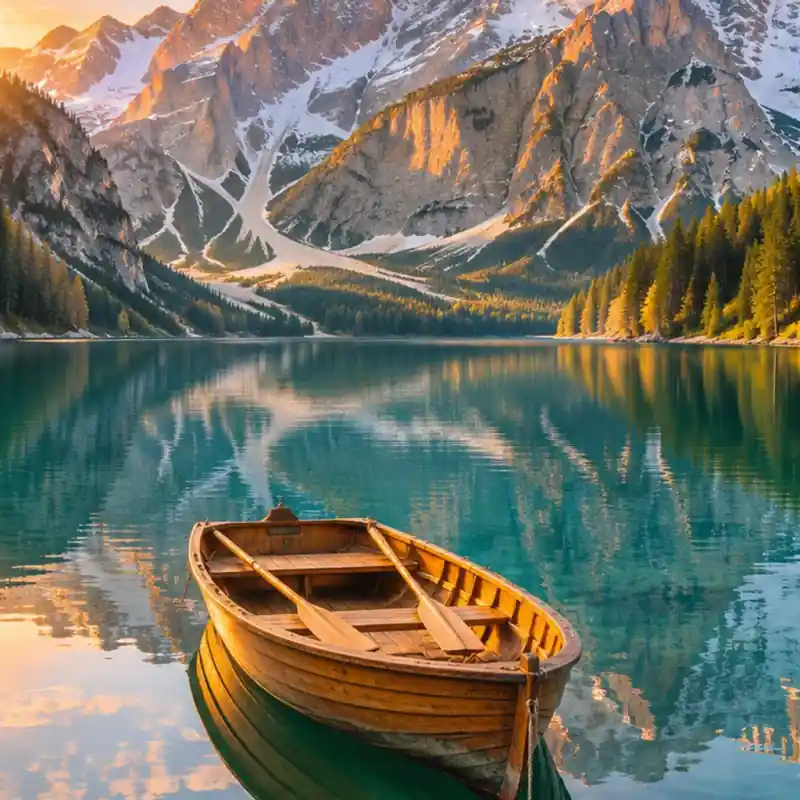 Tight Crop
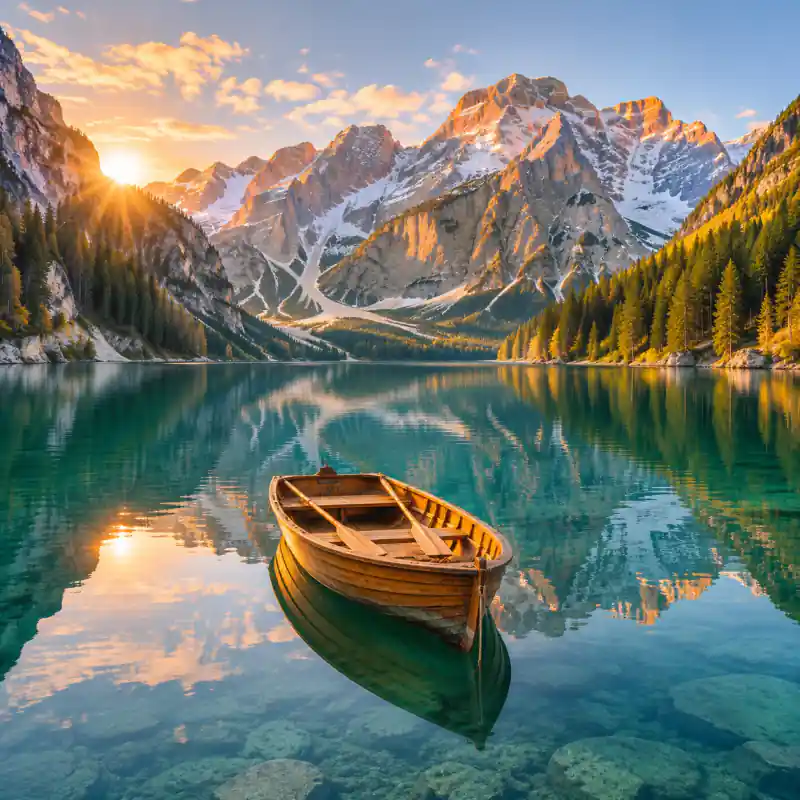 AI Expanded
Expansive Dolomite snow peaks, pine shorelines & glassy water reflections extended cleanly beyond original borders
Pre-launch website banners and client photography cannot live inside public AI community feeds.
CreoArt (operated by CreoArt Studio / MagicT LLC) keeps every frame private. Interactive canvas positioning and dimension math run locally in your browser before upload; submitted originals and outpainted results stay isolated in private Cloudflare R2 buckets (Cache-Control: private, no-store, zero public gallery, zero self-model training, 30-day max retention, instant single-click delete in /library).
Dial in clean, seamless 16:9 and 9:16 extensions on your very first 80-credit run with these five quick tips:
Even a 3px white border tricks outpainting models into extending a picture frame rather than continuing the real scene.
Extending strictly one side keeps your focal subject neatly on the rule-of-thirds line while creating calm space for headlines and buttons.
Prompts that focus on continuing travertine, soft studio wall light, and shallow blur keep the expanded edges looking effortlessly shot in-camera.
Turn a cramped square photo into a wide 16:9 keyframe here, then animate subtle motion in MiniMax H3 or Seedance 2.5.
Jump straight from AI Expand to our ad-free local browser PSD editor to place crisp vector copy at zero extra credits.
Answers on flat 80-credit outpainting, single-direction negative space, 9:16 conversions, and privacy.
Every FLUX.1 Pro Fill canvas expansion costs a flat 80 credits (~$0.80 at the $5 never-expiring Entry Pack rate of 500 credits), covering 6 full multi-channel outpaintings per $5 pack with zero monthly subscription.
No. CreoArt builds an exact outpainting mask in your browser around your positioned original frame so FLUX.1 Pro Fill only synthesizes the newly extended borders while leaving your centered face, product label, or architecture untouched.
Yes. Inside the workbench you can choose All, Left, Right, Top, or Bottom expansion alongside 16:9, 9:16, 4:5, 1:1, and 21:9 aspect ratios — ideal when you need clean negative space strictly on the left side of a website banner.
Keep expansion step reasonable (25%–50% per pass) and describe the continuing physical texture and light direction (such as "continuing warm honed travertine table and soft morning window blur") so FLUX.1 Pro Fill blends lens bokeh and film grain invisibly.
Yes. Select 9:16 and pick the 9:16 Vertical Uncrop recipe. Instead of zooming in and chopping off the sides of your photo, AI Uncrop extends sky/ceiling above and foreground floor/tabletop below naturally.
Hand off your expanded file directly to Local Image Editor (/local-image-editor, 20 cr) to paint and fix just that corner, or open it in our free browser PSD editor (/photo-editor) for final crop and typography placement.
Yes. Interactive expand frame dragging and output geometry calculations execute strictly in your browser prior to submission. Uploaded photos and outpainted results live exclusively in private Cloudflare R2 storage (zero public gallery, zero self-model training, 30-day max retention, instant delete in /library).
Share one never-expiring balance across canvas outpainting, brush spot edits, 4K upscaling, video animation, and free PSD layouts:
Touch up any stray corner object after expanding without rerunning.
Enlarge expanded banners cleanly to 4K retina & print resolution.
Cut lossless full-resolution transparent PNGs for composite layouts.
Relight or restyle entire scenes while locking structural geometry.
Animate newly expanded 16:9 or 9:16 frames into smooth motion clips.
Drop vector copy onto expanded margins & export PSD locally for 0 cr.