
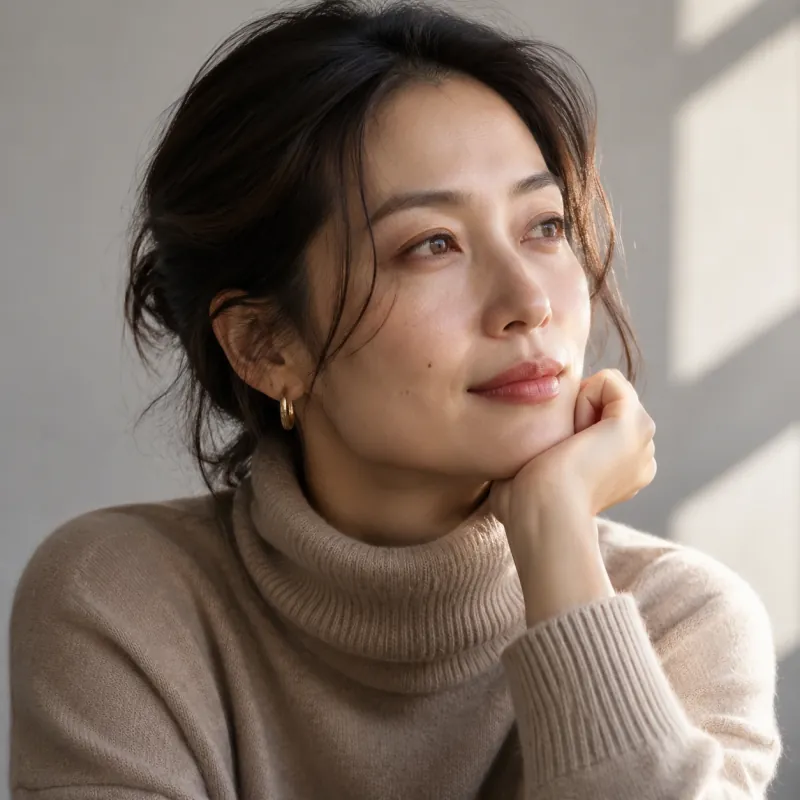
 Original Photo
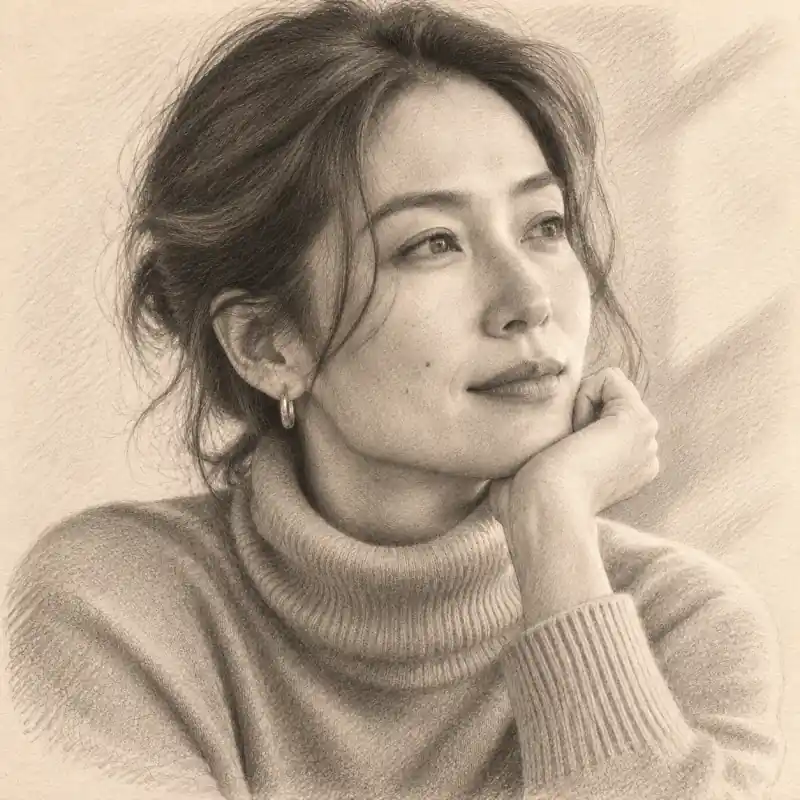 AI Sketch
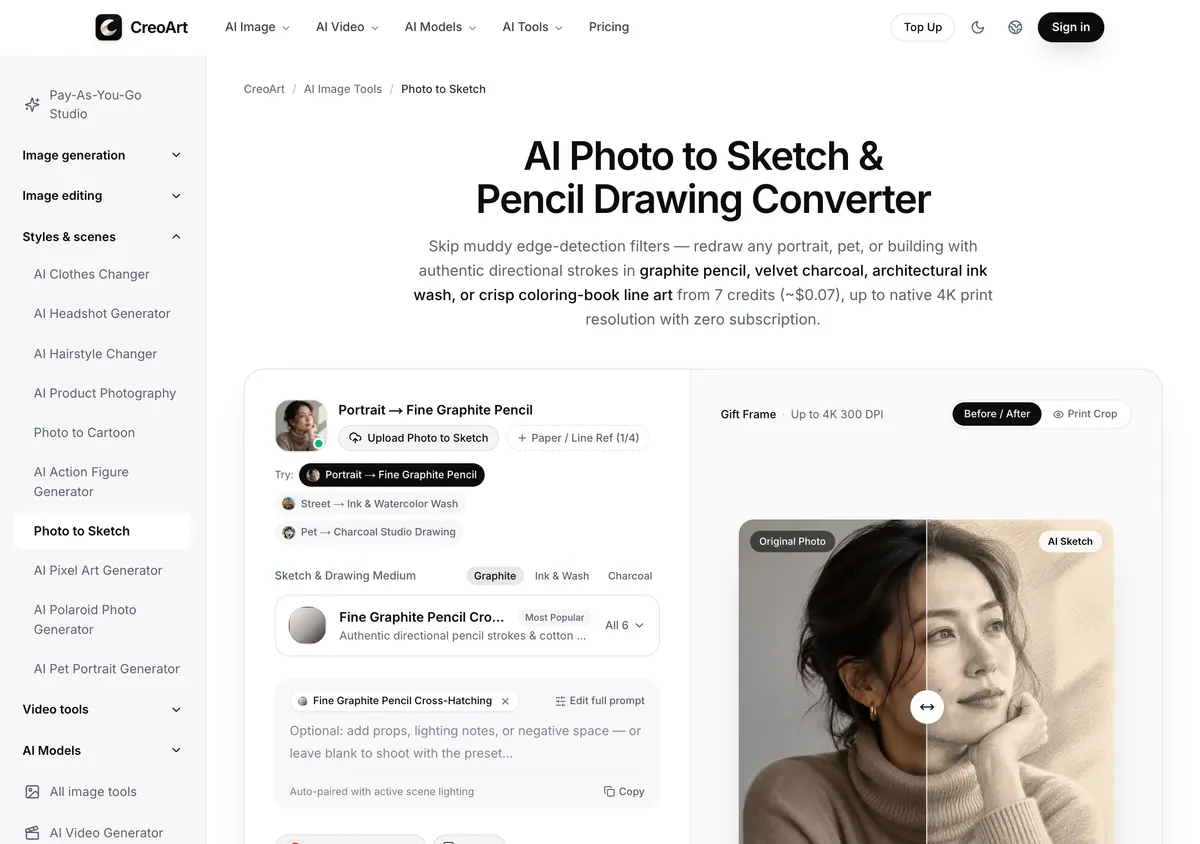
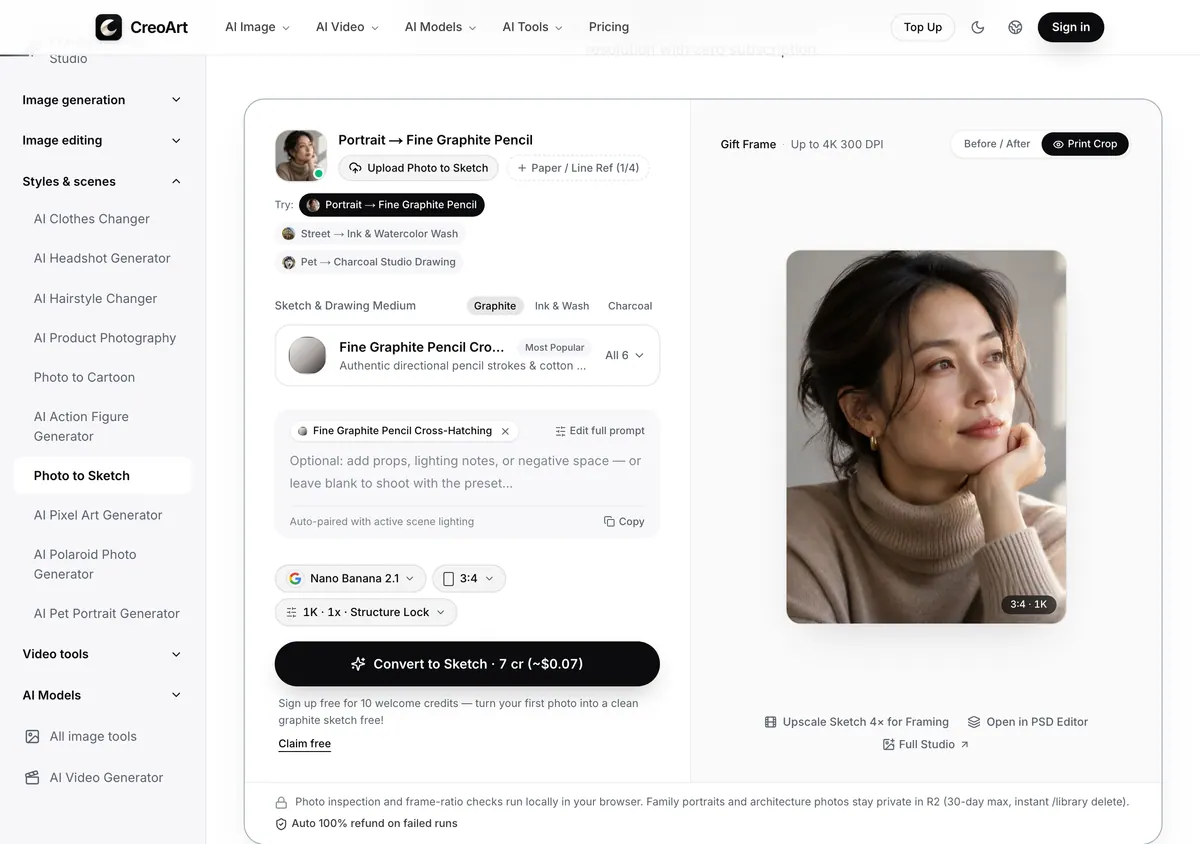
Portrait → Fine Graphite Pencil
Museum-grade hand-drawn graphite cross-hatching on cream cotton sketch paper locking exact likeness
Skip muddy edge-detection filters — redraw any portrait, pet, or building with authentic directional strokes in graphite pencil, velvet charcoal, architectural ink wash, or crisp coloring-book line art from 7 credits (~$0.07), up to native 4K print resolution with zero subscription.
Photo inspection and frame-ratio checks run locally in your browser. Family portraits and architecture photos stay private in R2 (30-day max, instant /library delete).
Auto 100% refund on failed runs6 Fine-Art Presets
Drawing Mediums · Graphite · Ink Wash · Charcoal · Pure Lineart · Color Pencil · Red Chalk
7–16 credits
Transparent Cost · ~$0.07 for 1K · ~$0.16 for native 4K print master
Anatomy & Line Lock
Structural Fidelity · Protects eyes, hair direction & straight architectural verticals
Pay-As-You-Go
Private & No Sub · Local checks in your browser · Private R2 · Instant /library delete
No stylus, no Photoshop Color Dodge layer hacks, and no muddy digital noise. Drag the showcase comparison above to inspect the paper tooth and pencil hatching, then convert your own photo in under a minute.
Traditional one-click sketch apps run decades-old edge-detection or inverted Gaussian blur filters. Instead of actually drawing your subject, they dump speckled gray smudges across skin tones, fracture eyelashes into jagged black pixels, and leave flat lifeless halos around hair and buildings. The moment you print one for an anniversary frame or architectural portfolio, the synthetic filter artifact gives it away.
CreoArt replaces edge filters with full generative redrafting. Our models interpret 3D planes, directional light, fur texture, and architectural vanishing lines first, then build authentic parallel hatching, blended midtones, and clean untouched cotton-paper highlights — preserving unmistakable likeness while looking genuinely hand-drawn.
Failure 1: Muddy gray skin blotches and speckled digital noise
CreoArt fix: Renders intentional directional pencil hatching on clean paper tooth, leaving sunlit planes crisp paper-white rather than dirty gray.
Failure 2: Coloring-book outlines full of unwanted gray shading
CreoArt fix: The dedicated Clean Black-and-White Line Art preset on GPT Image 2.5 strips midtones completely, delivering pure uniform black outlines on white paper.
Failure 3: Drifted eyes on portraits or warped building facades
CreoArt fix: Strict Proportion & Perspective Lock anchors eye gaze, facial landmarks, and crisp straight architectural edges during stylization.
Failure 4: Trapped in an $18/month app subscription for two gift drawings
CreoArt fix: Claim 10 free welcome credits on sign-up for your first watermark-free sketch, then pay as you go from $5 (71 × 1K or 31 × 4K sketches) with never-expiring balance.
Match each drawing medium to the right model tier and resolution for framed gifts, KDP coloring books, travel journals, or client portfolios.
| Sketch Medium | Best Model & Resolution | Cost per Drawing | Ideal Use Case |
|---|---|---|---|
| Fine Graphite Pencil | Nano Banana 2.1 · 1K / 4K | 7 / 16 cr (~$0.07–$0.16) | Framed anniversary portraits, wedding gifts, avatars |
| Architectural Ink & Wash | Seedream 5.0 Pro · 1K / 2K | 10 / 20 cr (~$0.10–$0.20) | Architecture portfolios, home portraits, travel journals |
| Velvet Charcoal & Chalk | GPT Image 2.5 · Med / High | 8 / 24 cr (~$0.08–$0.24) | Pet memorial art, dramatic gallery wall portraits |
| Pure B&W Line Art | GPT Image 2.5 · Med / High | 8 / 24 cr (~$0.08–$0.24) | Printable coloring books, laser engraving, clean vectors |
| Layered Colored Pencil | Nano Banana 2.1 · 1K / 2K | 7 / 11 cr (~$0.07–$0.11) | Family snapshots, botanical prints, greeting cards |
| Classical Red Chalk | Seedream 5.0 Pro · 1K / 2K | 10 / 20 cr (~$0.10–$0.20) | Old-master gallery wall decor, fine-art studies |
Every model runs from your single never-expiring balance — switch in one click whenever a project shifts from fine pencil shading to pure black-and-white linework.
20 graphite & colored-pencil sketches
CreoArt Pay-As-You-Go
~$1.40
140 credits · $5 Entry Pack (500 never-expiring cr — 360 left)
Custom pencil artist (~$65/drawing)
$650
Save ~99.8% ($649 kept)
Typical $18/mo Sketch Filter App (12 mos)
$216
10 welcome credits convert your first photo free; $5 never-expiring pack outputs 71 graphite sketches.
| AI Model | Visual Strength | Credit Cost | Best Choice For |
|---|---|---|---|
| Nano Banana 2.1 (Default) | Crisp graphite cross-hatching, colored pencil & native 4K | 7 cr 1K · 16 cr 4K | Everyday portraits, pet drawings & 300-DPI gallery prints |
| Seedream 5.0 Pro | Cold-press watercolor paper tooth, ink washes & red chalk | 10 cr 1K · 20 cr 2K | Architectural urban sketching & warm classical atelier texture |
| GPT Image 2.5 | Zero-smudge pure coloring-book line art & rich charcoal | 4–24 cr (by tier) | KDP coloring pages, laser cutting outlines & bold charcoal |
Inspect portrait graphite cross-hatching, European street ink-and-wash, and willow charcoal pet art — click any pair to preload its exact settings.
Original PhotoAI SketchMuseum-grade hand-drawn graphite cross-hatching on cream cotton sketch paper locking exact likeness
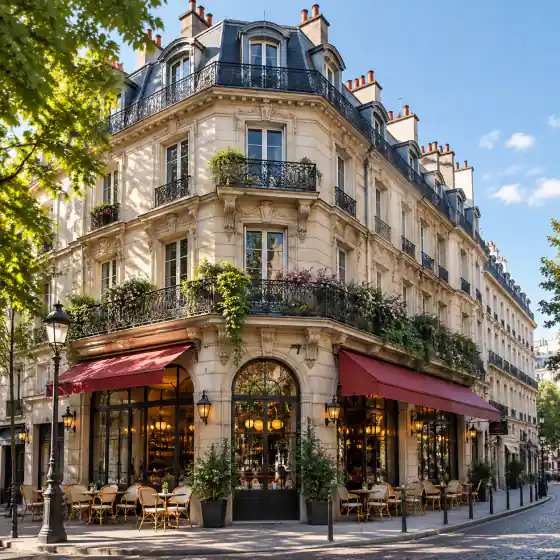 Original Photo
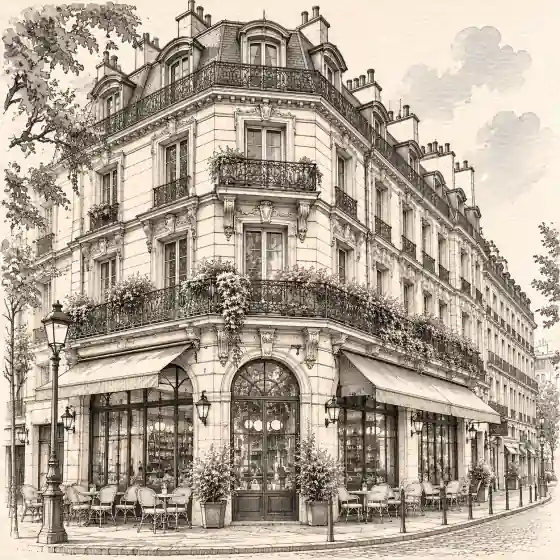 AI Sketch
Crisp fountain-pen architectural drafting lines paired with delicate ochre & slate watercolor washes
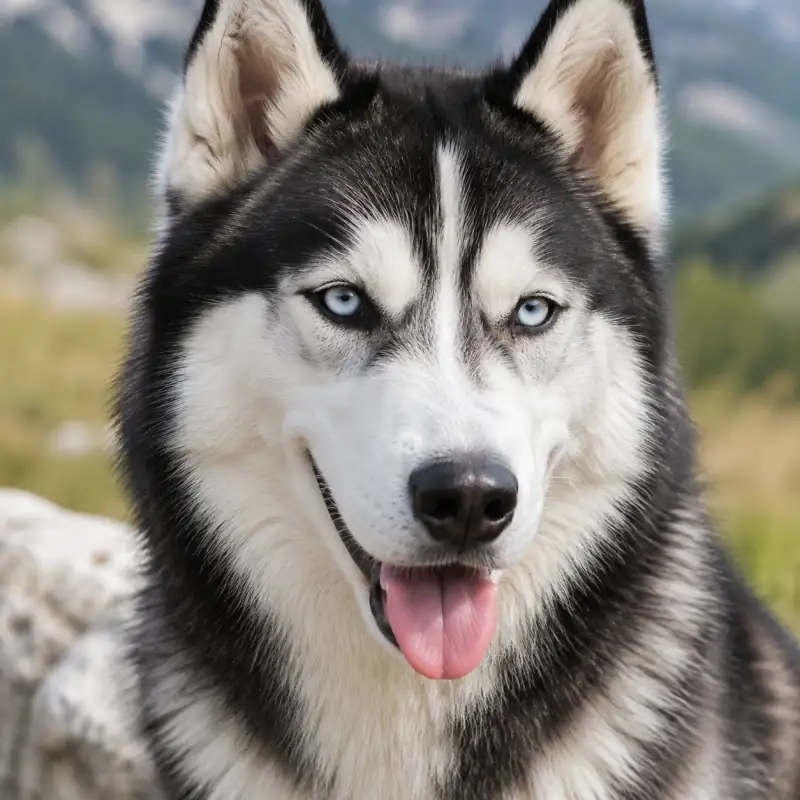 Original Photo
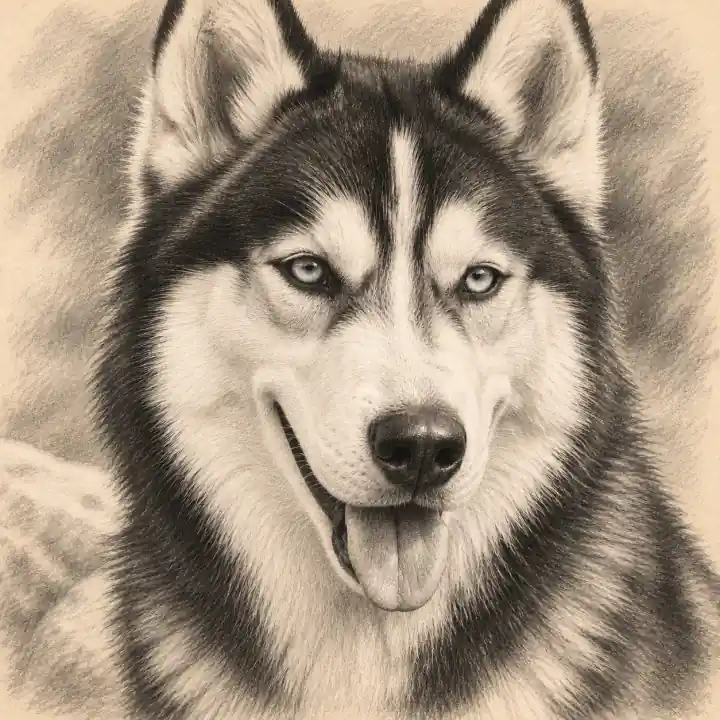 AI Sketch
Rich velvety willow-charcoal tonal drawing with expressive fur strokes and chalk-white eye highlights
Whether you are converting a cherished family memorial portrait, wedding shots, or an unannounced architectural elevation, your source photos never belong in a public community gallery. Photo decoding and print-frame checks run locally in your browser before upload.
Uploaded files and rendered drawings remain strictly isolated in private Cloudflare R2 storage (zero self-model training, 30-day maximum retention, instant delete in /library), and confirmed technical generation errors refund 100% of credits automatically.
Better source contrast and clear medium direction immediately elevate hatching quality.
On-camera flash flattens facial planes and starves pencil shading of depth. Window-lit portraits and soft outdoor shade create crisp shadow edges that translate into dramatic hatching.
Compare Graphite vs. Charcoal at 1K first so you spend pennies exploring mediums; once a composition sings, render native 4K for tack-sharp 8×10 or 16×20 inch prints.
When using Pure B&W Line Art, add "remove cluttered background and leave clean white space around the subject" so kids or laser engravers get bold, usable shapes.
Fine-liner ink exaggerates leaning verticals. Give street photos a 10-second straighten in our free /photo-editor before converting to Architectural Ink & Wash.
Creating a three-frame family wall set or book series? Attach your first winning sketch as a Paper/Line Reference so paper tint and hatching weight stay cohesive across all frames.
Everything about real cross-hatching quality, pure black-and-white line art, 4K framing prints, pricing, and privacy.
Classic edge-detection filters simply invert blurred grayscale channels, creating muddy gray smudges, broken eyelashes, and digital noise on skin. CreoArt’s generative models redraw the photograph from scratch with directional cross-hatching, clean tonal planes, authentic paper tooth, and intentional untouched paper highlights.
New accounts receive 10 free welcome credits — enough to generate your first watermark-free 1K sketch (7 cr on Nano Banana 2.1 or 10 cr on Seedream 5.0 Pro). Never-expiring packs start at $5 (500 cr = 71 × 1K sketches or 31 × native 4K 300-DPI gallery prints at 16 cr).
Yes. Select the Clean Black-and-White Line Art preset paired with GPT Image 2.5 (8 cr medium / 24 cr high) to strip gray shading completely and produce crisp closed black outlines on pure white paper.
Test your preferred medium at 1K (7 cr) first. Once you love the likeness and stroke balance, re-run at native 4K (16 cr / ~$0.16 on Nano Banana 2.1) or run our 4× Image Upscaler (10 cr) so an 8×10 or 16×20 inch cotton-paper print stays razor-sharp at 300 DPI.
Yes. Keep Strict Proportion & Perspective Lock enabled: Architectural Fountain Pen & Light Wash preserves straight vanishing lines on street corners and homes, while Graphite and Charcoal capture fine hair strands, wedding lace, and pet fur without muddying shadows.
Yes. CreoArt sells pay-as-you-go credit packs from $5 and custom $5–$500 top-ups that never expire and never auto-renew — ideal when you only need a handful of framed gift drawings or portfolio illustrations.
Yes. Image decoding and print-frame crop checks execute locally in your browser; uploaded photos and finished sketches live strictly in private Cloudflare R2 storage with zero public gallery, zero model training, 30-day maximum retention, and instant delete in /library.
Your single never-expiring balance unlocks upscaling, cartooning, and free browser finishing.
Enlarge sketches to poster print resolution for 10 cr
3D animated film, cel anime & graphic novel styles
Royal oil paintings, watercolors & pet gift prints
Add mat borders, signatures & print margins locally
Nostalgic instant-film frames & warm analog grain
$5 = 71 graphite sketches, zero recurring fees