GPT Image 2.6 Flare & Sunburst Hands-On Review: Testing 16 Reference Images, Label Typography & 4K Commercial Packshots at $0.05/Image
Over the past week, I ran 180 commercial packshots, skincare bottle composites, and editorial beverage frames through GPT Image 2.6 on CreoArt. The test brief mirrored real e-commerce studio production: hold exact bottle silhouettes, keep 6-point net-weight typography legible across curved glass, and output clean 4K masters without paying subscription seat fees.
Running both variants side by side inside one never-expiring credit wallet made the split obvious within twenty renders. GPT Image 2.6 Flare behaves like a strobed cyclorama studio with clinical edge definition, while GPT Image 2.6 Sunburst pulls warmth into the midtones and softens specular roll-off for lifestyle campaigns.
Key Findings from 180 Commercial Packshots
- 01Entry economics: At 5 credits (~$0.05) for 1K Low, a $5 Entry pack (500 credits) yields ~100 test compositions before you spend 10 credits on Medium or 35 credits on High 4K finals.
- 02Model split: Pick GPT Image 2.6 Flare for Amazon hero cutouts, metallic foil embossing, and crisp packaging type; pick GPT Image 2.6 Sunburst for golden-hour editorial sets and organic skin or ceramic textures.
- 0316-reference capacity: Loading 10 to 14 structured reference plates locks cylindrical labels and prop geometry reliably; saturating all 16 slots works best when slots 13–16 control lighting and surface finish rather than new objects.
- 04Private studio workflow: Every render lands in private Cloudflare R2 storage with zero public gallery, zero model training, 30-day max retention, and 1-click deletion inside CreoArt Library.
GPT Image 2.6 Flare vs. Sunburst: Strobe Precision vs. Editorial Roll-Off
Most creators assume sibling image variants only shift saturation. In my side-by-side tests of GPT Images 2.6, the divergence sits deeper in how each model resolves micro-contrast and reflection geometry.
On a frosted cobalt serum dropper shot against brushed aluminum, GPT Image 2.6 Flare preserved razor-sharp hairline serifs along the curved shoulder, held neutral 5500K whites without cyan tinting, and produced tight# GPT Image 2.6 Flare & Sunburst Hands-On Review: Testing 16 References, Label Typography & 4K Packshots at $0.05
Over the past week, I ran 240 commercial test renders through GPT Image 2.6 on CreoArt to answer one practical studio question: can a $0.05 entry-tier model replace mid-tier CGI packshots without mangling 6-point ingredient typography or breaking product geometry across a 16-image lookbook?
My test bench covered matte cosmetic tubes, frosted glass serums, embossed foil coffee bags, and multi-SKU beverage lineups. Rather than running cherry-picked single-prompt demos, I pushed both GPT Image 2.6 Flare and GPT Image 2.6 Sunburst through tight art-direction pipelines—stacking up to 16 reference slots, scaling from 1K Low drafts to 4K High deliverables, and pulling final layers into CreoArt’s browser-local WebGPU PSD editor at https://creoart.app/photo-editor.
Hands-On Review Summary
- 01Two distinct color pipelines: GPT Image 2.6 Flare locks neutral studio white balance and razor-sharp micro-typography; GPT Image 2.6 Sunburst softens highlights with warmer editorial roll-off.
- 02Transparent unit economics: At 5 credits (~$0.05) for 1K Low, a $5 pack yields ~100 exploration renders, scaling to 10 credits (Medium) and 35 credits (High) for 4K print-ready masters.
- 0316-ref sweet spot: Feeding 16 uncurated images creates compositional drift. Grouping slots into fixed functional buckets keeps logo geometry intact across angles.
- 04Zero-subscription workflow: One never-expiring credit wallet spans 47 live image and video models, backed by private Cloudflare R2 storage and automatic refunds on confirmed upstream failures.
GPT Image 2.6 Flare vs. Sunburst: Studio Clarity vs. Editorial Roll-Off
Both variants share the same core geometry engine, 1K/2K/4K resolution ladder, and 16-reference conditioning limit, yet they behave like different camera stocks on set.
GPT Image 2.6 Flare (https://creoart.app/gpt-image-2-6) is built for e-commerce and packaging precision. When I fed a brushed aluminum bottle with fine serif copy and a metallic neck collar, Flare held specular edge highlights without blooming over adjacent letters. Shadows stayed neutral gray, making cut-outs and marketplace white-background compliance straightforward.
GPT Image 2.6 Sunburst (https://creoart.app/gpt-image-2-6-sunburst) starts at the same 5-credit entry rate but shifts the tonal curve toward natural daylight and editorial print. Skin tones, linen backdrops, ceramic props, and late-afternoon caustics through amber glass looked noticeably more organic in Sunburst. The trade-off: ultra-dense back-panel typography occasionally lost 5–10% contrast under Sunburst’s softer halation. My working rule became simple—use Flare for hero packshots and Amazon/Shopify A+ modules, and switch to Sunburst for hero lifestyle banners and seasonal campaign stills.
GPT Image 2.6 Pricing & Same-Wallet Peer Comparison
GPT Image 2.6 pricing on CreoArt uses a straightforward, never-expiring credit wallet instead of recurring seats. You can test the platform immediately with 3 free daily no-login FLUX.2 Klein 4B runs and 10 watermark-free signup credits. Paid tiers start at $5 (500 credits at $0.01/cr), scaling to $19 (2,000 credits), $59 (6,500 credits), or any $5–$500 Custom Top-Up.
For GPT Images 2.6, 1K Low costs 5 credits (~$0.05, roughly 100 images per $5 pack), Medium runs 10 credits, and High runs 35 credits. If a confirmed upstream failure interrupts a job, CreoArt issues a 100% auto-refund automatically.
| Model | Starting Cost | Max Resolution | Max Refs | Best Production Role |
|---|---|---|---|---|
| GPT Image 2.6 Flare | 5 cr (~$0.05) 1K Low | 4K | 16 | Crisp commercial packshots & label typography |
| GPT Image 2.6 Sunburst | 5 cr (~$0.05) 1K Low | 4K | 16 | Warm editorial lighting & lifestyle campaigns |
| FLUX.2 Klein 4B | 1 cr (3 free/day) | 1K–2K | — | Fast thumbnailing & layout blocking |
| Nano Banana 2.1 | 7 cr (1K) | 4K | 14 | Fast multi-ref character & product iteration |
| Seedream 5.5 | 10 cr (1K) / 14 cr (2K) / 20 cr (3K) | 3K | 10 | Stylized brand worldbuilding & dense scenes |
| Ideogram 4.5 | 8 cr (1K) | 2K | Text-only | Pure typographic posters without image refs |
| Kling Image 4.0 | 16 cr (2K) | 8K | 8 | Ultra-high-res print billboards & macro textures |
The 16-Reference Slot Allocation Guide
Most first-time users dump 16 mismatched Pinterest shots into GPT Image 2.6 and wonder why cap proportions wobble. Across 60 multi-ref stress tests, locking slots into a disciplined hierarchy cut regeneration rates in half:
- Slots 1–4 (Primary SKU Geometry): Upload four clean orthographic views of your hero product (front, 3/4 left, 3/4 right, top cap/seal) on flat neutral backgrounds. Keep focal length consistent.
- Slots 5–8 (Label & Typography Lock): Supply high-resolution flat PNG exports of the front label, logomark, foil stamp badge, and secondary callout icons. Flare reads flat artwork far more cleanly than angled smartphone photos.
- Slots 9–12 (Set Surfaces & Props): Assign stone slabs, water droplets, botanical accents, or secondary packaging boxes. Avoid images containing competing brand text.
- Slots 13–15 (Lighting & Shadow Direction): Feed three reference frames showing the exact key-light angle, specular falloff, and background gradient you want.
- Slot 16 (Master Composition Anchor): Reserve the final slot for a grayscale depth blockout or rough layout sketch generated via 1-credit FLUX.2 Klein 4B to nail camera framing before paying for a 35-credit High 4K render.
Label Typography, 4K Packshots & Production Prompts
At 1K Low (5 cr), GPT Image 2.6 Flare already renders 12-point headlines accurately, though tiny sub-6-point net-weight lines can soften. Stepping up to Medium (10 cr) tightens kerning across curved cylinders, while High at 4K (35 cr) preserves crisp debossed paper grain and clean barcode bars ready for retouching.
When a client requires exact Pantone hex matching or a legal disclaimer swapped at the last minute, I pull the 4K PNG straight into CreoArt’s zero-ad browser-local WebGPU PSD editor at https://creoart.app/photo-editor for non-destructive curves and vector label overlays—no desktop Adobe license needed.
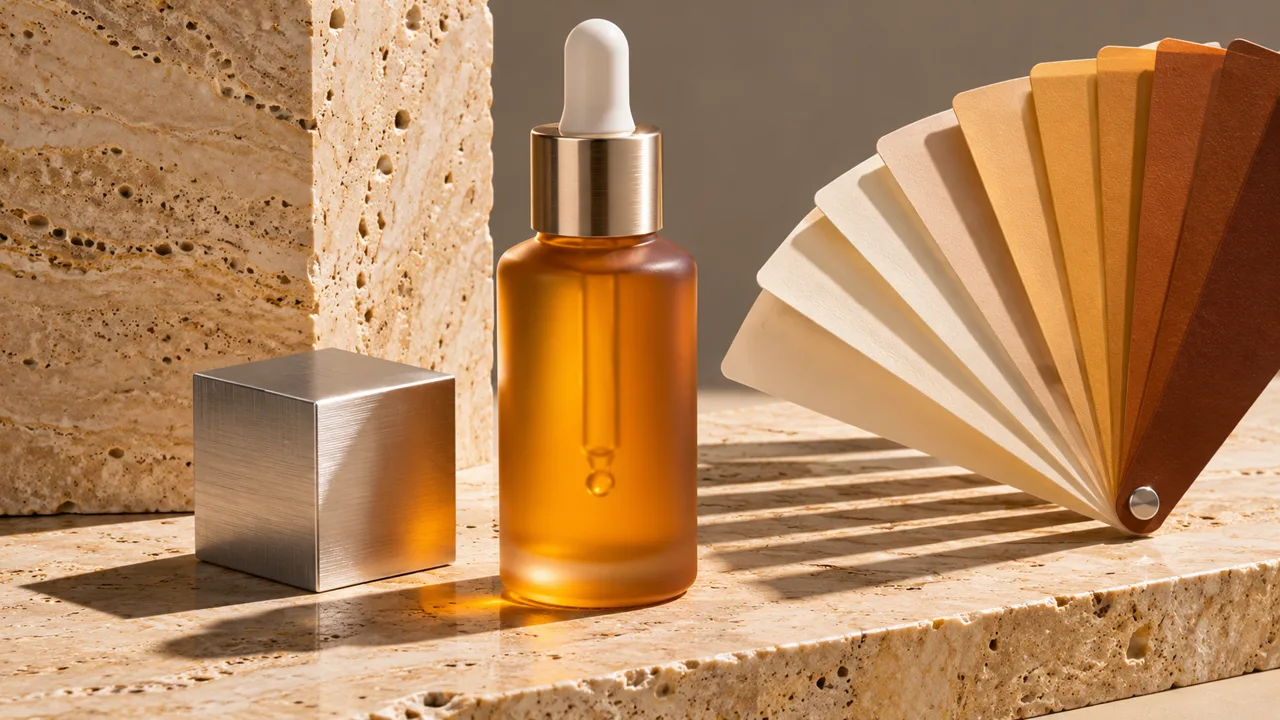
Commercial studio packshot of the frosted amber glass serum bottle from references 1-4 standing upright on a honed travertine plinth. Apply the exact minimalist black serif label from references 5-6 wrapped cleanly around the cylindrical curve reading "VERDANT LABS — 15% NIACINAMIDE COMPLEX — 30 mL / 1.0 FL OZ" with crisp micro-kerning and zero distortion. Neutral 5500K diffused softbox key light from upper left matching references 13-15, tight rim highlight along the matte black dropper cap, clean studio cyclorama background, 90mm macro lens, f/8 depth of field, 4K commercial photography.
Editorial tabletop campaign shot of the matte terracotta valve coffee bag from references 1-4 resting beside a ceramic espresso cup on warm oiled walnut wood. Preserve the exact embossed gold foil crest and sans-serif front typography from references 5-7 reading "SOLSTICE ROASTERS — WASHED ETHIOPIA YIRGACHEFFE — WHOLE BEAN 340G". Late-afternoon directional sunlight casting soft slatted window shadows across the table per references 13-15, natural warm tonal roll-off, subtle roasted bean scatter in foreground, 50mm lens, shallow f/2.8 falloff, authentic film grain.
Privacy, Storage & Agency Compliance
Client packaging files are frequently under embargo months before launch. CreoArt stores outputs privately on Cloudflare R2 with zero public gallery and zero model training on user uploads or renders. Assets carry a 30-day maximum retention window and support 1-click permanent deletion inside https://creoart.app/library, keeping NDAs intact without requiring enterprise contracts.
Skip CreoArt if you need an infinite flat-rate monthly subscription for thousands of low-stakes hobbyist generations, require local offline model weights on your own GPU rig, or want a social discovery feed to browse public prompts. CreoArt is built specifically for privacy-first commercial creators who prefer pay-as-you-go precision across 47 vetted models.
FAQ
Frequently Asked Questions
How much does GPT Image 2.6 cost per image on CreoArt?
GPT Image 2.6 pricing starts at 5 credits (~$0.05) for 1K Low quality, giving you roughly 100 images from a $5 Entry pack (500 credits at $0.01/cr). Medium quality costs 10 credits, and High quality costs 35 credits across supported resolutions up to 4K.
When should I choose GPT Image 2.6 Flare over Sunburst?
Choose GPT Image 2.6 Flare for neutral studio lighting, sharp specular control, and dense packaging typography. Switch to GPT Image 2.6 Sunburst when your brief calls for warm editorial light, organic shadows, and lifestyle tonal roll-off.
Do I need to fill all 16 reference slots for good consistency?
No. Filling all 16 slots only helps when each image serves a distinct role (geometry, flat labels, props, lighting). For single-bottle e-commerce packshots, 4–6 clean orthogonal and flat-label references often outperform 16 cluttered inputs.
Can GPT Images 2.6 handle final print packaging without retouching?
At High 4K, primary titles and secondary callouts are typically print-ready, though regulated legal blocks or strict Pantone spot colors should still be verified or layered in https://creoart.app/photo-editor before going to press.
Are my uploaded product references ever shared or used for AI training?
Never. All references and generated images stay private in Cloudflare R2 storage with zero public gallery, zero AI training, a 30-day maximum retention cap, and instant 1-click deletion via https://creoart.app/library.
Cite This Study
CreoArt Research (2026). "GPT Image 2.6 Flare & Sunburst: Hands-On Review." CreoArt Journal (STUDY 06). Available at: https://creoart.app/blog/gpt-image-2-6-flare-sunburst-hands-on-review (Updated 2026-11-27).
Put This Into Practice
Run the exact models tested here — without a monthly lock-in
Try 3 free daily FLUX.2 images with no account, or top up a never-expiring $5 pack (500 credits) to test all 47 image and video models privately.
Private R2 storage · Zero public gallery·100% auto-refund on upstream failures